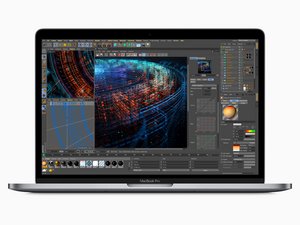
Released in July 2018, the 15" MacBook Pro, model A1990, features a 15.4 inch LED-Backlight display with True Tone technology, TouchID, and up to 6 Core i9 Processor.
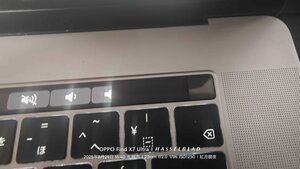
I bought a used Macbook Pro 2018 15-inch, but the touch bar is missing about 2cm to the right. I'd like to replace it, but I can't find any instructions on how to do it, so can someone tell me how?
Install this gem of an App to check your batteries heath CoconutBattery take a snapshot of the Apps main window posting it here so we can see it too.
To help you see the cost of adding a fresh battery alone MacBook Pro Battery. Reusing batteries is risky! Li Ion batteries are setup as two plates with an electrolytic between rolled up in a sizable with about 75 layers. The gap between the plates must stay at a distance otherwise the battery shorts out which creates a runaway thermal event sending the system a hot mess! This series is not easy to pull the battery without hurting the battery.
Sorry we don't have a guide for this series to replace the TouchBar or the upper case. We do have a guide to replace the battery which is more common a task MacBook Pro 15" Touch Bar 2018 Battery Replacement. Take a look at the other series guides to get an idea on what's needed.


 35
35  347
347  977
977 


