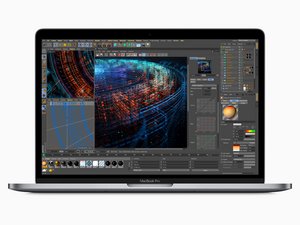
Released in July 2018, the 15" MacBook Pro, model A1990, features a 15.4 inch LED-Backlight display with True Tone technology, TouchID, and up to 6 Core i9 Processor.
Hi, everyone I have a headless MacBook it's working great except the display. I want to install windows via bootcamp. The setup wouldn't show on display. The windows logo just blinks. I tried it in clamshell mode, Windows narrator. But I couldn't found any solution. I (can't)don't want to buy a display right know. Thanks for all answers.
Hello. I solved it with chat gpt and gemini assistance(but mostly me haha, they were too stupid for that problem). I have headless macbook pro 2019 (i9 9880H+5500m) I downloaded bootcamp driver via brigadier to usb stick.
Finished setting up windows 10 pro(installation through BootCamp Assistant ) with help of narrator. And with narrator installed brigadier drivers.
The process:
After the windows set up screen still was black:
0. Turn on Narrator. Win+CTRL+Enter
1. Connect USB stick
2. Win + E
3 . CTRL + L => This PC. Navigate to your usb stick using files Tab and Arrows
4. Open Set UP Bootcamp
5. TAB=> Enter=> Enter (listen to Narrator)
6. Wait
7. Vualya, everything works
8. Download remaining updates and drivers. Undervolt and it is best pc for 200 buck in ram crisis Times
I can Help you with that if you write me in telegram @M4rtlet
Hi Adam, Unfortunately you cannot install Windows without an internal display as Bootcamp needs drivers to output to an external display which you cant install without being in Windows.
This is the knowledge I possess so I could be wrong.
@betatechlabs I tried this https://transferx23.medium.com/adding-cu.... But it didn’t work. The new iso I created had 6gb after “adding" 8gb of drivers to 6gb iso. So had to do something wrong.
I think somebody more experienced should made the custom iso and download link for it. Also with a Ifixit guide. Because for this problem, there isn’t any solution anywhere.
i think you should try something like usbc-hdmi hub. known working one would be UGREEN and Anker, but i believe almost any will work. the trick is that dp-alt mode is supported by efi, so you do not need windows explicitely to support anything. at least such adapters show picture right in the efi mode, which means they are not OS-dependant.
Hello. I solved it with chat gpt and gemini assistance(but mostly me haha, they were too stupid for that problem). I have headless macbook pro 2019 (i9 9880H+5500m) I downloaded bootcamp drivers via brigadier to usb stick.
Finished setting up windows 10 pro(installation through BootCamp Assistant ) with help of narrator. And with narrator installed brigadier drivers.
The process:
After the windows set up screen still was black:
0. Turn on Narrator. Win+CTRL+Enter
1. Connect USB stick
2. Win + E
3 . CTRL + L => This PC. Navigate to your usb stick using files Tab and Arrows
4. Open Set UP Bootcamp
5. TAB=> Enter=> Enter (listen to Narrator)
6. Wait
7. Vualya, everything works
8. Download remaining updates and drivers. Undervolt and it is best pc for 200 buck in ram crisis Times
I can Help you with that if you write me in telegram @M4rtlet

 2
2  3
3 
 7
7 


crwdns2947414:01crwdne2947414:0
Hello. I solved it with chat gpt and gemini assistance(but mostly me haha, they were too stupid for that problem). I have headless macbook pro 2019 (i9 9880H+5500m) I downloaded bootcamp driver via brigadier to usb stick.
Finished setting up windows 10 pro(installation through BootCamp Assistant ) with help of narrator. And with narrator installed brigadier drivers.
The process:
After the windows set up screen still was black:
0. Turn on Narrator. Win+CTRL+Enter
1. Connect USB stick
2. Win + E
3 . CTRL + L => This PC. Navigate to your usb stick using files Tab and Arrows
4. Open Set UP Bootcamp
5. TAB=> Enter=> Enter (listen to Narrator)
6. Wait
7. Vualya, everything works
8. Download remaining updates and drivers. Undervolt and it is best pc for 200 buck in ram crisis Times
I can Help you with that if you write me in telegram @M4rtlet
crwdns2957956:0crwdnd2957956:0 Melita crwdne2957956:0