crwdns2933423:0crwdne2933423:0
crwdns2947577:0crwdnd2947577:0crwdne2947577:0

Shell change, now no lights?

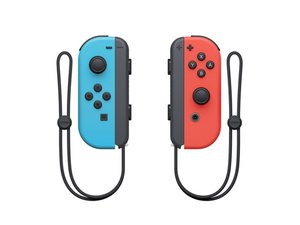
I have changed the shell and sticks on the joy cons ages ago following the guides and they both work perfectly except that the lights don’t come on anymore. I’m now trying to get into pairing mode to connect to an ipad and there’s no indication that it’s in pairing mode and the ipad is not recognising them. Any ideas? or do i need to get back inside the joy con?

crwdns2934089:0crwdne2934089:0 crwdns2934093:0crwdne2934093:0

crwdns2934109:0crwdne2934109:0

crwdns2889612:0crwdne2889612:0 0
crwdns2934285:0crwdne2934285:0

crwdns2933315:02crwdne2933315:0

Hi, Tayla.
Your problem is usual to others but Nintendo™ Already has a solution to this issue

crwdns2934105:0crwdne2934105:0

crwdns2889612:0crwdne2889612:0 0

crwdns2947414:01crwdne2947414:0:

This doesn’t help me at all.

crwdns2934271:0crwdnd2934271:0crwdne2934271:0

crwdns2934285:0crwdne2934285:0

If you recently changed the shell and no lights are coming on despite the the joy-con being charged, you may have damaged the ribbon cable to the SL/SR button board which also houses the lights. These seem to often be bent pretty severely and can break when you do any kind of repair work. I recently replaced this on three controllers I have and all work great now.

crwdns2934105:0crwdne2934105:0

crwdns2889612:0crwdne2889612:0 0
crwdns2934285:0crwdne2934285:0

crwdns2934229:0crwdne2934229:0

Tayla Hathaway crwdns2934231:0crwdne2934231:0
crwdns2936625:0crwdne2936625:0:

crwdns2936751:024crwdne2936751:0 0

crwdns2936753:07crwdne2936753:0 0

crwdns2936753:030crwdne2936753:0 10

crwdns2942667:0crwdne2942667:0 131
