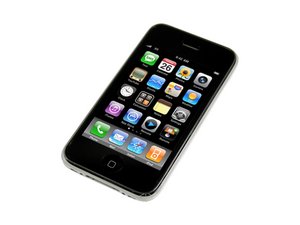
Revamped version of the iPhone 3G with faster processing speeds. Repair of this device is similar to the 3G, and requires simple screwdrivers and prying tools. Model A1303 / 8, 16 or 32 GB capacity / black or white plastic back.
I replace the display panel on a 3GS with relative ease. PC and iTunes recognizes device and was able to sync as well. However all I get is the white screen. I have tried the hard reset (Power/Home button for 10 secs) and nothing apparently happens at all. I have removed panel and rechecked seating of connections too. Anyone out there have any advice as where to go from here. I purchased a used display panel from ifixit.com and assume it is working fine.
Press and hold the home button, then the up-volume button, then the sleep/power button (so all three buttons are now pressed and held) --- it takes a while, but the white screen will go away and then after another 10 seconds or so (still holding btw!) the apple logo will come up, release the buttons and then wait, it'll boot normally again in a minute or two.
EDIT: Just tried it on my own 3GS here which decided to go into the WSoD - alas, doesn't seem to be working this time, not sure though if it's the buttons or not at fault.
Update
If the home-up-sleep combo doesn't work ( as I encountered recently ), it might be worth letting the unit run flat for a few days and then plug it in and try the home-up-sleep combo again.
I was surprised, I thought I was going to have to bin this 3GS but amazingly it came back to life for me.
Not sure what the difference is, but perhaps during the total power-down phase the iPhone manages to go through some different stages in the firmware, as opposed to removing the board from the battery.
Connector 1 which is a pain in the you know where to get seated is more than likely what is giving you the problem here. It's hard to tell if it is completely seated or not. I would suggest pulling the screen off again and checking connector one to make sure it's fully seated in there. You might also want to try letting ifixit know that the LCD is not working they might send you a replacement to test out and see if the product is faulty.
Thanks Cal...it appears to be seated correctly after several verifications. I just get the same white screen no matter what, although it appears to reset when I hold POWER/HOME button but comes back to white screen. I think I will try 2nd option and return to ifixit for another display panel just to rule it. Thanks for reply.
I had the same pblm. Weird, but try to put a little piece of electric (black) tape between cable 2 and 3. (clable 3 is under cable 2). It woked for me.
i tried everything (hard reset, run out of battery, check the connectors of the display unit, replace the display unit) and finally the touch unit didnt work also (within the first days it worked and i could answer calls).
the main problem was that i even could not do sync&backup my phone because i have a passcode and itunes did not let me doing this w/o typing the passcode when initializing this procedure.
i found your solution and I tried the home/up/sleep combo and it came back to life (even the touch unit).
I solved it with a old iPhone 4S I solved it with iTunes 12.3 in iOS 9.2.1. you have to click restore in iTunes and follow the on screen instructions in itunees and set up at the end

 2
2  2
2