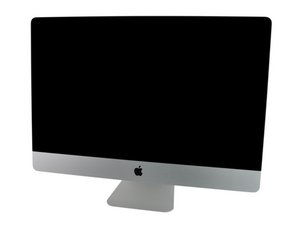
I have an iMac A1312 27 and the screen is totally BLACK not even glowing.
I already tried a
-NEW LCD
-NEW INVERTER
NOTHING WORKED
The only LED that doesn´t lit is LED 4.
If I put an external display everything is working 100% :)
BY NOW
I do believe that is something related to the INVERTER. but I tried a brand new one and nothing changed. Do you think that the cable from the POWER SUPPLY to the inverter could not be working properly?
I'd start by following Deep dive suggestions from Apple but would stop at #7
Deep Dive
1. Verify boot chime present and fans running when computer powered ON. (Reset SMC and clear PRAM if necessary for proper boot up.)
Yes Power on self test OK.
Go to step 2.
No Go to Won’t Start Up symptom flow.
2. Verify if image is visible on built-in LCD panel, with adjustable backlight level.
Yes Video present. Verify system functionality and return to user or go to appropriate troubleshooting flow.
No Go to step 3.
3. Connect supported external display. Verify if image appears on external display when system is booted.
Yes External display detected by system. Video circuitry on logic board functional.
Go to step 4.
No Go to No Video symptom flow.
4. Verify if LCD backlight is ON by looking for faint glow from display when viewed in darkened room with brightness set at maximum.
Yes LED backlight is functioning.
Go to step 7.
No Go to step 5.
5. Shine bright (low heat) flashlight onto front of LCD. With computer powered ON verify if a faint image is visible.
Yes LCD panel functional but backlight is missing or dim. Remove LCD panel and inspect and reseat the
following cable connections:
-Backlight power cable
between backlight board and LCD panel.
-Vertical sync cable between backlight board and LCD panel.
-DC power cable to backlight board and power supply.
Replace any damaged cable.
Reinstall LCD panel and go to step 6.
No No image or backlight.
Go to step 7.
6. Power ON system. Verify if image is now visible on LCD panel with correct backlight level.
Yes Issue resolved.
No Replace LED backlight board.
Retest. If issue persists, go to step 7.
7. Inspect and reseat internal DisplayPort cable (between logic board and LCD panel).
Power ON system. Verify if image is visible on built-in LCD display.
Yes Issue resolved.
No Replace internal DisplayPort cable.
If issue persists, replace LCD panel. Run Apple Service Display Utility to verify the resolution of intermittent display flickering symptoms. If the Apple Service Display Utility fails, contact Technical Service Provider Support
Anything after that, you'd have to measure some voltages on your logicboard.
I already tried with an external monitor and it works 100%, so I guess it is some issue related to the LCD.
IMPORTANT TO MENTION
-Tested with a NEW LCD,
-Tested with a NEW INVERTER
NOTHING WORKED
BY NOW
What I am assuming is that something RELATED to the inverter is not working. Cause if was the LOGIC BOARD CONNECTOR the LCD should turn on and bright even in a glowing dark image. but it seems to be DEAD no energy at all.
Since I already tried a new INVERTER I am starting to think it is something related to the CABLES that bring energy to the INVERTER.
I have the same 27 inch iMac 2009 model. I get a clean start up with chime and fans running but can not get a video image. not even with an external monitor. I know the power supply is good, the backlight board is good and the video card is good as well. Any ideas anyone?
was this resolved? I have same machine and same symptoms with new HD. I am going to replace the Vsync ribbon, but would like to verify if the video card is loose. Do you know where it is?
on a 27 inch iMac 2009 i7 I had the same problem, it was due to the temperature sensor of the LCD panel. Apple uses a 2N3904 transistor as a standard component which is easy to get in electronics stores for 1-2 €. Pay attention to how it is soldered.
I came to this through the tool HWSensors, which displays the measured values of all (?) Temperature sensors, for the LCD sensor it showed over 130 ° C, which could not be correct.
I am using 2012 and 2013 27 inches. Both have the same symptoms. It works well when connected to an external monitor. However, only a black screen appears on the internal display. When you shine a light on it, the screen appears very dark.
I thought this was a screen issue. However, it is assumed that the problem is not with the liquid crystal display, but with the chip responsible for the backlight on the logic board. What do you think? I found this symptom on my MacBook Pro. Data on iMac is difficult to find.
@paparapha yes that sounds like a backlight issue. Could be anything from the WLED driver, backlight fuse to the backlight itself. You need at least a multimeter to start troubleshooting.

 6
6  10
10 
 2.4crwdns2936485:0crwdne2936485:0


