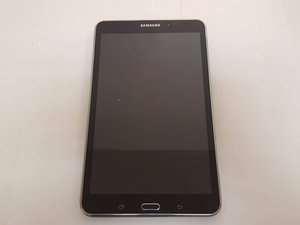

The Samsung Galaxy Tab 4 8.0 Wi-Fi, also known by its model number SM-T330, was released on April 23, 2014. It has a quad-core 1.2 GHz processor and also has a 3 MP rear camera.
This is what I am seeing on my tablet after I press the power button to turn it on. It takes 6 minutes before this disappears and I am able to use my tablet. Any suggestions???
I found a solution that need no flashing.My s6 edge plus behaved same way.I left like that because I did not want to lose some applications. On the third day it booted normal.
Same problem. Solved by uninstalling Stopwatch & Timer app: Icon has rows of zeroes and is magenta on top row, green on middle row and white on bottom.
Flash the Samsung firmware for your tablet via downloaded firmware from sammobile matching the model number and region of your tablet.
You need to do this with the tablet plugged in and booted to download mode. Instructions on how to do this are on every download page of every firmware on sammobile website.
This should fix your problem otherwise you need to do a factory reset probably.
I had also done other updates and thought it was Android System WebView as it started right after that had updated. Then I read it's Zedge and I've had that program for almost 2 years. I had restarted phone and was again stuck on "Optimizing", but for me each time it has been a good 20 minutes.
I uninstalled Zedge and it started right up, no Optimizing. Thanks for everyone who figured this out!
Full load your phone. Turn off, disconnect from AC. Start and wait for the optimization process to come to an end. Check settings>battery for app using most battery. Deinstall that and reboot.
This is accurate, and mine was not any of the apps previously mentioned (my fitness pal), but I checked the battery and it had the most use directly after starting. I uninstalled it and now my phone starts without any 'optimizing'. Thanks!
This was SMART...(worked for me and my tablet is an RCA, so should work for ALL TABLETS/PHONES)
I went into SETTINGS>BATTERY, then ignored SCREEN and ANDROID OS (which took up the most battery usage on my tablet. The next item on the list was HANGOUTS (which I don't think I ever use). So I went into SETTINGS>APPS and tapped on it, then clicked on DISABLE. When it finished, I rebooted the tablet and sure enough, the problem was solved. I then went back into SETTINGS>APPS and tapped on HANGOUTS again and ENABLED it. I then rebooted the tablet just to make sure the problem was solved and sure enough it was.
The only thing that seems to help is uninstalling the Google update on the RCA Galileo pro, but I want the Google update. Everytime it updates even though I did a factory reset, we go back to optimizing. I don't know what to do
crwdns2944067:03crwdne2944067:0
I found a solution that need no flashing.My s6 edge plus behaved same way.I left like that because I did not want to lose some applications. On the third day it booted normal.
crwdns2934271:0crwdnd2934271:0 Chuka crwdne2934271:0
Same problem. Solved by uninstalling Stopwatch & Timer app: Icon has rows of zeroes and is magenta on top row, green on middle row and white on bottom.
crwdns2934271:0crwdnd2934271:0 tmeringo crwdne2934271:0
Only 6 minutes? My Lenovo tablet takes 15 minutes "optimising app"
crwdns2934271:0crwdnd2934271:0 Alan Clarke crwdne2934271:0