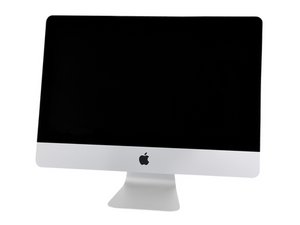
The newer Thin series iMacs are very hard to open without the correct tools and skills. I would strongly recommend not trying.
As to using a Samsung SSD unit: Apple uses a blade style SSD that is similar to the M.2 SSD standard. They use their own firmware so even getting the correct Samsung PCIe SSD unit you still won't have a working setup. So far Apple does not sell the custom SSD units and the only option is finding a used Apple SSD unit on eBay. Sadly, many are not real Apple units and will not work. Here's the IFIXIT guide on have to replace it: iMac Intel 21.5" EMC 2805 SSD Replacement. The guide was written with the idea it would be possible (which we currently know it is not).
As to upgrading the RAM: Apple is now soldering the RAM directly on the logic board so you can't upgrade the newer 21.5" iMac's which have only 8GB of RAM. The older iMac 21.5" models did have RAM sockets but it was still a bear to get to them.
Mayer's link above is what is involved in the older models. Here's the IFIXIT Guide on replacing the complete logic board: iMac Intel 21.5" EMC 2805 Logic Board Replacement. Which is the only means to upgrade a base model. If you look at Step 65 just to the left of the CPU chip (green chip) you will see the four soldered chips.
Here's the rundown on which A1418 model has removable RAM:
The base model is only available with 8 GB soldered RAM
Mid and high-end models are configurable to 16 GB at time of purchase. It should be noted the 2.7 and 2.9GHz models can be upgraded, but the machine needs to be tore down completely.
Your right, as a service part not technically as a upgrade. And boy! are their prices way too high, as you've noted. If you take the the price of a Apple HD unit and compare it to what the same drive costs from the OEM the delta is not as much as what Apple charges for the SSD units. Don't understand why they are at such a ultra premium price. The firmware?
I bought the same Memory for the same IMac 21.5" late 2013 EMC 2638, I teared down my computer and placed two 8GB RAM to reach the maximum and works perfect.
If you are comfortable with taking apart a Mac and can follow a guide on YouTube take it apart.
I don't understand why everyone is so afraid to take apart an iMac, Boards are boards. If you are used to taking them apart, do it. If you have never taken apart a computer, don't do it without guided instruction. Especially on a new umpteen thousand dollar Mac.
As far as getting one on eBay what Dan says is true. There are other places but they seem to be guarded. Don't know why and think its silly. Good luck :)
@niccolious - Nic this is an old question back in Jan 2015! The 'Thin Series' iMac's are still harder to open than the older models and if you don't do it right you can kill your display!
It also turns out Apple made two versions of the 21.5" logic board in the earlier generations: One with the custom blade SSD interface and the other without the hardware present! So depending on what you bought you might not even be able to add in the blade SSD. Even so its not that easy! As you need to completely remove the logic board. to gain access to the connector and some models have soldered in RAM so they can't be upgraded! What a mess!
As for the custom blade SSD's both OWC & Transcend offer them. These SSD's are not the same as the simular M.2 SSD's you see. The conenctors are very different.


 35
35  347
347  977
977 




crwdns2947414:01crwdne2947414:0
Please review the guide before you decide to do the upgrade, it's a real PITA. iMac Intel 21.5" EMC 2638 RAM Replacement
crwdns2957956:0crwdnd2957956:0 mayer crwdne2957956:0