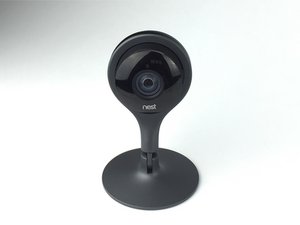
crwdns2862678:0crwdne2862678:0
crwdns2895503:0crwdne2895503:0
Device is not on
If the indication light is neither visible nor blinking your Nest Cam may be off. Ensure your electric outlet is working and that the USB power cord is not faulty. With the Nest App make sure that your Nest Cam Camera is on under settings.
Out of charge
Your Nest Cam may not be charged sufficiently. If it's not, properly charge it with the USB cord provided. You need to leave Nest Cam plugged continually for surveillance purposes.
Status light not visible
If your Nest Cam is streaming fine but the status light does not seem to be visible, your status light settings may just be set to off. You can turn the status light on or off in the Nest App under camera settings then under lights and sound choose status light.

crwdns2935287:0crwdne2935287:0

USF Tampa, Team 1-1, Leahy Spring 2016 crwdns2935289:0USF Tampa, Team 1-1, Leahy Spring 2016crwdne2935289:0
USFT-LEAHY-S16S1G1
crwdns2931471:07crwdne2931471:0
crwdns2935297:060crwdne2935297:0

crwdns2944067:00crwdne2944067:0