crwdns2862678:0crwdne2862678:0
crwdns2895503:0crwdne2895503:0
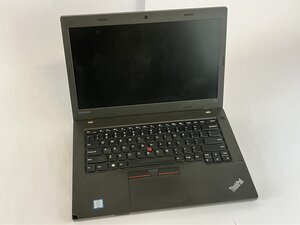
If your Lenovo Thinkpad L460 suddenly shuts down even at high battery percentages or crashes randomly, this guide may help you.
Degraded or Dead Battery Cells
- Check battery health in Lenovo Vantage
- Navigate to Lenovo Vantage > Power > Battery Status.
- If labeled "Poor" or "Replace", then replace the battery inside the Lenovo Thinkpad L460.
Residual Charge Preventing Charging Cycle
- Perform a battery reset
- Power off the Lenovo ThinkPad L460, remove the AC, and the battery.
- Press and hold the power button for 30 seconds, reconnect, and restart.
Outdated BIOS or Power Drivers
- Update system firmware
- Download the latest BIOS and Power Management Driver from Lenovo's Support site.
Hardware Battery Fault
- Replace the battery
- Remove the back cover from the Lenovo ThinkPad L460.
- Disconnect the battery connector from the motherboard and replace it with a genuine Lenovo battery. Follow this guide to replace the battery.

crwdns2935287:0crwdne2935287:0

UMass Dartmouth, Team 2-4, Bowman Fall 2025 crwdns2935289:0UMass Dartmouth, Team 2-4, Bowman Fall 2025crwdne2935289:0
UMASSD-BOWMAN-F25S2G4
crwdns2931471:04crwdne2931471:0
crwdns2935297:072crwdne2935297:0

crwdns2944067:00crwdne2944067:0