crwdns2862678:0crwdne2862678:0
crwdns2895503:0crwdne2895503:0
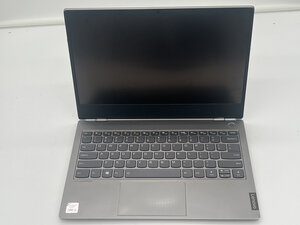
Is your Lenovo ThinkBook 13s-IML cursor unresponsive? Use this troubleshooting guide to help diagnose why.
Try Turning Your Computer Off and On
Many software problems can be resolved by turning your computer off and then on again.
Is the Touchpad Enabled
You may have accidentally toggled your touchpad off.
- Press the window key and the I key or the S key at the same time.
- Once in settings, navigate to the search bar and type in "touchpad on or off."
- Once there, use the Tab key to move to the on/off switch and press the spacebar to toggle the switch on.
Faulty Drivers
The drivers for your mouse may have become corrupted or might be outdated.
- Press the Windows key and the X key at the same time.
- Press the M key to go to the device manager.
- Using the tab and arrow keys, navigate the mice and other pointing device.
- Click on the mouse driver, and use the Tab and arrow keys to navigate to the driver tab.
- Update your driver.
Faulty Mousepad
If these other steps do not work, you may need to replace the touchpad on your computer.
We have a guide for replacing the touchpad here.

crwdns2935287:0crwdne2935287:0

University of North Texas, Team 2-2, Harold Fall 2025 crwdns2935289:0University of North Texas, Team 2-2, Harold Fall 2025crwdne2935289:0
UNT-HAROLD-F25S2G2
crwdns2931471:03crwdne2931471:0
crwdns2935297:05crwdne2935297:0

crwdns2944067:00crwdne2944067:0