crwdns2862678:0crwdne2862678:0
crwdns2895503:0crwdne2895503:0
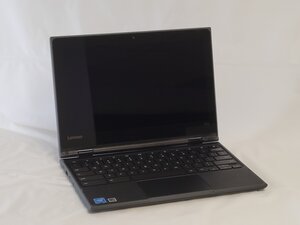
Are your Lenovo 500e Chromebook 81ES keys unresponsive to input? Use this troubleshooting guide to help diagnose why.
Inspect the keyboard for physical damage:
- Missing Keys
- Liquid Residue
- Sticky Keys
- Broken Keyboard Clips
Connections Not Receiving Input:
If a keyboard is not working properly, the connections might be the reason. Do the following
- Check if the keyboard is connected properly to the device. Try connecting with different USB ports and cables.
- For keyboards that are connected via Bluetooth, check the Bluetooth connection stability and enable it properly.
Faulty Connections with Different Keyboard:
- First, get an external keyboard, and locate the USB port on the side of the Lenovo Laptop. Once located, plug in the USB to the Laptop.
- If the external keyboard works, it's an internal keyboard issue.
- If neither works, it’s a software or system issue.
Software Glitches with Computer:
Software glitches in a computer could be a possible cause for unresponsive keys.
- A restart can resolve many simple issues and glitches causing keyboard problems using the power button.
If the keyboard is still unresponsive, a hard reset could help.
- Restart the device by holding the refresh key and tapping on the power button.

crwdns2935287:0crwdne2935287:0

University of North Texas, Team 2-3, Harold Fall 2025 crwdns2935289:0University of North Texas, Team 2-3, Harold Fall 2025crwdne2935289:0
UNT-HAROLD-F25S2G3
crwdns2931471:04crwdne2931471:0
crwdns2935297:060crwdne2935297:0

crwdns2944067:00crwdne2944067:0