crwdns2862678:0crwdne2862678:0
crwdns2895503:0crwdne2895503:0
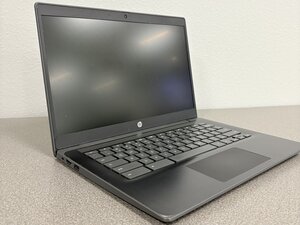
If your HP Chromebook 14 G6 keyboard isn’t responsive to touch input, follow this page for possible solutions.
Software/Driver Conflict
An unresponsive HP keyboard is commonly caused by outdated, corrupted, or missing drivers, software conflicts following updates, or hardware issues like loose internal ribbon cables or debris. Shut down the computer.
The official HP Website offers a solution: HP Notebook PCs - Keyboard troubleshooting (Windows)
Device Needs to be Reset
Sometimes the laptop freezes, and the device needs to be reset for the input to register.
- Turn your Chromebook off
- Hold the refresh button down and press the power button
- Once the Chromebook screen turns on, release the refresh button
Physical blockage or obstruction
Debris under the keyboard can cause a keyboard to jam or stick. To clean any debris from the keyboard, follow these steps:
- Turn your Chromebook off.
- Over a trash can, turn your Chromebook upside down.
- Carefully shake it to get rid of any loose debris.
- With a small vacuum, carefully suck any dirt or crumbs that may be there.
- With a slightly damp microfiber cloth, wipe the keys and the spaces between them.
- Wipe with a dry cloth.
- Turn the Chromebook on and type.
Worn-out rubber domes
With constant use of Chromebook's keyboard, the rubber membranes can lose their spring-back ability.
Steps
- You’ll need a replacement rubber cup
- Remove the old rubber cup and have the surface of where the old key was as flat as possible
- Place the new rubber cup
- Attach the white plastic mechanism and make sure it is screw in place
- Attach the key
- Try typing, and if it doesn't feel right, repeat to scratch off the leftovers of the old rubber cup

crwdns2935287:0crwdne2935287:0

Texas Tech, Team 21-1, Samson Spring 2026 crwdns2935289:0Texas Tech, Team 21-1, Samson Spring 2026crwdne2935289:0
TTU-SAMSON-S26S21G1
crwdns2931471:04crwdne2931471:0
crwdns2935297:060crwdne2935297:0

crwdns2944067:00crwdne2944067:0