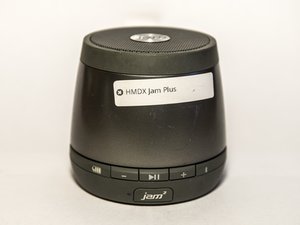
crwdns2862678:0crwdne2862678:0
crwdns2895503:0crwdne2895503:0
Device Will Not Power On
Drained Battery
If your Bluetooth speaker won't turn on, the problem may just have a drained battery. Let the speaker charge for 3 to 4 hours using a MicroUSB cable. Then try again.
Device Won't Charge
If after charging for 3 to 4 hours and the speaker still does not power on the battery may need to be replaced.
Bad Sound Quality
Adjust Volume Level
Most speakers do not sound their best at full volume. When at maximum volume the audio tends to be harsh. The speaker performs best at a medium volume.
Out of Bluetooth Range
A common problem is moving the speaker too far from the paired device. This will cause a breakup and skips in the audio. Things like wall will block the signal and cause the Bluetooth signal to be weak. Move the speaker closer to the paired device.
Blown Speaker
The speaker will sound like fingers on a chalkboard or music being played in a tin can. The speaker may have lived out a full life and now it's time to be replaced.
Cannot connect to speaker via Bluetooth
Speaker appears on discoverable Bluetooth devices but will not connect.
Power Cycle the Speaker
Try powering the device on and off a few times. When speaker is on press and hold the play button. This will initiate the Bluetooth pairing mode and the Bluetooth light will begin flashing quickly.
Resetting Bluetooth connections
Use a paperclip or small sharp object to press and hold the reset button on the bottom of the unit for about 5 seconds. Resetting the device will remove all previously paired devices from its memory.
Switch Devices
Some devices simply won't pair with the speaker. The speaker uses Bluetooth SIG standards and devices like laptops may not have the correct driver. Try connecting with a different device or using the 3.5mm Line In Jack.
Connection PIN
If you are prompted for a PIN use the default code of 0000.

crwdns2935287:0crwdne2935287:0

Montana Tech, Team 10-3, Shirk Fall 2015 crwdns2935289:0Montana Tech, Team 10-3, Shirk Fall 2015crwdne2935289:0
MTUM-SHIRK-F15S10G3
crwdns2931471:04crwdne2931471:0
crwdns2935297:048crwdne2935297:0

crwdns2944067:025crwdne2944067:0
just bought one and based on this info battery needs to be replaced. WTF?
jj - crwdns2934203:0crwdne2934203:0 crwdns2950251:0crwdne2950251:0
Having same problem only worked the day I got it and won't charge
Charles Petty - crwdns2934203:0crwdne2934203:0 crwdns2950251:0crwdne2950251:0
Exactly the same issue. I now believe it only worked on the charge I bought it with. A couple of hours use, and only a paper weight now. Anybody had this fixed or replaced? Will be returning it when I'm close to shop otherwise.
Fintan - crwdns2934203:0crwdne2934203:0 crwdns2950251:0crwdne2950251:0
Can't connect jam plus to iPhone6S
It's charged and blue tooth is on. On ph blue today theis activated and Jam plus is listed. I click it and it say can't connect . What to do. It has been connected to this ph before.
victoria - crwdns2934203:0crwdne2934203:0 crwdns2950251:0crwdne2950251:0
Try to click the speaker and then click "forget this device" then reconnect to the Bluetooth speaker
seahawksboy - crwdns2934203:0crwdne2934203:0 crwdns2950251:0crwdne2950251:0