crwdns2862678:0crwdne2862678:0
crwdns2895503:0crwdne2895503:0
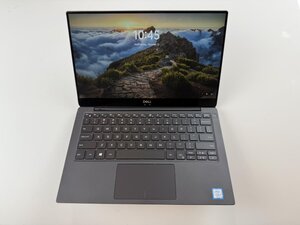
If your Dell XPS 13 9370's screen becomes frozen and unresponsive, and the display is stuck on a single frame, follow this page for solutions.
Temporary Software Crash
Hold Ctrl + Alt + Delete to attempt to view Windows security screen. If it appears select “Task Manager” and close unresponsive apps. If that does not resolve the issue, perform a forced restart. Hold down the power button for 10-15 seconds and wait till the laptop powers down. After a few seconds, press the power button and attempt to restart the laptop.
Peripheral Device Conflict
A faulty or incompatible peripheral device can sometimes cause the laptop screen to malfunction and freeze. This may also be due to incompatible peripheral devices conflicting with one another. To isolate the problematic peripheral device, disconnect external devices and restart the laptop, and reconnect each one at a time to identify the faulty peripheral device.

crwdns2935287:0crwdne2935287:0

Texas Tech, Team 46-1, Johansen Fall 2025 crwdns2935289:0Texas Tech, Team 46-1, Johansen Fall 2025crwdne2935289:0
TTU-JOHANSEN-F25S46G1
crwdns2931471:05crwdne2931471:0
crwdns2935297:072crwdne2935297:0

crwdns2944067:00crwdne2944067:0