crwdns2862678:0crwdne2862678:0
crwdns2895503:0crwdne2895503:0
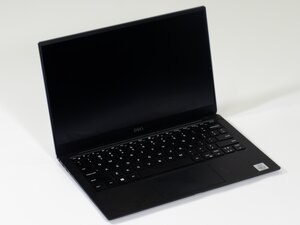
If your Dell XPS 13 7290’s built-in microphone is not picking up sound as an input, you may have a software problem, try the following steps to resolve your issue.
Microphone Muted or Disabled in Windows Settings
- Ensure Microphone is not muted and enabled in Windows settings and app permissions.
- Select the correct sound device if not currently selected.
- Check your microphone privacy by going to Start > Settings > Privacy & security > Microphone. Make sure "Let apps access your microphone" is On, and enable access for individual apps you want to use with it.
- Ensure your microphone is selected as the recording device.
- Make sure your microphone is Enabled in device manager. Right-click the Start button, select Device Manager, expand Audio inputs and outputs, right-click your microphone, and select Enable Device if it's disabled.
Software Conflict or System Recognition Error
- Go to Settings > System > Sound. Click “Troubleshoot” under “Input” to detect and fix common microphone issues. You may need to restart your computer after this step.
Outdated or Corrupted Audio Driver
- Install “Dell Command Update” to automatically install recommended drivers.
If that doesn't work, you can manually install the ++Realtek Audio Driver++ from Dell's support site. You may need to restart your computer after this step.
Resources

crwdns2935287:0crwdne2935287:0

Linn Benton Community College, Team 1-1, Karnes Fall 2025 crwdns2935289:0Linn Benton Community College, Team 1-1, Karnes Fall 2025crwdne2935289:0
LBCC-KARNES-F25S1G1
crwdns2931471:03crwdne2931471:0
crwdns2935297:072crwdne2935297:0

crwdns2944067:00crwdne2944067:0