
uAttend bn6000 Keyboard Replacement

crwdns2959932:0crwdnd2959932:0Will Mastelcrwdnd2959932:0crwdnd2959932:0crwdne2959932:0
crwdns2959936:0N'w 15, 2017crwdne2959936:0
crwdns2869540:0crwdne2869540:0: 925
crwdns2959988:0crwdne2959988:0
- crwdns2959990:0crwdne2959990:0
- 3
- crwdns2959992:0crwdne2959992:0
- 21
- crwdns2959994:0crwdne2959994:0
- 93
- crwdns2959996:0crwdne2959996:0
- 925
crwdns2955950:0crwdne2955950:0: 0
crwdns2959998:0crwdne2959998:0
crwdns2960000:0crwdne2960000:0crwdns2959984:0crwdne2959984:0: 0 1
crwdns2959956:0crwdne2959956:0
crwdns2959968:01crwdne2959968:0
crwdns2959986:0crwdne2959986:0: 0 1
crwdns2959958:0crwdne2959958:0
crwdns2959976:01crwdne2959976:0
crwdns2869444:0crwdne2869444:0
crwdns2869445:0crwdne2869445:0
crwdns2959930:0crwdne2959930:0
crwdns2943215:0crwdne2943215:0


crwdns2915892:0crwdne2915892:0
crwdns2959928:0crwdne2959928:0 ↓The keyboard is a vital component to the function of the unit. This guide will show to remove and replace the keyboard. Take care not to damage the keyboard when removed.
-
-
-
Flip the device over.
-
Remove the four 10mm PH #2 screws by rotating the screwdriver counterclockwise, removing the screw from the housing completely.
 crwdns2952109:0crwdne2952109:0
-
-
-
Separate the two cover pieces carefully by pulling apart the two cover pieces away from each other.
-
-
-
-
-
-
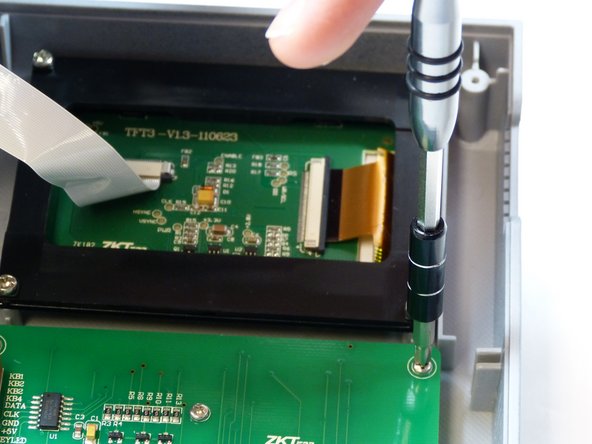
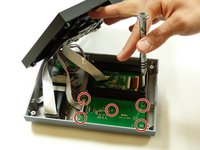
Remove the five 7mm PH #1 screws from the back of the keypad, by rotating the screw driver counter clockwise, removing the screw from the housing completely.
-
-
-
Remove the bundled cable connector from the keyboard by pulling the cable away from the connector in the same direction as the individual wires are running.
-
-



To reassemble your device, follow these instructions in reverse order.

crwdns2935287:0crwdne2935287:0

Idaho State University, Team S4-G1, Watkins Fall 2017 crwdns2935289:0Idaho State University, Team S4-G1, Watkins Fall 2017crwdne2935289:0
ISU-WATKINS-F17S4G1
crwdns2931471:03crwdne2931471:0
crwdns2935297:060crwdne2935297:0
