
iVIEW-754TPC Battery Replacement

crwdns2959932:0crwdnd2959932:0calvincrwdnd2959932:0crwdnd2959932:0crwdne2959932:0
crwdns2959936:0Kho 17, 2015crwdne2959936:0
crwdns2869540:0crwdne2869540:0: 3,1 k
crwdns2959988:0crwdne2959988:0
- crwdns2959990:0crwdne2959990:0
- 2
- crwdns2959992:0crwdne2959992:0
- 28
- crwdns2959994:0crwdne2959994:0
- 106
- crwdns2959996:0crwdne2959996:0
- 3 114
crwdns2955950:0crwdne2955950:0: 0
crwdns2959998:0crwdne2959998:0
crwdns2960000:0crwdne2960000:0crwdns2959984:0crwdne2959984:0: 3 4
crwdns2959974:03crwdne2959974:0
crwdns2959970:04crwdne2959970:0
crwdns2959986:0crwdne2959986:0: 0 1
crwdns2959958:0crwdne2959958:0
crwdns2959976:01crwdne2959976:0
crwdns2959930:0crwdne2959930:0
crwdns2943215:0crwdne2943215:0
-
Spudger4.9
-
-


crwdns2915892:0crwdne2915892:0
crwdns2959928:0crwdne2959928:0 ↓Is your device no longer holding a charge? Use this guide to replace a faulty or worn out battery.
-
-
-
Use plastic opening tool to release the clips holding the device together. The clips will take a small amount of pressure to release. Once you have the plastic opening tool inserted, use a twisting action to release the clips. Start from bottom of device and work all the way around.
 crwdns2952109:0crwdne2952109:0
-
-
-
-
-
-
Use flat side of the spudger to get under battery and use pressure to release from glue. Do this all the way around battery until it comes off.
-
-
-
-
-
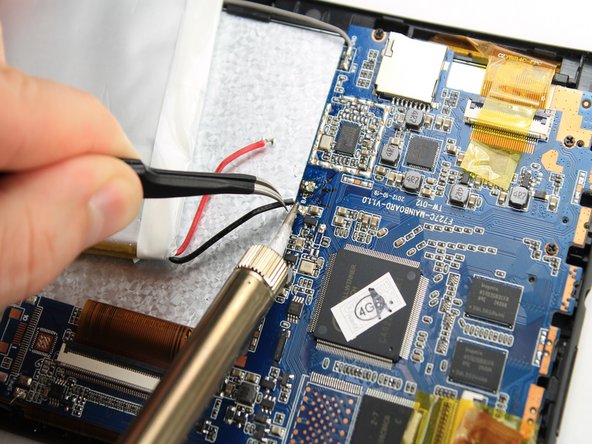
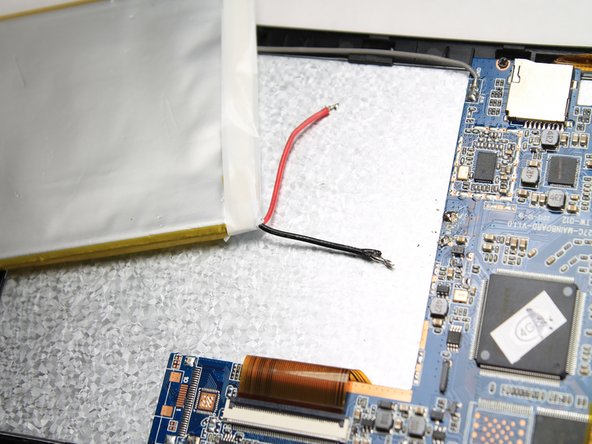
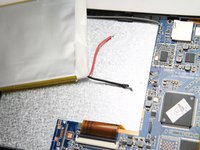
Once battery is off, the wires will still be connected to motherboard. You will need to desolder the wires.
-
Using the soldering tool, use the heat to melt the connection. As you do this, pull on the wires with a tweezer until wires comes off.
-
-


To reassemble your device, follow these instructions in reverse order.
crwdns2935221:0crwdne2935221:0
crwdns2935229:03crwdne2935229:0

crwdns2935287:0crwdne2935287:0

USF Tampa, Team 5-4, Brown Winter 2015 crwdns2935289:0USF Tampa, Team 5-4, Brown Winter 2015crwdne2935289:0
USFT-BROWN-W15S5G4
crwdns2931471:04crwdne2931471:0
crwdns2935297:096crwdne2935297:0
