crwdns2933423:0crwdne2933423:0
crwdns2947577:0crwdnd2947577:0crwdne2947577:0

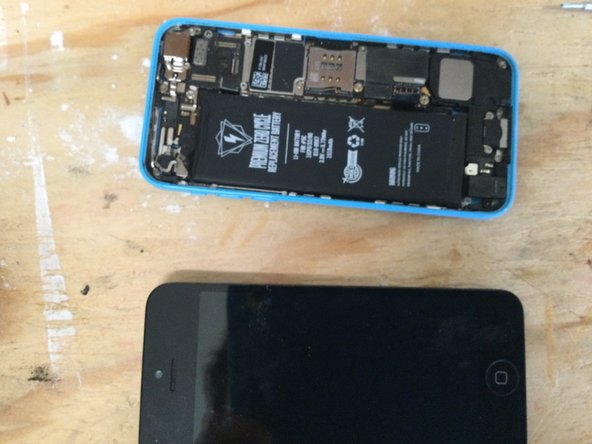
iPhone 5c Screen Replacement

crwdns2862587:0crwdne2862587:0
crwdns2862588:0crwdne2862588:0

crwdns2942213:0crwdne2942213:0

    1. iPhone 5c Screen Replacement, Taking out bottom screws: crwdns2935265:01crwdnd2935265:01crwdnd2935265:01crwdne2935265:0
      • Take out the pentolope screws from the bottom of the iPhone next to the speakers.

      crwdns2952109:0crwdne2952109:0

      crwdns2917038:0crwdne2917038:0

    2. iPhone 5c Screen Replacement, Pulling up screen: crwdns2935265:02crwdnd2935265:01crwdnd2935265:01crwdne2935265:0
      • Get suction cup and pull up.

      • Note: Use a guitar pick and pry up to lift screen easily.

      crwdns2952109:0crwdne2952109:0

      crwdns2917038:0crwdne2917038:0

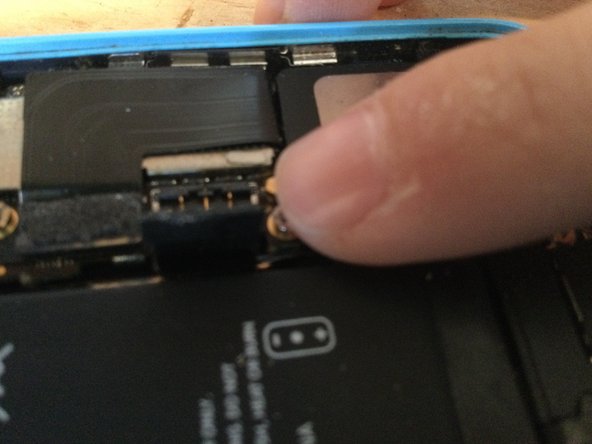
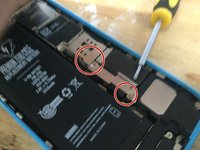
    3. iPhone 5c Screen Replacement, Unplugging battery: crwdns2935265:03crwdnd2935265:01crwdnd2935265:02crwdne2935265:0 iPhone 5c Screen Replacement, Unplugging battery: crwdns2935265:03crwdnd2935265:02crwdnd2935265:02crwdne2935265:0
      • Unplug battery take out Phillips head screws on the cover and unplug the battery.

      crwdns2952109:0crwdne2952109:0

      crwdns2917038:0crwdne2917038:0

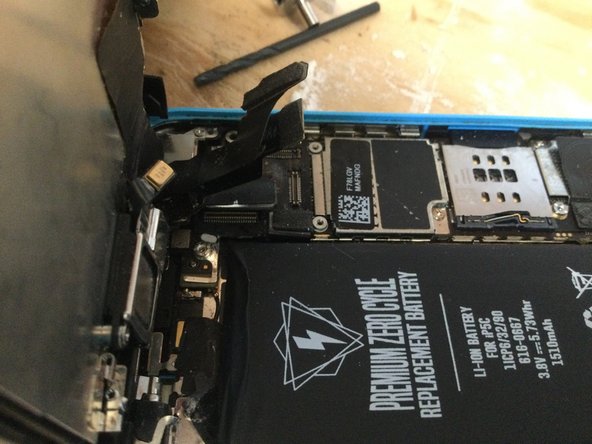
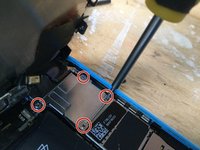
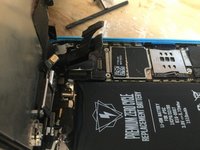
    4. iPhone 5c Screen Replacement, Removing shield and cables: crwdns2935265:04crwdnd2935265:01crwdnd2935265:03crwdne2935265:0 iPhone 5c Screen Replacement, Removing shield and cables: crwdns2935265:04crwdnd2935265:02crwdnd2935265:03crwdne2935265:0 iPhone 5c Screen Replacement, Removing shield and cables: crwdns2935265:04crwdnd2935265:03crwdnd2935265:03crwdne2935265:0
      • Take off screen cables by removing the shield with four Phillips head screws

      crwdns2952109:0crwdne2952109:0

      crwdns2917038:0crwdne2917038:0

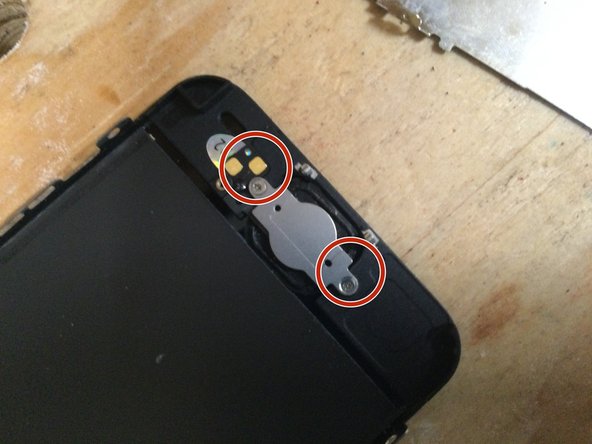
    5. iPhone 5c Screen Replacement, Remove front facing camera and microphone: crwdns2935265:05crwdnd2935265:01crwdnd2935265:01crwdne2935265:0
      • Remove camera and micro bracket with its two Phillips head screws.

      • Note: small sticker needs to be pulled up from front facing camera.

      crwdns2952109:0crwdne2952109:0

      crwdns2917038:0crwdne2917038:0

    6. iPhone 5c Screen Replacement, Removing screen back plate: crwdns2935265:06crwdnd2935265:01crwdnd2935265:01crwdne2935265:0
      • Remove back plate with six Phillips head screws.

      crwdns2952109:0crwdne2952109:0

      crwdns2917038:0crwdne2917038:0

    7. iPhone 5c Screen Replacement, Removing home button: crwdns2935265:07crwdnd2935265:01crwdnd2935265:02crwdne2935265:0 iPhone 5c Screen Replacement, Removing home button: crwdns2935265:07crwdnd2935265:02crwdnd2935265:02crwdne2935265:0
      • Remove home button bracket and take out the home button. (You may need to use a guitar pick to loosen home button adhesive).

      crwdns2952109:0crwdne2952109:0

      crwdns2917038:0crwdne2917038:0

crwdns2915888:0crwdne2915888:0

To reassemble your device, follow these instructions in reverse order.

crwdns2935221:0crwdne2935221:0

crwdns2935229:04crwdne2935229:0

ncstate8910

crwdns2935283:012/01/21crwdne2935283:0

259 crwdns2915208:0crwdne2915208:0

crwdns2935295:0crwdne2935295:0

crwdns2947412:00crwdne2947412:0

crwdns2917038:0crwdne2917038:0

crwdns2936625:0crwdne2936625:0:

crwdns2936751:024crwdne2936751:0 2

crwdns2936753:07crwdne2936753:0 6

crwdns2936753:030crwdne2936753:0 24

crwdns2942667:0crwdne2942667:0 1,261