crwdns2933423:0crwdne2933423:0
crwdns2947577:0crwdnd2947577:0crwdne2947577:0

iHome iW1 Battery Replacement

crwdns2942213:0crwdne2942213:0

    1. iHome iW1 Battery Replacement, Battery: crwdns2935265:01crwdnd2935265:01crwdnd2935265:03crwdne2935265:0 iHome iW1 Battery Replacement, Battery: crwdns2935265:01crwdnd2935265:02crwdnd2935265:03crwdne2935265:0 iHome iW1 Battery Replacement, Battery: crwdns2935265:01crwdnd2935265:03crwdnd2935265:03crwdne2935265:0
      • Remove the rubber from the bottom of the speaker, use a medium blue plastic spudger to gently work its way under the rubber and slowly peel off for each of the three feet. The order does not matter.

      crwdns2952109:0crwdne2952109:0

      crwdns2917038:0crwdne2917038:0

    2. iHome iW1 Battery Replacement: crwdns2935265:02crwdnd2935265:01crwdnd2935265:02crwdne2935265:0 iHome iW1 Battery Replacement: crwdns2935265:02crwdnd2935265:02crwdnd2935265:02crwdne2935265:0
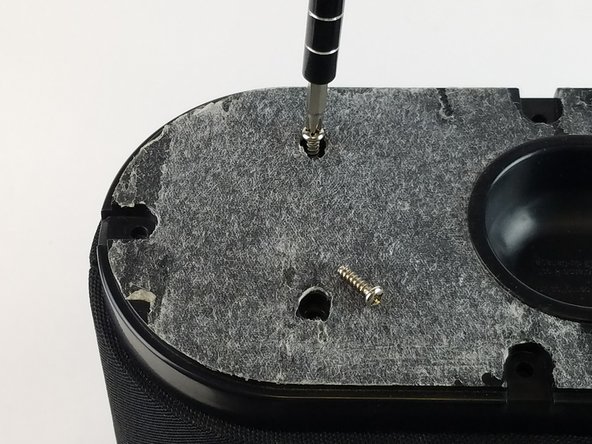
      • Remove the six 11 mm Philips #1 screws found underneath the foam to remove the steel outer metal frame.

      • Once the screws come off, keep them safely off to the side.

      crwdns2952109:0crwdne2952109:0

      crwdns2917038:0crwdne2917038:0

    3. iHome iW1 Battery Replacement: crwdns2935265:03crwdnd2935265:01crwdnd2935265:02crwdne2935265:0 iHome iW1 Battery Replacement: crwdns2935265:03crwdnd2935265:02crwdnd2935265:02crwdne2935265:0
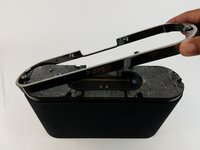
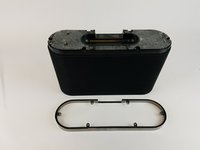
      • Remove the metal frame gently and set aside.

      crwdns2952109:0crwdne2952109:0

      crwdns2917038:0crwdne2917038:0

    4. iHome iW1 Battery Replacement: crwdns2935265:04crwdnd2935265:01crwdnd2935265:02crwdne2935265:0 iHome iW1 Battery Replacement: crwdns2935265:04crwdnd2935265:02crwdnd2935265:02crwdne2935265:0
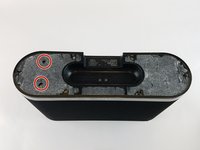
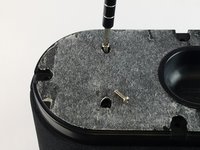
      • Remove the two remaining 11 mm Philips #1 screws holding the base and set them aside.

      crwdns2952109:0crwdne2952109:0

      crwdns2917038:0crwdne2917038:0

    5. iHome iW1 Battery Replacement: crwdns2935265:05crwdnd2935265:01crwdnd2935265:03crwdne2935265:0 iHome iW1 Battery Replacement: crwdns2935265:05crwdnd2935265:02crwdnd2935265:03crwdne2935265:0 iHome iW1 Battery Replacement: crwdns2935265:05crwdnd2935265:03crwdnd2935265:03crwdne2935265:0
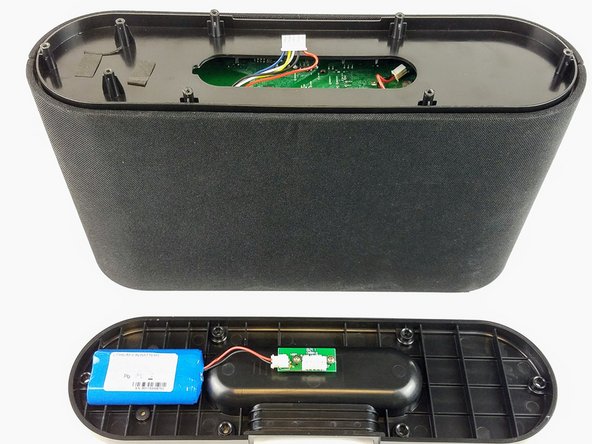
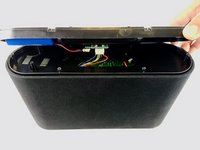
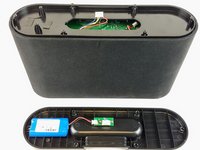
      • Lift the base up gently keeping in mind that the base is connected with wires to internal parts of the speaker.

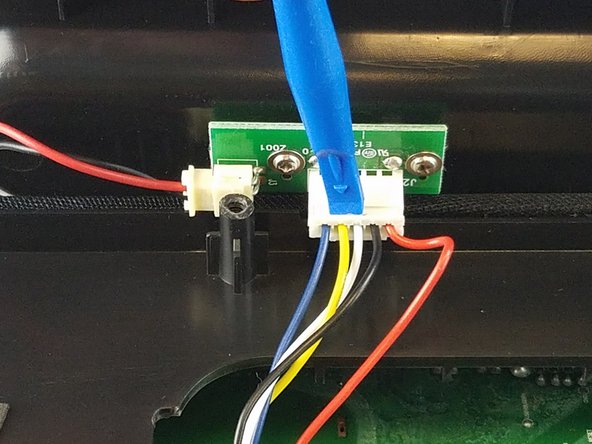
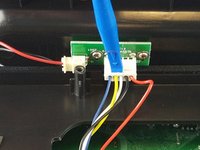
      • Disconnect the white bundled cable connector attached to the charging node using a spudger. The base of the speaker is now free to be removed.

      crwdns2952109:0crwdne2952109:0

      crwdns2917038:0crwdne2917038:0

    6. iHome iW1 Battery Replacement: crwdns2935265:06crwdnd2935265:01crwdnd2935265:03crwdne2935265:0 iHome iW1 Battery Replacement: crwdns2935265:06crwdnd2935265:02crwdnd2935265:03crwdne2935265:0 iHome iW1 Battery Replacement: crwdns2935265:06crwdnd2935265:03crwdnd2935265:03crwdne2935265:0
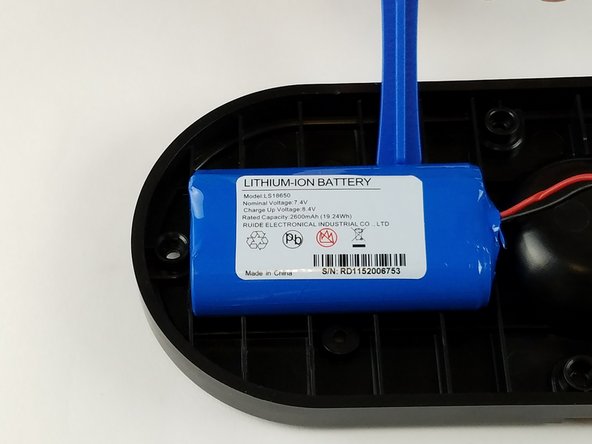
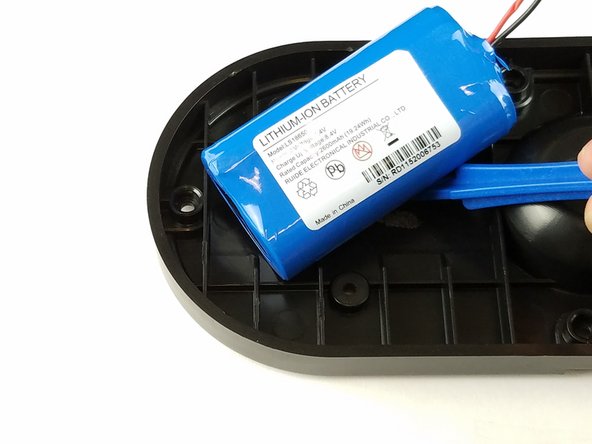
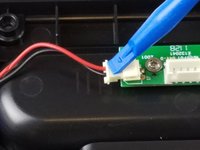
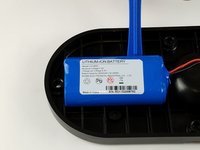
      • Remove the white power cable connector that connects the charging node to the battery, using the plastic spudger.

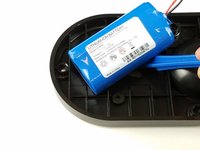
      • Pry the battery off using the plastic spudger.

      crwdns2952109:0crwdne2952109:0

      crwdns2917038:0crwdne2917038:0

crwdns2915888:0crwdne2915888:0

To reassemble your device, follow these instructions in reverse order.

crwdns2935221:0crwdne2935221:0

crwdns2935229:02crwdne2935229:0

Salma Mohamed

crwdns2935283:002/14/17crwdne2935283:0

137 crwdns2915208:0crwdne2915208:0

crwdns2935295:0crwdne2935295:0

crwdns2935287:0crwdne2935287:0

USF Tampa, Team 20-6, Remmell Spring 2017 crwdns2935289:0USF Tampa, Team 20-6, Remmell Spring 2017crwdne2935289:0

USFT-REMMELL-S17S20G6

crwdns2931471:04crwdne2931471:0

crwdns2935297:0108crwdne2935297:0

crwdns2947412:00crwdne2947412:0

crwdns2917038:0crwdne2917038:0

crwdns2936625:0crwdne2936625:0:

crwdns2936751:024crwdne2936751:0 4

crwdns2936753:07crwdne2936753:0 20

crwdns2936753:030crwdne2936753:0 101

crwdns2942667:0crwdne2942667:0 3,790