crwdns2933423:0crwdne2933423:0
crwdns2947577:0crwdnd2947577:0crwdne2947577:0

iHome iP21 Docking Station Pin Replacement

crwdns2942213:0crwdne2942213:0

    1. iHome iP21 Docking Station Pin Replacement, Base: crwdns2935265:01crwdnd2935265:01crwdnd2935265:03crwdne2935265:0 iHome iP21 Docking Station Pin Replacement, Base: crwdns2935265:01crwdnd2935265:02crwdnd2935265:03crwdne2935265:0 iHome iP21 Docking Station Pin Replacement, Base: crwdns2935265:01crwdnd2935265:03crwdnd2935265:03crwdne2935265:0
      • Pry the four rubber feet from the bottom of the iP21 to expose four 11mm screws.

      • Unscrew the four 11mm screws from the base.

      • Pry the base loose using the spudger.

      • Remove the base by hand.

      crwdns2952109:0crwdne2952109:0

      crwdns2917038:0crwdne2917038:0

    2. iHome iP21 Docking Station Pin Replacement, Housing: crwdns2935265:02crwdnd2935265:01crwdnd2935265:02crwdne2935265:0 iHome iP21 Docking Station Pin Replacement, Housing: crwdns2935265:02crwdnd2935265:02crwdnd2935265:02crwdne2935265:0
      • Remove the two black 6mm screws connecting the main circuit board to the housing top.

      • Gently pull front housing from the back housing.

      crwdns2952109:0crwdne2952109:0

      crwdns2917038:0crwdne2917038:0

    1. iHome iP21 Docking Station Pin Replacement, 30-pin docking mount: crwdns2935265:03crwdnd2935265:01crwdnd2935265:01crwdne2935265:0
      • Locate the 30-pin docking mount on the iP21. The 30-pin docking mount is visible on top of the iP21.

      crwdns2952109:0crwdne2952109:0

      crwdns2917038:0crwdne2917038:0

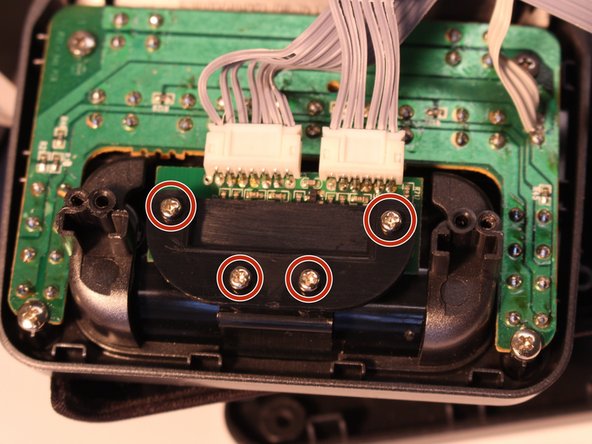
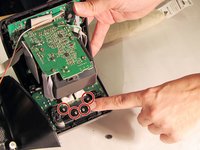
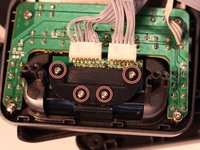
    2. iHome iP21 Docking Station Pin Replacement, Protective cover: crwdns2935265:04crwdnd2935265:01crwdnd2935265:02crwdne2935265:0 iHome iP21 Docking Station Pin Replacement, Protective cover: crwdns2935265:04crwdnd2935265:02crwdnd2935265:02crwdne2935265:0
      • Remove the four 4mm screws from the protective cover using the iFixit Phillips #1 bit

      crwdns2952109:0crwdne2952109:0

      crwdns2917038:0crwdne2917038:0

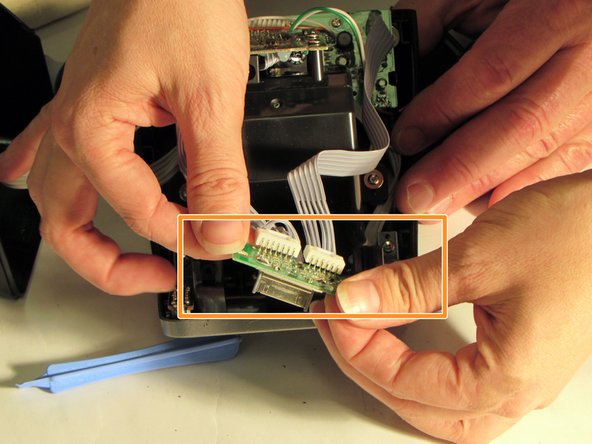
    3. iHome iP21 Docking Station Pin Replacement, Ribbon cables: crwdns2935265:05crwdnd2935265:01crwdnd2935265:03crwdne2935265:0 iHome iP21 Docking Station Pin Replacement, Ribbon cables: crwdns2935265:05crwdnd2935265:02crwdnd2935265:03crwdne2935265:0 iHome iP21 Docking Station Pin Replacement, Ribbon cables: crwdns2935265:05crwdnd2935265:03crwdnd2935265:03crwdne2935265:0
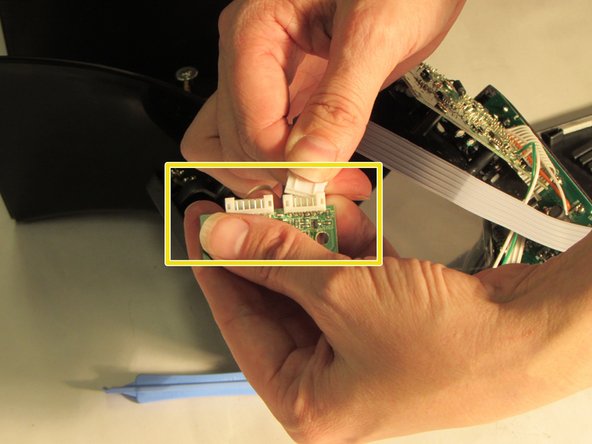
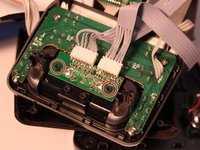
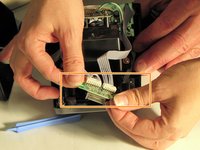
      • Grasp plastic cable connector ends

      • Remove the mini circuit board with 30-pin mounting dock from the two black plastic pegs.

      • Rock gently back and forth and pull to detach mini circuit board with 30-pin mounting dock attached.

      crwdns2952109:0crwdne2952109:0

      crwdns2917038:0crwdne2917038:0

crwdns2915888:0crwdne2915888:0

To reassemble your device, follow these instructions in reverse order.

crwdns2935221:0crwdne2935221:0

Brandy

crwdns2935283:010/27/14crwdne2935283:0

601 crwdns2915208:0crwdne2915208:0

crwdns2935297:06crwdne2935297:0

crwdns2935287:0crwdne2935287:0

Eastern Washington University, Team 1-2, Carnegie Fall 2014 crwdns2935289:0Eastern Washington University, Team 1-2, Carnegie Fall 2014crwdne2935289:0

EWU-CARNEGIE-F14S1G2

crwdns2931471:06crwdne2931471:0

crwdns2935297:072crwdne2935297:0

crwdns2947412:00crwdne2947412:0

crwdns2917038:0crwdne2917038:0

crwdns2936625:0crwdne2936625:0:

crwdns2936751:024crwdne2936751:0 4

crwdns2936753:07crwdne2936753:0 24

crwdns2936753:030crwdne2936753:0 93

crwdns2942667:0crwdne2942667:0 1,087