crwdns2933423:0crwdne2933423:0
crwdns2947577:0crwdnd2947577:0crwdne2947577:0

iFixit Side Stack Retail Display Assembly

    1. iFixit Side Stack Retail Display Assembly, Empty Box Components: crwdns2935265:01crwdnd2935265:01crwdnd2935265:01crwdne2935265:0
      • Box should include:

      • Set of screws/driver

      • Metal rods

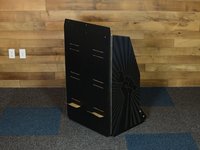
      • Honeycomb Base/Feet

      • Main stand (back/sides)

      • Two large, one small foldable shelf insert

      • Two large, one small black rectangular insert

      • "You can fix it" panel and iFixit topper (not pictured)

      crwdns2952109:0crwdne2952109:0

      crwdns2917038:0crwdne2917038:0

    2. iFixit Side Stack Retail Display Assembly, Build Honeycomb Base: crwdns2935265:02crwdnd2935265:01crwdnd2935265:03crwdne2935265:0 iFixit Side Stack Retail Display Assembly, Build Honeycomb Base: crwdns2935265:02crwdnd2935265:02crwdnd2935265:03crwdne2935265:0 iFixit Side Stack Retail Display Assembly, Build Honeycomb Base: crwdns2935265:02crwdnd2935265:03crwdnd2935265:03crwdne2935265:0
      • The three angled supports fit into the two rectangular supports.

      • Place the fully constructed honeycomb base into the display.

      crwdns2952109:0crwdne2952109:0

      crwdns2917038:0crwdne2917038:0

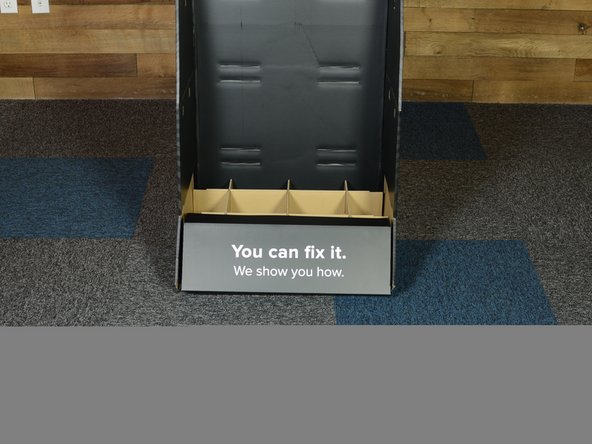
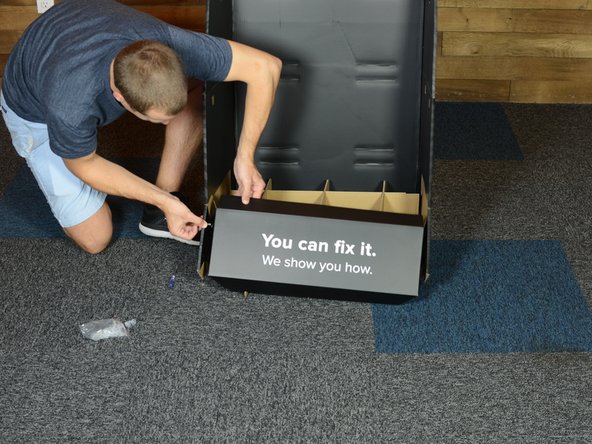
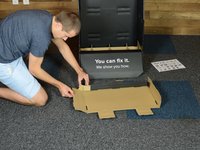
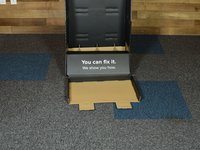
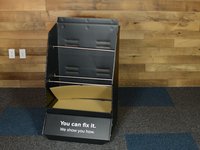
    3. iFixit Side Stack Retail Display Assembly, "You can fix it": crwdns2935265:03crwdnd2935265:01crwdnd2935265:03crwdne2935265:0 iFixit Side Stack Retail Display Assembly, "You can fix it": crwdns2935265:03crwdnd2935265:02crwdnd2935265:03crwdne2935265:0 iFixit Side Stack Retail Display Assembly, "You can fix it": crwdns2935265:03crwdnd2935265:03crwdnd2935265:03crwdne2935265:0
      • Fit “You can fix it” panel over front of honeycomb base

      • “You can fix it” panel sides fit INSIDE of base walls

      • Use screws to fasten

      crwdns2952109:0crwdne2952109:0

      crwdns2917038:0crwdne2917038:0

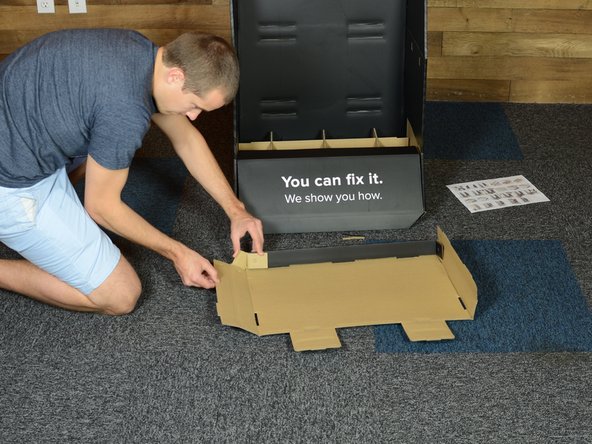
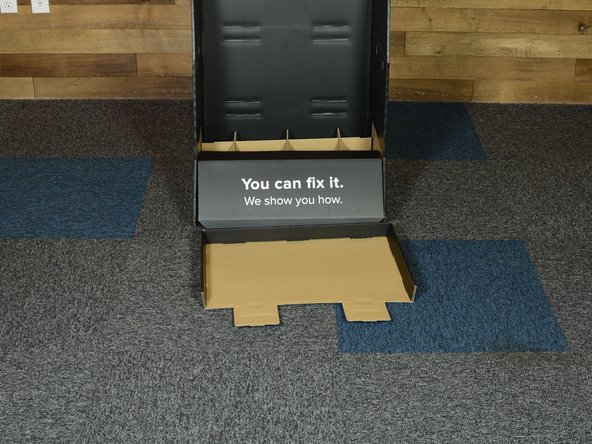
    4. iFixit Side Stack Retail Display Assembly, Build Shelf Insert: crwdns2935265:04crwdnd2935265:01crwdnd2935265:03crwdne2935265:0 iFixit Side Stack Retail Display Assembly, Build Shelf Insert: crwdns2935265:04crwdnd2935265:02crwdnd2935265:03crwdne2935265:0 iFixit Side Stack Retail Display Assembly, Build Shelf Insert: crwdns2935265:04crwdnd2935265:03crwdnd2935265:03crwdne2935265:0
      • Build bottom shelf, using one of two larger foldable shelves

      • Tabs fit together, fit side tabs along back, then fold over and secure

      crwdns2952109:0crwdne2952109:0

      crwdns2917038:0crwdne2917038:0

    5. iFixit Side Stack Retail Display Assembly, Install Metal Supports: crwdns2935265:05crwdnd2935265:01crwdnd2935265:02crwdne2935265:0 iFixit Side Stack Retail Display Assembly, Install Metal Supports: crwdns2935265:05crwdnd2935265:02crwdnd2935265:02crwdne2935265:0
      • Install two metal support for middle shelf

      • Metal rods fit into provided holes

      crwdns2952109:0crwdne2952109:0

      crwdns2917038:0crwdne2917038:0

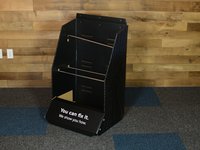
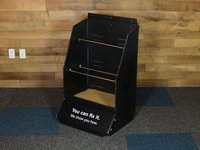
    6. iFixit Side Stack Retail Display Assembly, Insert Bottom Shelf: crwdns2935265:06crwdnd2935265:01crwdnd2935265:03crwdne2935265:0 iFixit Side Stack Retail Display Assembly, Insert Bottom Shelf: crwdns2935265:06crwdnd2935265:02crwdnd2935265:03crwdne2935265:0 iFixit Side Stack Retail Display Assembly, Insert Bottom Shelf: crwdns2935265:06crwdnd2935265:03crwdnd2935265:03crwdne2935265:0
      • Fit bottom shelf into bottom shelf slots cut into back of display

      • Tabs go out the back and then back in towards the front

      • Lay black shelf insert into shelf

      • Fit screws together to hold shelf in place

      • Repeat for middle and top shelves

      • Top shelf and insert are smaller than bottom and middle shelves

      crwdns2952109:0crwdne2952109:0

      crwdns2917038:0crwdne2917038:0

    7. iFixit Side Stack Retail Display Assembly, Fold Sides into Honeycomb Base: crwdns2935265:07crwdnd2935265:01crwdnd2935265:01crwdne2935265:0
      • Like so.

      • (Go Angels!)

      crwdns2952109:0crwdne2952109:0

      crwdns2917038:0crwdne2917038:0

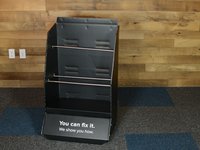
    8. iFixit Side Stack Retail Display Assembly, iFixt Header Sign: crwdns2935265:08crwdnd2935265:01crwdnd2935265:02crwdne2935265:0 iFixit Side Stack Retail Display Assembly, iFixt Header Sign: crwdns2935265:08crwdnd2935265:02crwdnd2935265:02crwdne2935265:0
      • Fold top section down to make holes match

      • Align iFixit sign and install using screws

      crwdns2952109:0crwdne2952109:0

      crwdns2917038:0crwdne2917038:0

crwdns2915888:0crwdne2915888:0

To reassemble your device, follow these instructions in reverse order.

crwdns2935221:0crwdne2935221:0

Eric Essen

crwdns2935283:006/04/10crwdne2935283:0

18,336 crwdns2915208:0crwdne2915208:0

crwdns2935297:09crwdne2935297:0

crwdns2935287:0crwdne2935287:0

iFixit crwdns2935289:0iFixitcrwdne2935289:0

Staff

crwdns2931471:0122crwdne2931471:0

crwdns2935297:072,303crwdne2935297:0

crwdns2947412:00crwdne2947412:0

crwdns2917038:0crwdne2917038:0

crwdns2936625:0crwdne2936625:0:

crwdns2936751:024crwdne2936751:0 6

crwdns2936753:07crwdne2936753:0 25

crwdns2936753:030crwdne2936753:0 67

crwdns2942667:0crwdne2942667:0 723