crwdns2933423:0crwdne2933423:0
crwdns2947577:0crwdnd2947577:0crwdne2947577:0

eMachine T5234 RAM Disks Replacement

crwdns2942213:0crwdne2942213:0

    1. eMachine T5234 RAM Disks Replacement, Shut Down Computer: crwdns2935265:01crwdnd2935265:01crwdnd2935265:02crwdne2935265:0 eMachine T5234 RAM Disks Replacement, Shut Down Computer: crwdns2935265:01crwdnd2935265:02crwdnd2935265:02crwdne2935265:0
      crwdns2935267:0crwdne2935267:0
      Anti-Static Wrist Strap
      $7.95
      • Shut down the computer.

      • Disconnect all cables from the computer.

      • Static electricity can damage the hardware on your motherboard. Use the iFixit Anti-Static Wrist Strap or discharge the electricity by touching the metal of the case frame before unpacking the RAM disks.

      • Note: Do not remove the RAM disks from their casing until Step 8.

      crwdns2952109:0crwdne2952109:0

      crwdns2917038:0crwdne2917038:0

    2. eMachine T5234 RAM Disks Replacement, Removing the Case: crwdns2935265:02crwdnd2935265:01crwdnd2935265:03crwdne2935265:0 eMachine T5234 RAM Disks Replacement, Removing the Case: crwdns2935265:02crwdnd2935265:02crwdnd2935265:03crwdne2935265:0 eMachine T5234 RAM Disks Replacement, Removing the Case: crwdns2935265:02crwdnd2935265:03crwdnd2935265:03crwdne2935265:0
      crwdns2935267:0crwdne2935267:0
      Phillips #1 Screwdriver
      $5.49
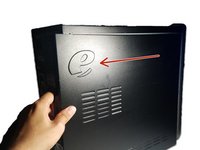
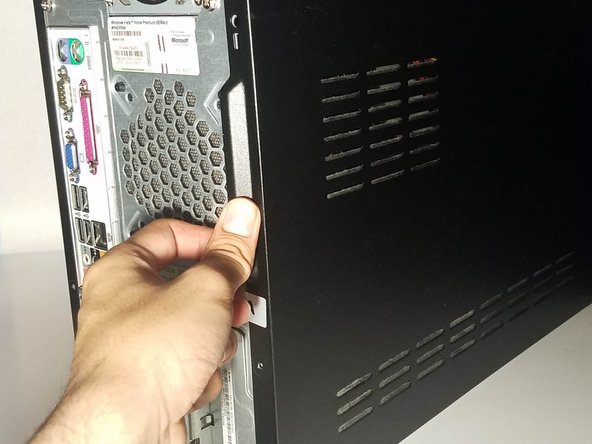
      • Place the computer upright at standing position.

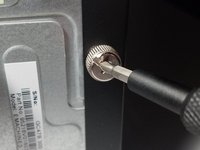
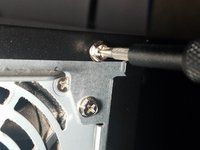
      • Using a Phillips #1 Screwdriver:

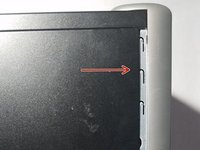
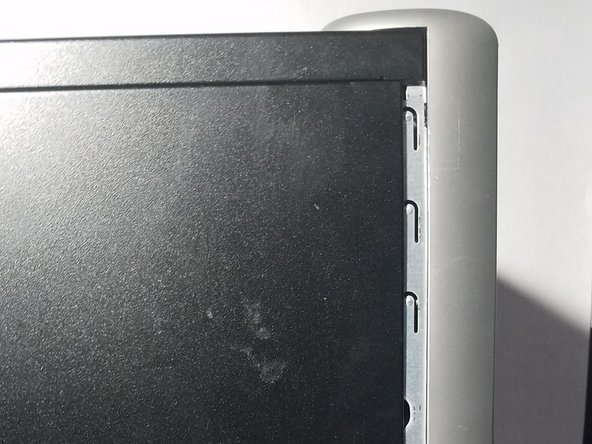
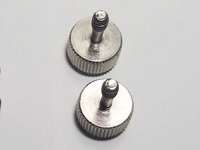
      • Remove the two 1cm combination screws located on the right of the casing.

      crwdns2952109:0crwdne2952109:0

      crwdns2917038:0crwdne2917038:0

    3. eMachine T5234 RAM Disks Replacement: crwdns2935265:03crwdnd2935265:01crwdnd2935265:02crwdne2935265:0 eMachine T5234 RAM Disks Replacement: crwdns2935265:03crwdnd2935265:02crwdnd2935265:02crwdne2935265:0
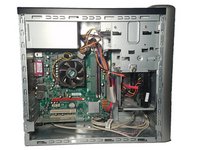
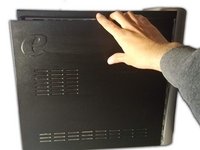
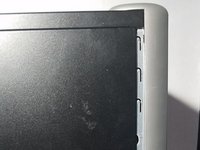
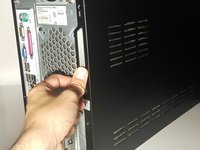
      • Using your hands, dislodge the casing and pull the case panel towards you until the panel comes off.

      crwdns2952109:0crwdne2952109:0

      crwdns2917038:0crwdne2917038:0

    4. eMachine T5234 RAM Disks Replacement, Locate the RAM Disk Slots: crwdns2935265:04crwdnd2935265:01crwdnd2935265:03crwdne2935265:0 eMachine T5234 RAM Disks Replacement, Locate the RAM Disk Slots: crwdns2935265:04crwdnd2935265:02crwdnd2935265:03crwdne2935265:0 eMachine T5234 RAM Disks Replacement, Locate the RAM Disk Slots: crwdns2935265:04crwdnd2935265:03crwdnd2935265:03crwdne2935265:0
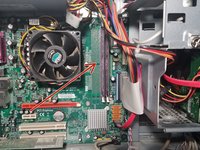
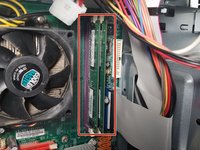
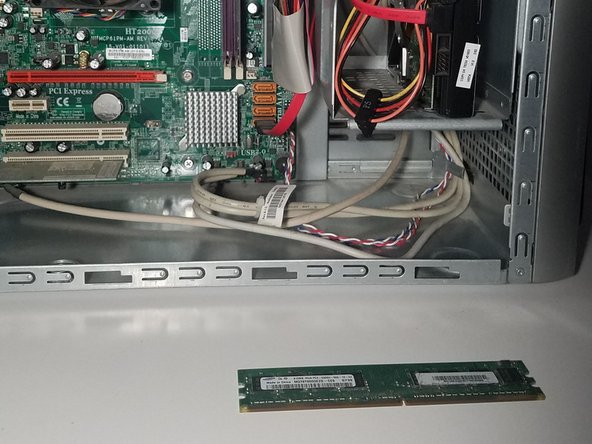
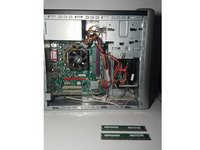
      • With the case panel open, locate the two RAM disk slots on the right side of the motherboard.

      • Do not touch the motherboard with your hands. The oil on your skin can damage or destroy the hardware modules.

      crwdns2952109:0crwdne2952109:0

      crwdns2917038:0crwdne2917038:0

    5. eMachine T5234 RAM Disks Replacement, Remove the RAM Disks: crwdns2935265:05crwdnd2935265:01crwdnd2935265:02crwdne2935265:0 eMachine T5234 RAM Disks Replacement, Remove the RAM Disks: crwdns2935265:05crwdnd2935265:02crwdnd2935265:02crwdne2935265:0
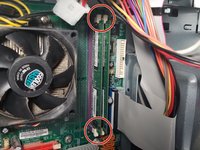
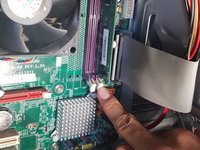
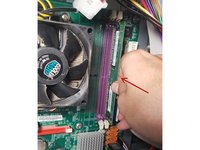
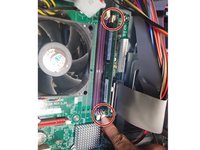
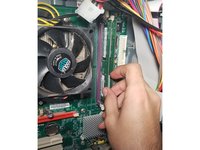
      • Locate the tabs on the RAM disks.

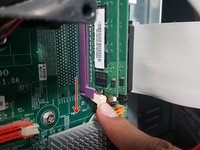
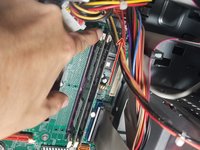
      • Use your index finger to release the tab at the bottom of the left RAM disk slot.

      crwdns2952109:0crwdne2952109:0

      crwdns2917038:0crwdne2917038:0

    6. eMachine T5234 RAM Disks Replacement: crwdns2935265:06crwdnd2935265:01crwdnd2935265:03crwdne2935265:0 eMachine T5234 RAM Disks Replacement: crwdns2935265:06crwdnd2935265:02crwdnd2935265:03crwdne2935265:0 eMachine T5234 RAM Disks Replacement: crwdns2935265:06crwdnd2935265:03crwdnd2935265:03crwdne2935265:0
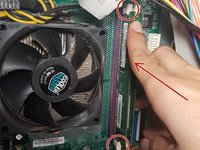
      • Release the tab at the top of the left RAM disk.

      • Note: The RAM disk will pop off the motherboard when you release the bottom tab. Use the edges of the RAM disk to pick up and store the memory disk.

      • If the RAM disk does not pop off, use the edges of the disk to pull it off.

      • Store the unused RAM disk in a plastic container for future use or go to a recycling center for proper disposal.

      crwdns2952109:0crwdne2952109:0

      crwdns2917038:0crwdne2917038:0

    7. eMachine T5234 RAM Disks Replacement: crwdns2935265:07crwdnd2935265:01crwdnd2935265:03crwdne2935265:0 eMachine T5234 RAM Disks Replacement: crwdns2935265:07crwdnd2935265:02crwdnd2935265:03crwdne2935265:0 eMachine T5234 RAM Disks Replacement: crwdns2935265:07crwdnd2935265:03crwdnd2935265:03crwdne2935265:0
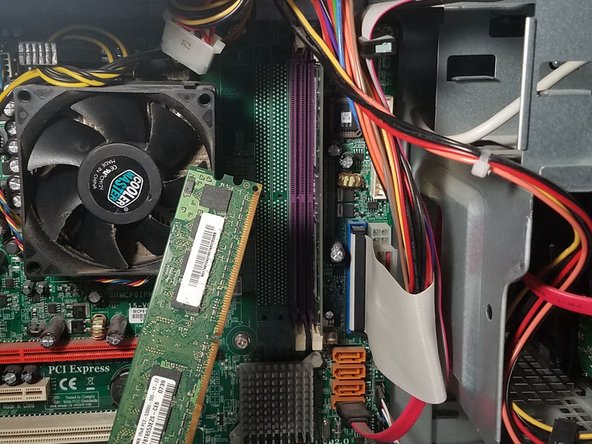
      • Release the top tab and the bottom tab to dislodge the right RAM disk.

      crwdns2952109:0crwdne2952109:0

      crwdns2917038:0crwdne2917038:0

    8. eMachine T5234 RAM Disks Replacement, Installing the RAM Disks: crwdns2935265:08crwdnd2935265:01crwdnd2935265:01crwdne2935265:0
      • Remove your new RAM disks from their casing.

      • Hold the RAM disk along the sides and avoid skin contact with any of the gold components.

      crwdns2952109:0crwdne2952109:0

      crwdns2917038:0crwdne2917038:0

    9. eMachine T5234 RAM Disks Replacement: crwdns2935265:09crwdnd2935265:01crwdnd2935265:02crwdne2935265:0 eMachine T5234 RAM Disks Replacement: crwdns2935265:09crwdnd2935265:02crwdnd2935265:02crwdne2935265:0
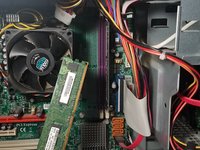
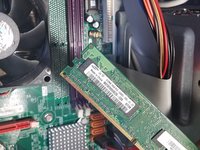
      • Align the RAM disk to match the slot and insert the disk to the right memory disk slot.

      • Gently push the disk in to secure.

      • Secure the tabs at the top and bottom of the memory disk slots to lock into place.

      crwdns2952109:0crwdne2952109:0

      crwdns2917038:0crwdne2917038:0

    10. eMachine T5234 RAM Disks Replacement: crwdns2935265:010crwdnd2935265:01crwdnd2935265:01crwdne2935265:0
      • Now it's time for the second disk. Retrieve the second RAM disk from it's casing.

      • Hold the RAM disk along the sides and avoid skin contact with any of the gold components.

      crwdns2952109:0crwdne2952109:0

      crwdns2917038:0crwdne2917038:0

    11. eMachine T5234 RAM Disks Replacement: crwdns2935265:011crwdnd2935265:01crwdnd2935265:02crwdne2935265:0 eMachine T5234 RAM Disks Replacement: crwdns2935265:011crwdnd2935265:02crwdnd2935265:02crwdne2935265:0
      • Align the RAM disk to match the slot and Insert the RAM disk to the right memory disk slot

      • Gently push the disk in to secure.

      • Secure the tabs at the top and bottom of the RAM disk to lock into place.

      crwdns2952109:0crwdne2952109:0

      crwdns2917038:0crwdne2917038:0

    12. eMachine T5234 RAM Disks Replacement, Reassembly: crwdns2935265:012crwdnd2935265:01crwdnd2935265:03crwdne2935265:0 eMachine T5234 RAM Disks Replacement, Reassembly: crwdns2935265:012crwdnd2935265:02crwdnd2935265:03crwdne2935265:0 eMachine T5234 RAM Disks Replacement, Reassembly: crwdns2935265:012crwdnd2935265:03crwdnd2935265:03crwdne2935265:0
      • Use both hands to align the case panel to the case frame.

      • Once in place, push the case panel forward until it secures in place.

      crwdns2952109:0crwdne2952109:0

      crwdns2917038:0crwdne2917038:0

    13. eMachine T5234 RAM Disks Replacement: crwdns2935265:013crwdnd2935265:01crwdnd2935265:03crwdne2935265:0 eMachine T5234 RAM Disks Replacement: crwdns2935265:013crwdnd2935265:02crwdnd2935265:03crwdne2935265:0 eMachine T5234 RAM Disks Replacement: crwdns2935265:013crwdnd2935265:03crwdnd2935265:03crwdne2935265:0
      crwdns2935267:0crwdne2935267:0
      Phillips #1 Screwdriver
      $5.49
      • Using your Phillips #1 Screwdriver:

      • Screw the two 1cm combination screws back into place on the right side of the case panel.

      crwdns2952109:0crwdne2952109:0

      crwdns2917038:0crwdne2917038:0

crwdns2915888:0crwdne2915888:0

And that’s all there is to it! Make sure to dispose your old RAM disks properly at your local recycling center.

crwdns2935221:0crwdne2935221:0

Luis Lopez

crwdns2935283:008/22/19crwdne2935283:0

419 crwdns2915208:0crwdne2915208:0

crwdns2935297:02crwdne2935297:0

crwdns2947412:00crwdne2947412:0

crwdns2917038:0crwdne2917038:0

crwdns2936625:0crwdne2936625:0:

crwdns2936751:024crwdne2936751:0 1

crwdns2936753:07crwdne2936753:0 24

crwdns2936753:030crwdne2936753:0 71

crwdns2942667:0crwdne2942667:0 506