crwdns2933423:0crwdne2933423:0
crwdns2947577:0crwdnd2947577:0crwdne2947577:0

ZTE Maven 3 Screen Replacement

crwdns2942213:0crwdne2942213:0

    1. ZTE Maven 3 Screen Replacement, Back Cover: crwdns2935265:01crwdnd2935265:01crwdnd2935265:03crwdne2935265:0 ZTE Maven 3 Screen Replacement, Back Cover: crwdns2935265:01crwdnd2935265:02crwdnd2935265:03crwdne2935265:0 ZTE Maven 3 Screen Replacement, Back Cover: crwdns2935265:01crwdnd2935265:03crwdnd2935265:03crwdne2935265:0
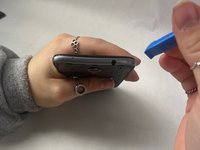
      • Locate the small indent on the back right bottom corner of the phone.

      • Put the pry tool or your fingertip inside the small gap on the bottom right of the back of the phone and pop up the cover.

      • Continue to go around the phone until the cover is completely off the back of the pull and put it aside.

      crwdns2952109:0crwdne2952109:0

      crwdns2917038:0crwdne2917038:0

    1. ZTE Maven 3 Screen Replacement, Battery: crwdns2935265:02crwdnd2935265:01crwdnd2935265:03crwdne2935265:0 ZTE Maven 3 Screen Replacement, Battery: crwdns2935265:02crwdnd2935265:02crwdnd2935265:03crwdne2935265:0 ZTE Maven 3 Screen Replacement, Battery: crwdns2935265:02crwdnd2935265:03crwdnd2935265:03crwdne2935265:0
      • Locate the battery in the middle of the back of the phone.

      • Push in and up on the battery to remove it from its slot.

      • Put the battery aside.

      crwdns2952109:0crwdne2952109:0

      crwdns2917038:0crwdne2917038:0

    1. ZTE Maven 3 Screen Replacement, Midframe: crwdns2935265:03crwdnd2935265:01crwdnd2935265:01crwdne2935265:0
      • Use a Phillips #00 screwdriver to remove twelve 2 mm screws along the back outer edges of the phone.

      crwdns2952109:0crwdne2952109:0

      crwdns2917038:0crwdne2917038:0

    2. ZTE Maven 3 Screen Replacement: crwdns2935265:04crwdnd2935265:01crwdnd2935265:01crwdne2935265:0
      • There’s a 13th 2 mm screw with a lock sticker over it on the bottom right corner. Insert the #00 Phillips screwdriver in the middle, breaking the sticker, and take the screw out.

      crwdns2952109:0crwdne2952109:0

      crwdns2917038:0crwdne2917038:0

    3. ZTE Maven 3 Screen Replacement: crwdns2935265:05crwdnd2935265:01crwdnd2935265:02crwdne2935265:0 ZTE Maven 3 Screen Replacement: crwdns2935265:05crwdnd2935265:02crwdnd2935265:02crwdne2935265:0
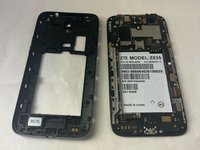
      • Slide the pry tool into the middle of the connection between the screen and the back of the phone.

      • Once in, slide the pry tool around the phone, separating the screen and the back of the phone.

      • The detached piece is the midframe, and you can place it aside when detached.

      crwdns2952109:0crwdne2952109:0

      crwdns2917038:0crwdne2917038:0

    1. ZTE Maven 3 Screen Replacement, Motherboard: crwdns2935265:06crwdnd2935265:01crwdnd2935265:01crwdne2935265:0
      • Use the Phillips #00 screwdriver and remove the four 2 mm screws that are located around the edges.

      crwdns2952109:0crwdne2952109:0

      crwdns2917038:0crwdne2917038:0

    2. ZTE Maven 3 Screen Replacement: crwdns2935265:07crwdnd2935265:01crwdnd2935265:01crwdne2935265:0
      crwdns2935267:0crwdne2935267:0
      Tweezers
      $4.99
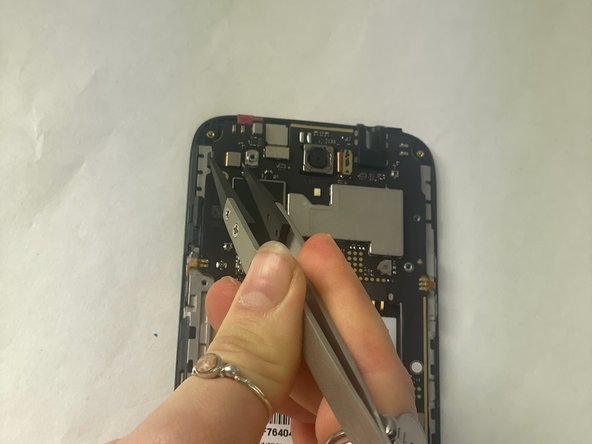
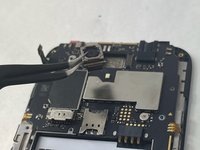
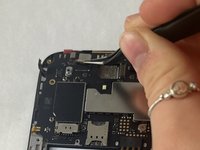
      • Please locate the black wire that’s attached to gold plates on the left side of the device.

      • Using a pair of tweezers, carefully grab the black wire and detach it, then remove it.

      crwdns2952109:0crwdne2952109:0

      crwdns2917038:0crwdne2917038:0

    3. ZTE Maven 3 Screen Replacement: crwdns2935265:08crwdnd2935265:01crwdnd2935265:02crwdne2935265:0 ZTE Maven 3 Screen Replacement: crwdns2935265:08crwdnd2935265:02crwdnd2935265:02crwdne2935265:0
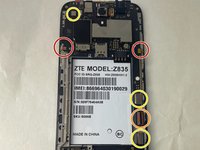
      • Using the tweezers, carefully detach the six ribbon cables also located along the edges.

      • 2 adhesive ribbon cables (green circles).

      • One ribbon cable that slides out (orange circles).

      • Three ribbon cables that pop in and out (yellow circles).

      crwdns2952109:0crwdne2952109:0

      crwdns2917038:0crwdne2917038:0

    4. ZTE Maven 3 Screen Replacement: crwdns2935265:09crwdnd2935265:01crwdnd2935265:03crwdne2935265:0 ZTE Maven 3 Screen Replacement: crwdns2935265:09crwdnd2935265:02crwdnd2935265:03crwdne2935265:0 ZTE Maven 3 Screen Replacement: crwdns2935265:09crwdnd2935265:03crwdnd2935265:03crwdne2935265:0
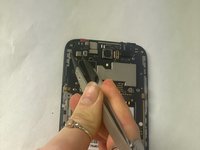
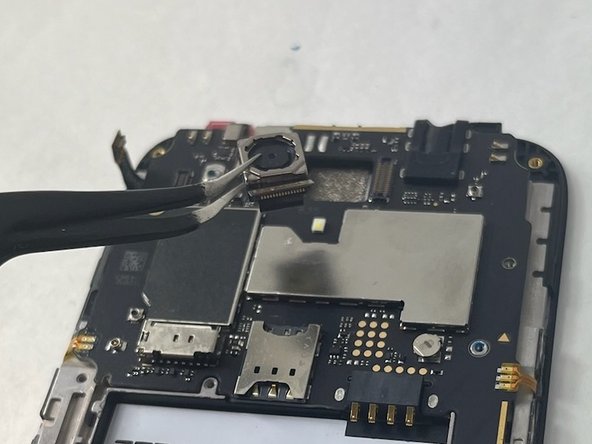
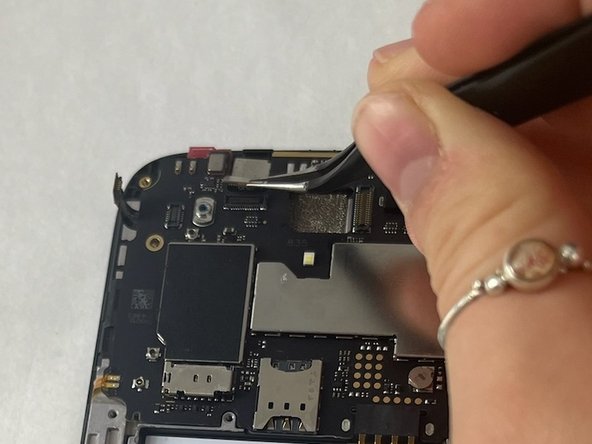
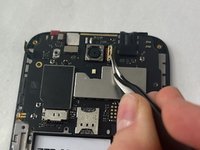
      • You will also have to detach the two cameras by detaching the ribbon cable using the tweezers as well. Put those off to the side.

      crwdns2952109:0crwdne2952109:0

      crwdns2917038:0crwdne2917038:0

    5. ZTE Maven 3 Screen Replacement: crwdns2935265:010crwdnd2935265:01crwdnd2935265:02crwdne2935265:0 ZTE Maven 3 Screen Replacement: crwdns2935265:010crwdnd2935265:02crwdnd2935265:02crwdne2935265:0
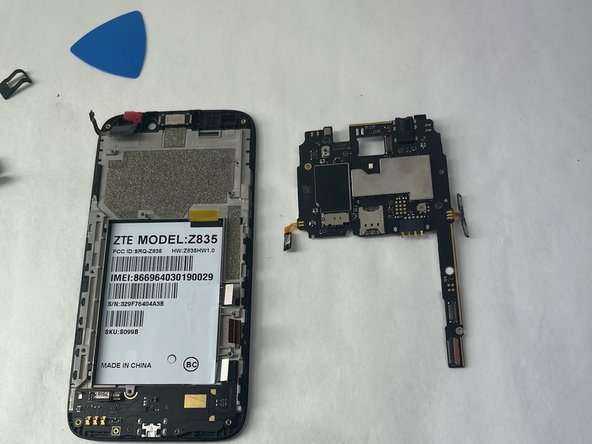
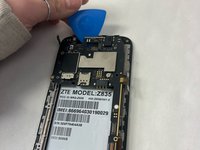
      • Grab the opening pick and work it into the edges of the motherboard.

      • Make sure you are firmly pushing the pick to loosen the motherboard since it is placed with adhesive.

      • Remove the motherboard and put it aside.

      crwdns2952109:0crwdne2952109:0

      crwdns2917038:0crwdne2917038:0

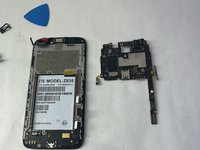
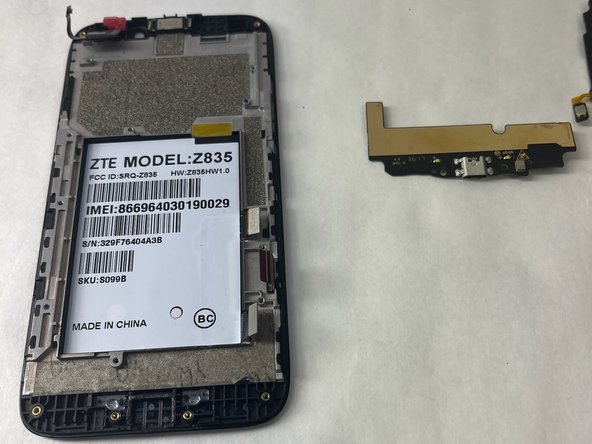
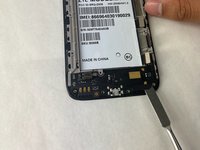
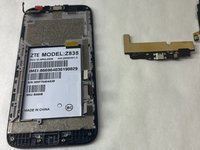
    1. ZTE Maven 3 Screen Replacement, Daughterboard/Charging Port: crwdns2935265:011crwdnd2935265:01crwdnd2935265:02crwdne2935265:0 ZTE Maven 3 Screen Replacement, Daughterboard/Charging Port: crwdns2935265:011crwdnd2935265:02crwdnd2935265:02crwdne2935265:0
      • Use your fingertips or pry gently with a plastic tool to remove the daughterboard.

      crwdns2952109:0crwdne2952109:0

      crwdns2917038:0crwdne2917038:0

    1. ZTE Maven 3 Screen Replacement, Screen: crwdns2935265:012crwdnd2935265:01crwdnd2935265:01crwdne2935265:0
      • What is left in your hand is now the screen, and any replacement screen will be just as what is in your hand.

      crwdns2952109:0crwdne2952109:0

      crwdns2917038:0crwdne2917038:0

crwdns2915888:0crwdne2915888:0

To reassemble your device, follow these instructions in reverse order.

crwdns2935221:0crwdne2935221:0

Emma Thiboutot

crwdns2935283:010/30/23crwdne2935283:0

705 crwdns2915208:0crwdne2915208:0

crwdns2935297:08crwdne2935297:0

crwdns2935287:0crwdne2935287:0

UMass Dartmouth, Team 3-1, Konn Fall 2023 crwdns2935289:0UMass Dartmouth, Team 3-1, Konn Fall 2023crwdne2935289:0

UMASSD-KONN-F23S3G1

crwdns2931471:03crwdne2931471:0

crwdns2935297:0120crwdne2935297:0

crwdns2947412:00crwdne2947412:0

crwdns2917038:0crwdne2917038:0

crwdns2936625:0crwdne2936625:0:

crwdns2936751:024crwdne2936751:0 0

crwdns2936753:07crwdne2936753:0 5

crwdns2936753:030crwdne2936753:0 28

crwdns2942667:0crwdne2942667:0 369