crwdns2933423:0crwdne2933423:0
crwdns2947577:0crwdnd2947577:0crwdne2947577:0

ZTE Awe Screen Replacement

crwdns2942213:0crwdne2942213:0

    1. ZTE Awe Screen Replacement, Detach the mid frame: crwdns2935265:01crwdnd2935265:01crwdnd2935265:01crwdne2935265:0
      • Use the Phillips Head 00 screw driver to unscrew the seven 0.1mm screws from the phone's mid frame.

      crwdns2952109:0crwdne2952109:0

      crwdns2917038:0crwdne2917038:0

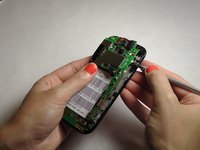
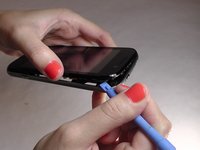
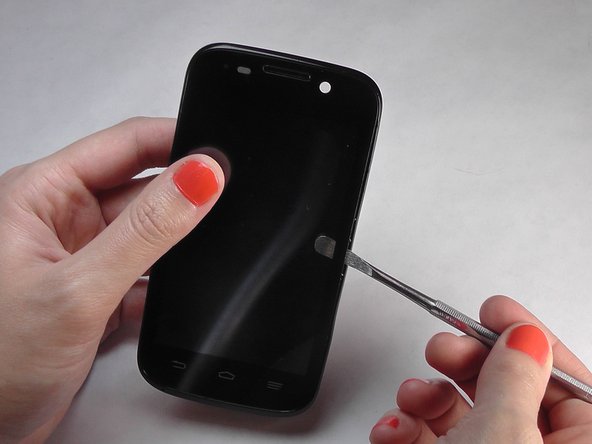
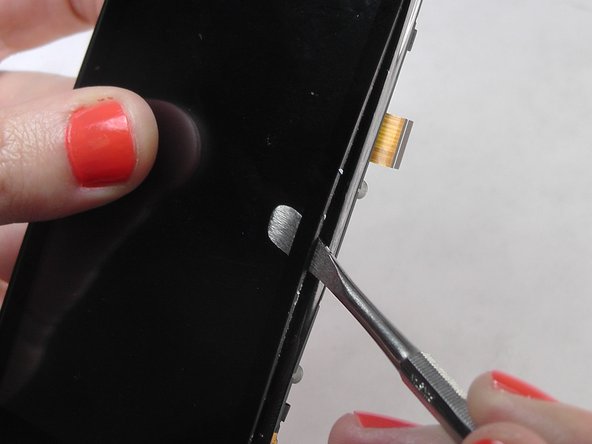
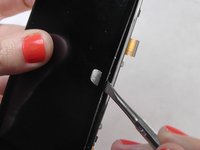
    2. ZTE Awe Screen Replacement, Separate the mid frame and the digitizer: crwdns2935265:02crwdnd2935265:01crwdnd2935265:03crwdne2935265:0 ZTE Awe Screen Replacement, Separate the mid frame and the digitizer: crwdns2935265:02crwdnd2935265:02crwdnd2935265:03crwdne2935265:0 ZTE Awe Screen Replacement, Separate the mid frame and the digitizer: crwdns2935265:02crwdnd2935265:03crwdnd2935265:03crwdne2935265:0
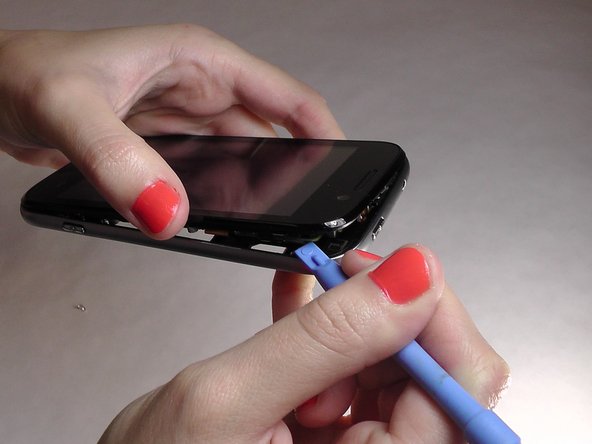
      • Wedge the flat end of the spudger between the mid frame and the digitizer.

      crwdns2952109:0crwdne2952109:0

      crwdns2917038:0crwdne2917038:0

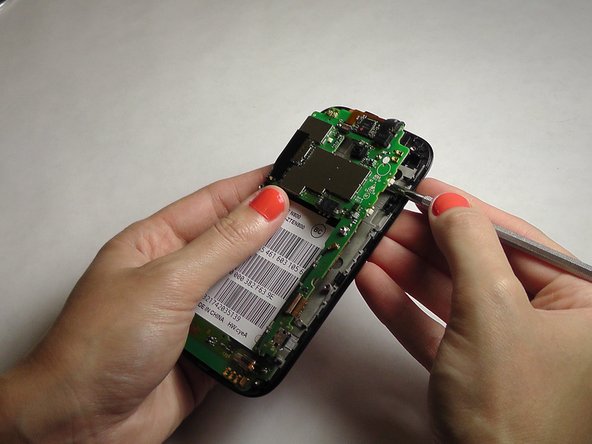
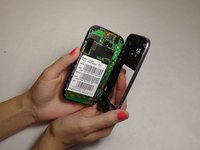
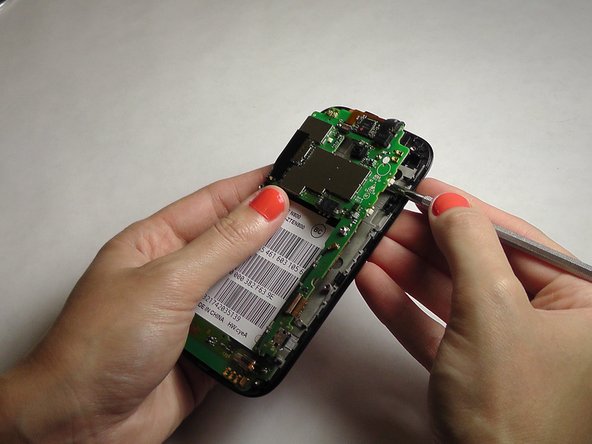
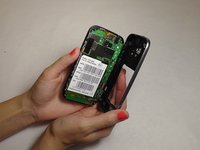
    3. ZTE Awe Screen Replacement, Expose the motherboard: crwdns2935265:03crwdnd2935265:01crwdnd2935265:02crwdne2935265:0 ZTE Awe Screen Replacement, Expose the motherboard: crwdns2935265:03crwdnd2935265:02crwdnd2935265:02crwdne2935265:0
      • Gently pry the mid frame away from the rest of the phone to expose the motherboard.

      crwdns2952109:0crwdne2952109:0

      crwdns2917038:0crwdne2917038:0

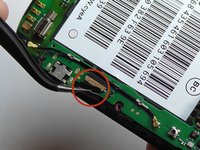
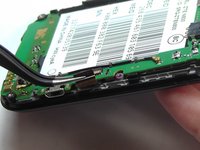
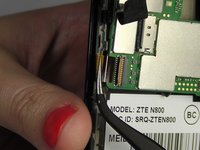
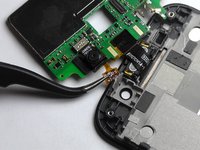
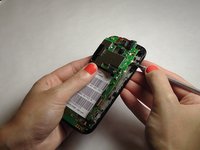
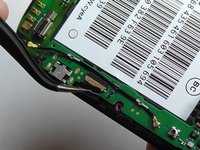
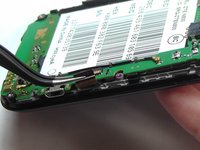
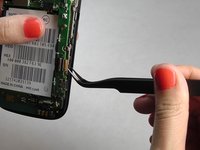
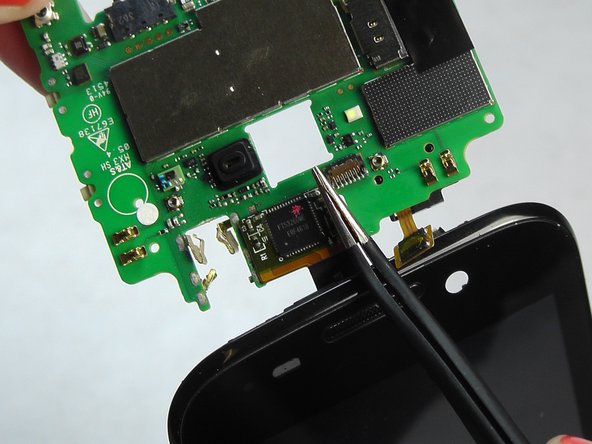
    4. ZTE Awe Screen Replacement, Remove the ribbon wires: crwdns2935265:04crwdnd2935265:01crwdnd2935265:03crwdne2935265:0 ZTE Awe Screen Replacement, Remove the ribbon wires: crwdns2935265:04crwdnd2935265:02crwdnd2935265:03crwdne2935265:0 ZTE Awe Screen Replacement, Remove the ribbon wires: crwdns2935265:04crwdnd2935265:03crwdnd2935265:03crwdne2935265:0
      crwdns2935267:0crwdne2935267:0
      Tweezers
      $4.99
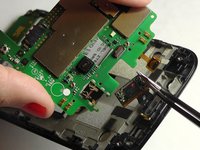
      • Use the tweezers to remove the four ribbon wires on the sides of the device.

      crwdns2952109:0crwdne2952109:0

      crwdns2917038:0crwdne2917038:0

    5. ZTE Awe Screen Replacement, Orient the motherboard: crwdns2935265:05crwdnd2935265:01crwdnd2935265:01crwdne2935265:0
      • Orient the motherboard to expose the mid frame.

      crwdns2952109:0crwdne2952109:0

      crwdns2917038:0crwdne2917038:0

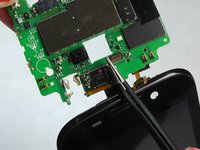
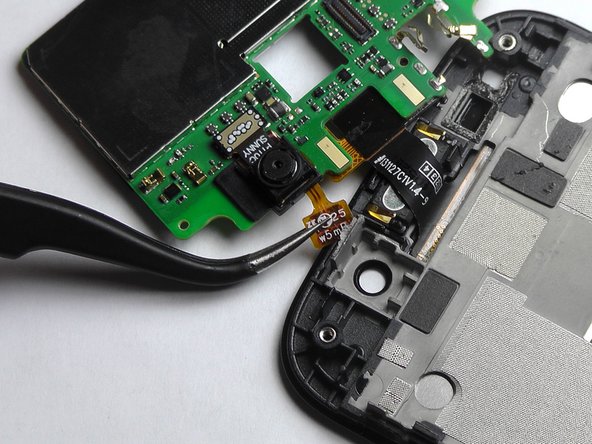
    6. ZTE Awe Screen Replacement, Remove the connector: crwdns2935265:06crwdnd2935265:01crwdnd2935265:03crwdne2935265:0 ZTE Awe Screen Replacement, Remove the connector: crwdns2935265:06crwdnd2935265:02crwdnd2935265:03crwdne2935265:0 ZTE Awe Screen Replacement, Remove the connector: crwdns2935265:06crwdnd2935265:03crwdnd2935265:03crwdne2935265:0
      • Remove the connector to free the motherboard from the screen.

      crwdns2952109:0crwdne2952109:0

      crwdns2917038:0crwdne2917038:0

    1. ZTE Awe Screen Replacement, Remove the cover: crwdns2935265:07crwdnd2935265:01crwdnd2935265:01crwdne2935265:0
      • Remove the back cover from the phone.

      crwdns2952109:0crwdne2952109:0

      crwdns2917038:0crwdne2917038:0

    2. ZTE Awe Screen Replacement, Remove battery: crwdns2935265:08crwdnd2935265:01crwdnd2935265:01crwdne2935265:0
      • Pry the battery up and out of the phone.

      crwdns2952109:0crwdne2952109:0

      crwdns2917038:0crwdne2917038:0

    3. ZTE Awe Screen Replacement: crwdns2935265:09crwdnd2935265:01crwdnd2935265:03crwdne2935265:0 ZTE Awe Screen Replacement: crwdns2935265:09crwdnd2935265:02crwdnd2935265:03crwdne2935265:0 ZTE Awe Screen Replacement: crwdns2935265:09crwdnd2935265:03crwdnd2935265:03crwdne2935265:0
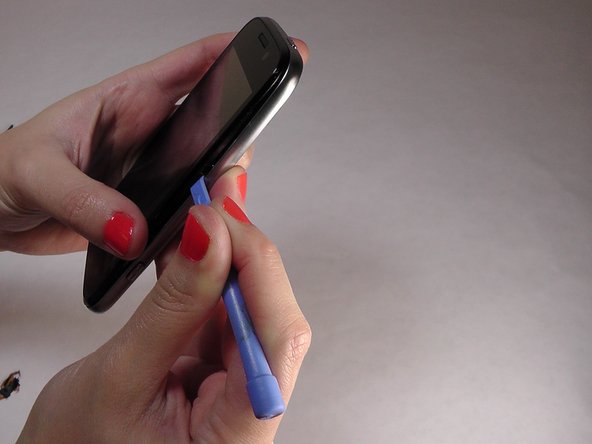
      • Gently wedge the spudger in between the glass screen and the mid frame.

      crwdns2952109:0crwdne2952109:0

      crwdns2917038:0crwdne2917038:0

    4. ZTE Awe Screen Replacement, Separate the motherboard from the screen: crwdns2935265:010crwdnd2935265:01crwdnd2935265:02crwdne2935265:0 ZTE Awe Screen Replacement, Separate the motherboard from the screen: crwdns2935265:010crwdnd2935265:02crwdnd2935265:02crwdne2935265:0
      • Carefully pry the screen away from the motherboard.

      crwdns2952109:0crwdne2952109:0

      crwdns2917038:0crwdne2917038:0

    5. ZTE Awe Screen Replacement, Remove the ribbons: crwdns2935265:011crwdnd2935265:01crwdnd2935265:03crwdne2935265:0 ZTE Awe Screen Replacement, Remove the ribbons: crwdns2935265:011crwdnd2935265:02crwdnd2935265:03crwdne2935265:0 ZTE Awe Screen Replacement, Remove the ribbons: crwdns2935265:011crwdnd2935265:03crwdnd2935265:03crwdne2935265:0
      • Be careful when removing the ribbon wires. They are delicate.

      crwdns2952109:0crwdne2952109:0

      crwdns2917038:0crwdne2917038:0

    6. ZTE Awe Screen Replacement, Remove the remaining ribbons: crwdns2935265:012crwdnd2935265:01crwdnd2935265:03crwdne2935265:0 ZTE Awe Screen Replacement, Remove the remaining ribbons: crwdns2935265:012crwdnd2935265:02crwdnd2935265:03crwdne2935265:0 ZTE Awe Screen Replacement, Remove the remaining ribbons: crwdns2935265:012crwdnd2935265:03crwdnd2935265:03crwdne2935265:0
      • Remove the remaining two ribbon wires from their connectors.

      crwdns2952109:0crwdne2952109:0

      crwdns2917038:0crwdne2917038:0

    7. ZTE Awe Screen Replacement, Expose the digitizer: crwdns2935265:013crwdnd2935265:01crwdnd2935265:03crwdne2935265:0 ZTE Awe Screen Replacement, Expose the digitizer: crwdns2935265:013crwdnd2935265:02crwdnd2935265:03crwdne2935265:0 ZTE Awe Screen Replacement, Expose the digitizer: crwdns2935265:013crwdnd2935265:03crwdnd2935265:03crwdne2935265:0
      • Wedge the plastic spudger between the screen and the digitizer.

      • Gently pry apart the screen from the digitizer.

      crwdns2952109:0crwdne2952109:0

      crwdns2917038:0crwdne2917038:0

crwdns2915888:0crwdne2915888:0

To reassemble your device, follow these instructions in reverse order.

crwdns2935221:0crwdne2935221:0

crwdns2935229:012crwdne2935229:0

Jennifer DeMeo

crwdns2935283:010/07/14crwdne2935283:0

1.035 crwdns2915208:0crwdne2915208:0

crwdns2935297:05crwdne2935297:0

crwdns2935287:0crwdne2935287:0

USF Tampa, Team 1-2, Leahy Fall 2014 crwdns2935289:0USF Tampa, Team 1-2, Leahy Fall 2014crwdne2935289:0

USFT-LEAHY-F14S1G2

crwdns2931471:04crwdne2931471:0

crwdns2935297:060crwdne2935297:0

crwdns2947412:00crwdne2947412:0

crwdns2917038:0crwdne2917038:0

crwdns2936625:0crwdne2936625:0:

crwdns2936751:024crwdne2936751:0 1

crwdns2936753:07crwdne2936753:0 1

crwdns2936753:030crwdne2936753:0 35

crwdns2942667:0crwdne2942667:0 14,671