crwdns2933423:0crwdne2933423:0
crwdns2947577:0crwdnd2947577:0crwdne2947577:0

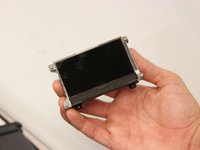
XtremeMac Luna LCD Display Replacement

crwdns2942213:0crwdne2942213:0

    1. XtremeMac Luna LCD Display Replacement, Bottom Panel: crwdns2935265:01crwdnd2935265:01crwdnd2935265:03crwdne2935265:0 XtremeMac Luna LCD Display Replacement, Bottom Panel: crwdns2935265:01crwdnd2935265:02crwdnd2935265:03crwdne2935265:0 XtremeMac Luna LCD Display Replacement, Bottom Panel: crwdns2935265:01crwdnd2935265:03crwdnd2935265:03crwdne2935265:0
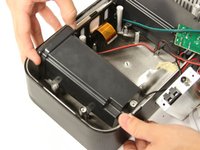
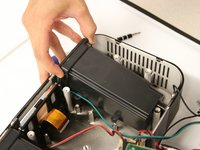
      • Flip the device over so that the batteries are closest to you.

      • Remove the battery lid by pressing the battery cover's tab and pulling it away from the device.

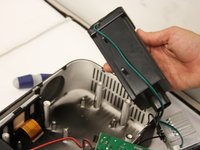
      • Push the battery against the spring and lift it out of the casing.

      • Repeat with the other battery.

      crwdns2952109:0crwdne2952109:0

      crwdns2917038:0crwdne2917038:0

    2. XtremeMac Luna LCD Display Replacement: crwdns2935265:02crwdnd2935265:01crwdnd2935265:01crwdne2935265:0
      • Unscrew all eight 12mm Phillips head screws with a Philips #1 screwdriver.

      • The iFixit 26 bit screwdriver kit will not reach the screws. Make sure to use a screwdriver that is thin enough to not get stuck in the screw holes.

      crwdns2952109:0crwdne2952109:0

      crwdns2917038:0crwdne2917038:0

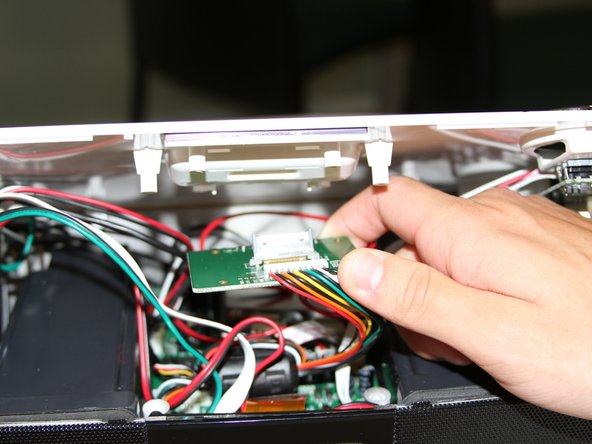
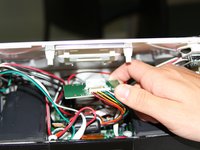
    3. XtremeMac Luna LCD Display Replacement: crwdns2935265:03crwdnd2935265:01crwdnd2935265:02crwdne2935265:0 XtremeMac Luna LCD Display Replacement: crwdns2935265:03crwdnd2935265:02crwdnd2935265:02crwdne2935265:0
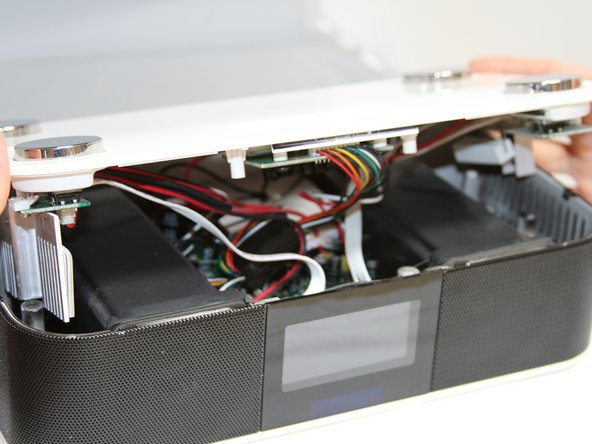
      • Flip the Luna back over so that the buttons are facing upward and the LCD screen is facing you.

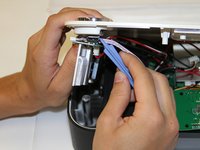
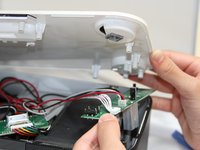
      • Gently tilt the lid back 45 degrees so that the inside is exposed.

      • Be mindful of the wires inside of the Luna. It is easy to break a connection if a wire gets caught.

      crwdns2952109:0crwdne2952109:0

      crwdns2917038:0crwdne2917038:0

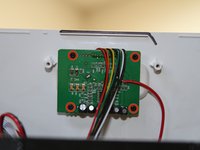
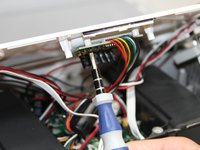
    1. XtremeMac Luna LCD Display Replacement, Dock Circuit Board: crwdns2935265:04crwdnd2935265:01crwdnd2935265:03crwdne2935265:0 XtremeMac Luna LCD Display Replacement, Dock Circuit Board: crwdns2935265:04crwdnd2935265:02crwdnd2935265:03crwdne2935265:0 XtremeMac Luna LCD Display Replacement, Dock Circuit Board: crwdns2935265:04crwdnd2935265:03crwdnd2935265:03crwdne2935265:0
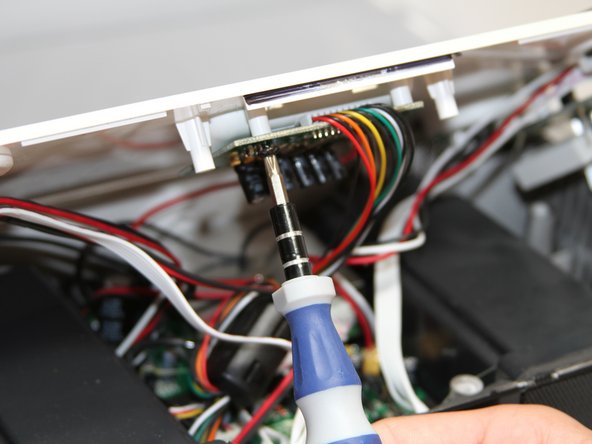
      • Unscrew the four black 7mm screws with the Phillips #1 screw driver that hold the middle circuit board to the top case.

      crwdns2952109:0crwdne2952109:0

      crwdns2917038:0crwdne2917038:0

    1. XtremeMac Luna LCD Display Replacement, Button Circuit Boards: crwdns2935265:05crwdnd2935265:01crwdnd2935265:02crwdne2935265:0 XtremeMac Luna LCD Display Replacement, Button Circuit Boards: crwdns2935265:05crwdnd2935265:02crwdnd2935265:02crwdne2935265:0
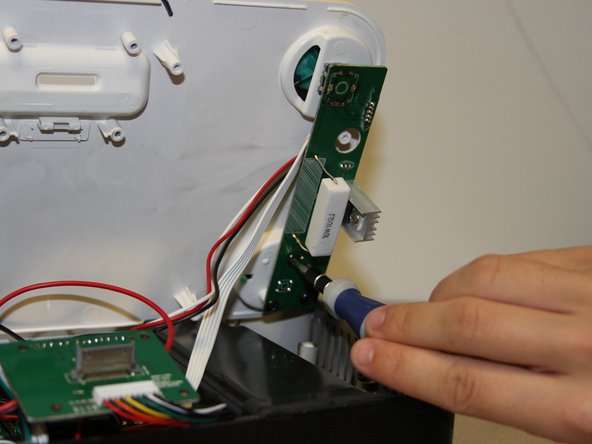
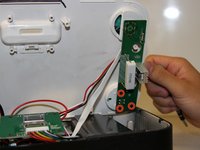
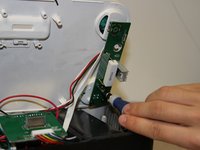
      • Unscrew the three 7 mm black screws using the Philips #1 screwdriver on the back end of the left and right circuit board.

      • Removing the right circuit board first will make it easier to unscrew the left because the heat-sinks on the left circuit board can get in the way of the screwdriver.

      crwdns2952109:0crwdne2952109:0

      crwdns2917038:0crwdne2917038:0

    2. XtremeMac Luna LCD Display Replacement: crwdns2935265:06crwdnd2935265:01crwdnd2935265:03crwdne2935265:0 XtremeMac Luna LCD Display Replacement: crwdns2935265:06crwdnd2935265:02crwdnd2935265:03crwdne2935265:0 XtremeMac Luna LCD Display Replacement: crwdns2935265:06crwdnd2935265:03crwdnd2935265:03crwdne2935265:0
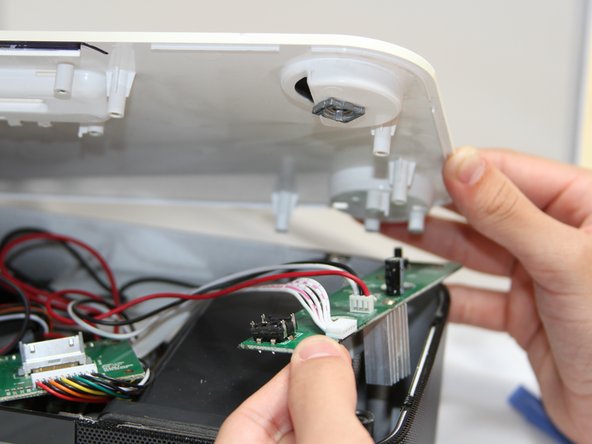
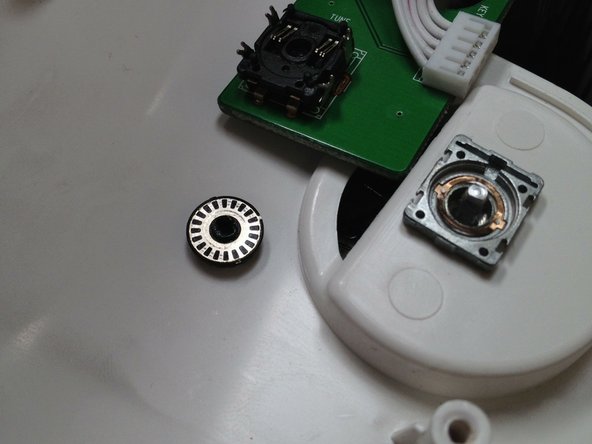
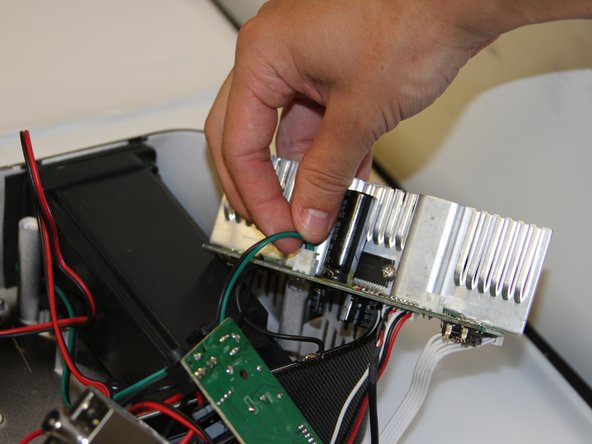
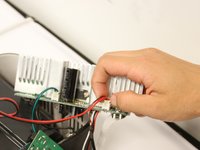
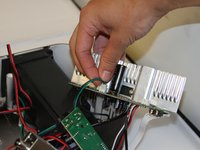
      • Use a plastic opening tool to pry the black connections away from the top casing.

      • Be attentive when you separate the circuit boards from the top, as there is a loose wheel inside.

      crwdns2952109:0crwdne2952109:0

      crwdns2917038:0crwdne2917038:0

    3. XtremeMac Luna LCD Display Replacement: crwdns2935265:07crwdnd2935265:01crwdnd2935265:02crwdne2935265:0 XtremeMac Luna LCD Display Replacement: crwdns2935265:07crwdnd2935265:02crwdnd2935265:02crwdne2935265:0
      • Turn the circuit boards over. Remove the two connections on the left side by pulling on the tabs.

      • The glue that holds the connection together will come off when you pull. Pull on the tab with enough force to break the glue without damaging the wires.

      crwdns2952109:0crwdne2952109:0

      crwdns2917038:0crwdne2917038:0

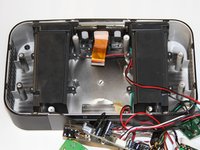
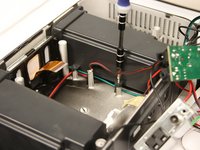
    1. XtremeMac Luna LCD Display Replacement, Speakers: crwdns2935265:08crwdnd2935265:01crwdnd2935265:02crwdne2935265:0 XtremeMac Luna LCD Display Replacement, Speakers: crwdns2935265:08crwdnd2935265:02crwdnd2935265:02crwdne2935265:0
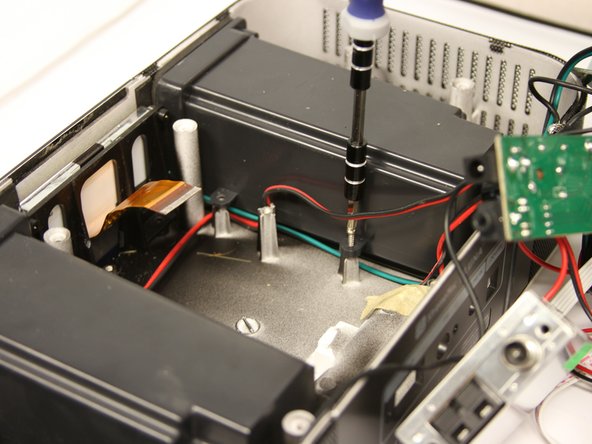
      • Unscrew four 7mm Phillips screws from the base of each speaker unit.

      crwdns2952109:0crwdne2952109:0

      crwdns2917038:0crwdne2917038:0

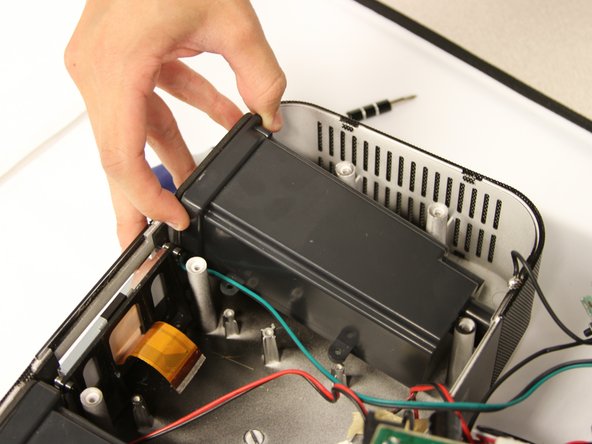
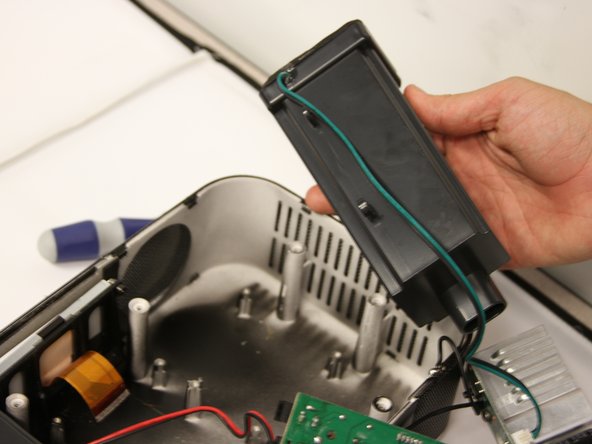
    2. XtremeMac Luna LCD Display Replacement: crwdns2935265:09crwdnd2935265:01crwdnd2935265:03crwdne2935265:0 XtremeMac Luna LCD Display Replacement: crwdns2935265:09crwdnd2935265:02crwdnd2935265:03crwdne2935265:0 XtremeMac Luna LCD Display Replacement: crwdns2935265:09crwdnd2935265:03crwdnd2935265:03crwdne2935265:0
      • Lift the speakers up out of the Luna chassis.

      crwdns2952109:0crwdne2952109:0

      crwdns2917038:0crwdne2917038:0

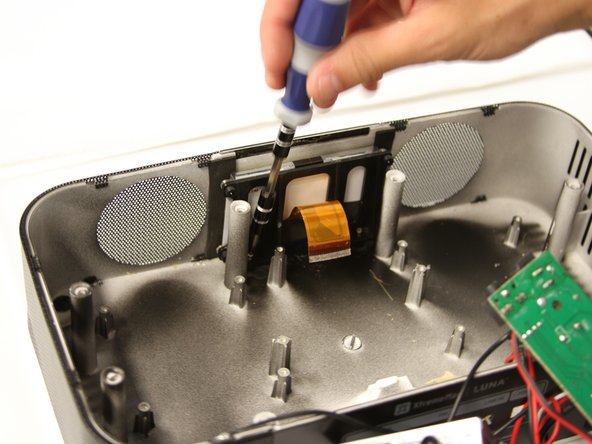
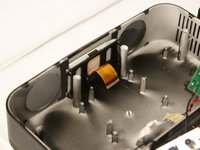
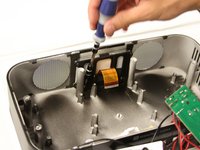
    1. XtremeMac Luna LCD Display Replacement, LCD Display: crwdns2935265:010crwdnd2935265:01crwdnd2935265:02crwdne2935265:0 XtremeMac Luna LCD Display Replacement, LCD Display: crwdns2935265:010crwdnd2935265:02crwdnd2935265:02crwdne2935265:0
      • Unscrew two 10mm silver screws at the base of the LCD screen to free it from the chassis.

      crwdns2952109:0crwdne2952109:0

      crwdns2917038:0crwdne2917038:0

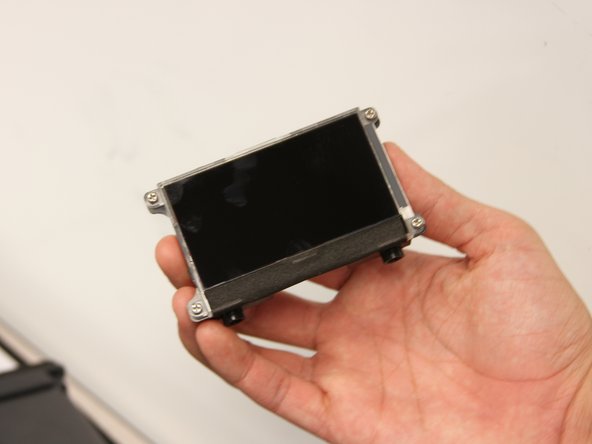
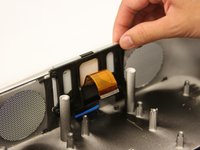
    2. XtremeMac Luna LCD Display Replacement: crwdns2935265:011crwdnd2935265:01crwdnd2935265:02crwdne2935265:0 XtremeMac Luna LCD Display Replacement: crwdns2935265:011crwdnd2935265:02crwdnd2935265:02crwdne2935265:0
      • Gently pull up on the LCD screen to remove it.

      crwdns2952109:0crwdne2952109:0

      crwdns2917038:0crwdne2917038:0

crwdns2915888:0crwdne2915888:0

To reassemble your device, follow these instructions in reverse order.

crwdns2935221:0crwdne2935221:0

Matt Ducasse

crwdns2935283:004/18/13crwdne2935283:0

12 crwdns2915208:0crwdne2915208:0

crwdns2935297:03crwdne2935297:0

crwdns2935287:0crwdne2935287:0

Cal Poly, Team 3-47, Amido Spring 2013 crwdns2935289:0Cal Poly, Team 3-47, Amido Spring 2013crwdne2935289:0

CPSU-AMIDO-S13S3G47

crwdns2931471:04crwdne2931471:0

crwdns2935297:096crwdne2935297:0

crwdns2947412:00crwdne2947412:0

crwdns2917038:0crwdne2917038:0

crwdns2936625:0crwdne2936625:0:

crwdns2936751:024crwdne2936751:0 0

crwdns2936753:07crwdne2936753:0 10

crwdns2936753:030crwdne2936753:0 26

crwdns2942667:0crwdne2942667:0 747