crwdns2933423:0crwdne2933423:0
crwdns2947577:0crwdnd2947577:0crwdne2947577:0

Xbox One Kinect LED Sensor Replacement

crwdns2942213:0crwdne2942213:0

  1. Xbox One Kinect LED Sensor Replacement, Outer Shell: crwdns2935265:01crwdnd2935265:01crwdnd2935265:01crwdne2935265:0
    • Remove the sticker on the underside of the device.

    • Remove the four 3.1x23.5 mm T10 screws underneath the sticker.

    • While you're at it, remove the four 3.1x7.5 mm T10 screws beneath the sticker. Make note of the sizes and locations of the screws.

    crwdns2952109:0crwdne2952109:0

    crwdns2917038:0crwdne2917038:0

  2. Xbox One Kinect LED Sensor Replacement: crwdns2935265:02crwdnd2935265:01crwdnd2935265:03crwdne2935265:0 Xbox One Kinect LED Sensor Replacement: crwdns2935265:02crwdnd2935265:02crwdnd2935265:03crwdne2935265:0 Xbox One Kinect LED Sensor Replacement: crwdns2935265:02crwdnd2935265:03crwdnd2935265:03crwdne2935265:0
    • Remove the back panel.

    • Remove the black panels on either side of the Kinect, and remove the 3.1x7.5mm T10 screws underneath them.

    crwdns2952109:0crwdne2952109:0

    crwdns2917038:0crwdne2917038:0

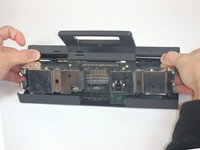
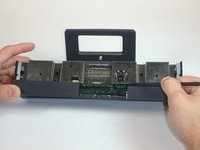
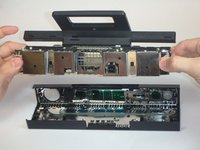
  3. Xbox One Kinect LED Sensor Replacement: crwdns2935265:03crwdnd2935265:01crwdnd2935265:03crwdne2935265:0 Xbox One Kinect LED Sensor Replacement: crwdns2935265:03crwdnd2935265:02crwdnd2935265:03crwdne2935265:0 Xbox One Kinect LED Sensor Replacement: crwdns2935265:03crwdnd2935265:03crwdnd2935265:03crwdne2935265:0
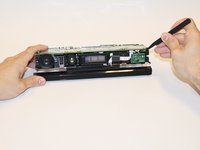
    • Using your thumbs, press firmly against the outer case on either side of the stand. This will disengage the internal assembly.

    • Lift the internal assembly with the spudger.

    • Remove the assembly from the case. You now have access to the inner shell of the kinect, along with the heat sink, microphone, and LED sensor.

    crwdns2952109:0crwdne2952109:0

    crwdns2917038:0crwdne2917038:0

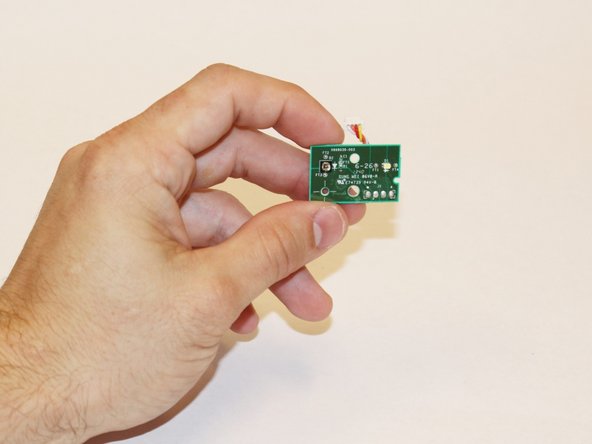
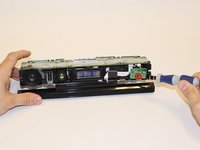
  4. Xbox One Kinect LED Sensor Replacement, Removing the LED Sensor: crwdns2935265:04crwdnd2935265:01crwdnd2935265:03crwdne2935265:0 Xbox One Kinect LED Sensor Replacement, Removing the LED Sensor: crwdns2935265:04crwdnd2935265:02crwdnd2935265:03crwdne2935265:0 Xbox One Kinect LED Sensor Replacement, Removing the LED Sensor: crwdns2935265:04crwdnd2935265:03crwdnd2935265:03crwdne2935265:0
    • Disconnect the ribbon cable between the sensor driver board and the motherboard.

    • Remove the 3.0x7.5 mm T9 screw holding the sensor driver board to the heat sink.

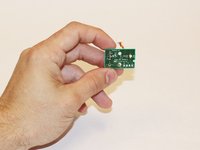
    • Remove the infrared sensor board for the Kinect.

    crwdns2952109:0crwdne2952109:0

    crwdns2917038:0crwdne2917038:0

crwdns2915888:0crwdne2915888:0

To reassemble your device, follow these instructions in reverse order.

crwdns2935221:0crwdne2935221:0

Malak Anshassi

crwdns2935283:009/22/14crwdne2935283:0

356 crwdns2915208:0crwdne2915208:0

crwdns2935297:03crwdne2935297:0

crwdns2935287:0crwdne2935287:0

USF Tampa, Team 1-3, Hickman Fall 2014 crwdns2935289:0USF Tampa, Team 1-3, Hickman Fall 2014crwdne2935289:0

USFT-HICKMAN-F14S1G3

crwdns2931471:04crwdne2931471:0

crwdns2935297:07crwdne2935297:0

crwdns2947412:00crwdne2947412:0

crwdns2917038:0crwdne2917038:0

crwdns2936625:0crwdne2936625:0:

crwdns2936751:024crwdne2936751:0 0

crwdns2936753:07crwdne2936753:0 7

crwdns2936753:030crwdne2936753:0 31

crwdns2942667:0crwdne2942667:0 1,539