crwdns2915892:0crwdne2915892:0
This is the replacement guide for the motherboard in the Microsoft Xbox.
crwdns2942213:0crwdne2942213:0
-
-
 crwdns2952109:0crwdne2952109:0
-
-
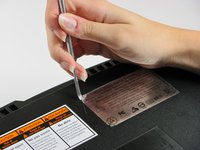
Use a metal spudger to pry off the four rubber feet.
-
-
-
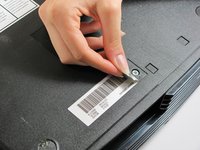
You can either remove the labels or simply feel for the screw holes through the labels and then cut or punch a hole through them.
-
-
-
Remove the six T20 Torx screws securing the top cover to the bottom cover.
-
-
-
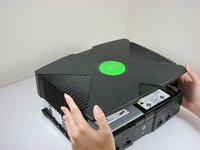
Once the bottom and top shells are no longer attached, carefully turn the Xbox right-side-up, lift and remove the top cover.
-
-
-
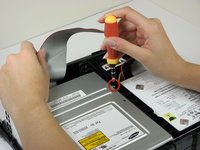
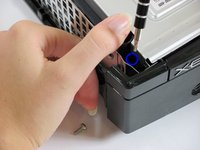
Remove the three 3 mm T10 screws securing the hard drive to the Xbox.
-
-
-
-
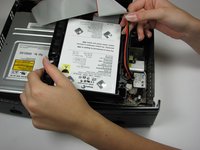
Free the hard drive power cable from the carrier for sufficient slack to lift the hard drive out.
-
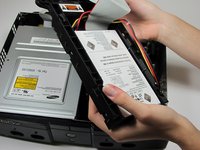
Lift the plastic hard drive carrier out of the Xbox case.
-
-
-
Remove the four 3.4 mm T15 Torx screws from the plastic hard drive carrier (two screws per side).
-
Carefully remove the hard drive from the plastic carrier. Gentle rocking will see the hard drive come out quite easily.
-
-
-
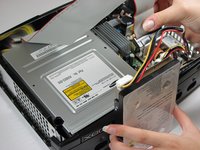
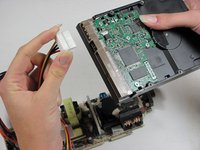
Pull both the hard drive data ribbon cable and the power cable straight up from the hard drive.
-
-
-
-
-
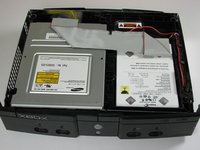
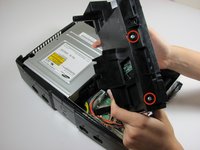
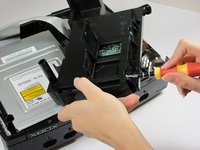
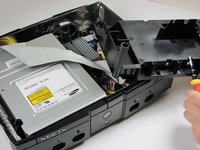
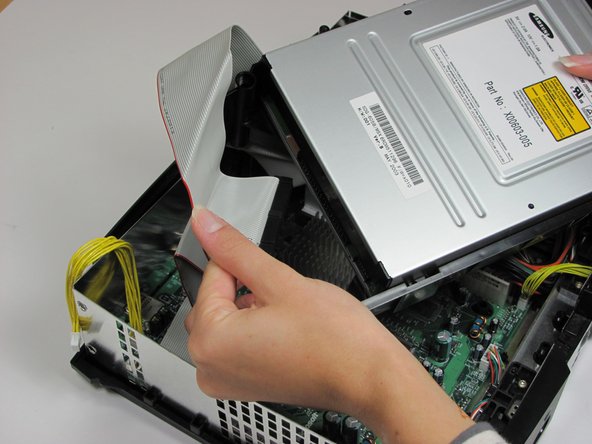
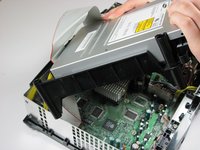
Remove the disk drive. It should come right out.
-
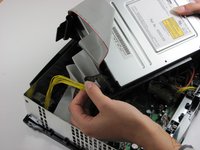
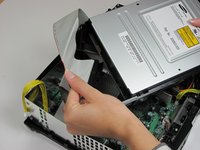
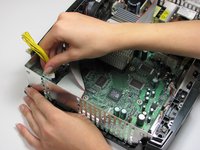
Unplug the ribbon cable and yellow cables from back of disk drive.
-
-
-
Pry back the black plastic tabs around the disk drive in order to remove it from its housing. Once removed, set the drive aside.
-
-
-
-
-
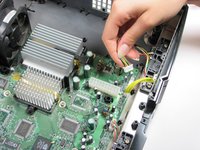
Unplug the multi-colored power cord from the motherboard. It is in there pretty tightly, so it may take some effort.
-
-
-
Using T10 Torx screwdriver, remove two 3mm screws from the tan power supply board.
-
-
-
Remove the power supply and set it aside. It should lift right out.
-
-
-
-
-
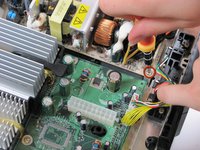
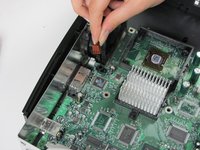
Unplug the bundle of yellow cables as well as the rainbow cord from the motherboard.
-
-
-
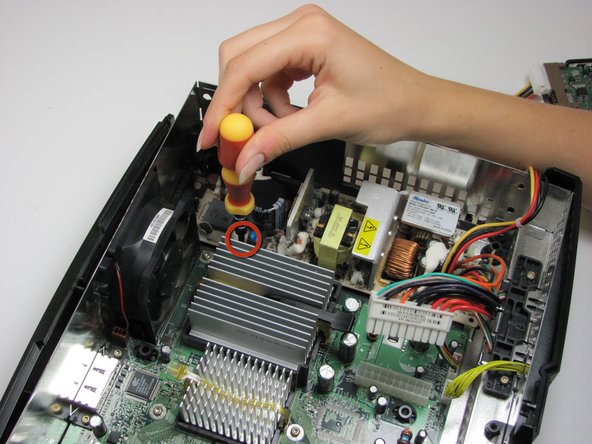
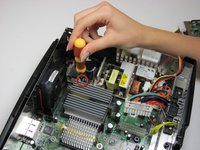
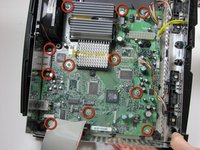
Remove eleven 3mm screws from motherboard, using a T10 Torx screwdriver. Refer to the picture to find all eleven.
-
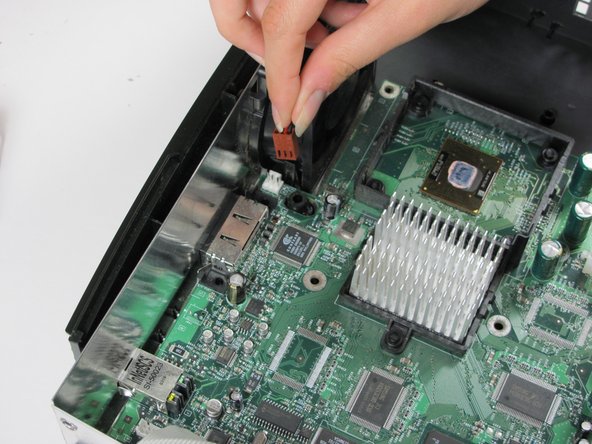
Unplug the power cable attached to the fan.
-
-
-
Remove the motherboard from the Xbox. As long as all of the screws are out and the fan is disconnected, it will lift out easily.
-
-




















To reassemble your device, follow these instructions in reverse order.
crwdns2935221:0crwdne2935221:0
crwdns2935229:050crwdne2935229:0

crwdns2935287:0crwdne2935287:0

Cal Poly, Team 18-2, Maness Fall 2009 crwdns2935289:0Cal Poly, Team 18-2, Maness Fall 2009crwdne2935289:0
CPSU-MANESS-F09S18G2
crwdns2931471:03crwdne2931471:0
crwdns2935297:060crwdne2935297:0
crwdns2947412:06crwdne2947412:0
http://www.ebay.com/gds/How-To-Determine...
Utilize the information on this website to determine what Xbox version you have so you know what replacement parts to look for.
Navy Vet 2015 - crwdns2934203:0crwdne2934203:0 crwdns2950251:0crwdne2950251:0
What about the key lock between the HDD and original motherboard? Wouldn't you get an error message installing a new motherboard?
chris - crwdns2934203:0crwdne2934203:0 crwdns2950251:0crwdne2950251:0
Yes, this would result in an error. An exception exists where the owner has modified the console and taken a backup of the EEPROM key.
James J - crwdns2934203:0crwdne2934203:0 crwdns2950251:0crwdne2950251:0
If I need a new motherboard where can I find one
nite gang - crwdns2934203:0crwdne2934203:0 crwdns2950251:0crwdne2950251:0
Do you still need a motherboard?
Comanche - crwdns2934203:0crwdne2934203:0 crwdns2950251:0crwdne2950251:0
