crwdns2915892:0crwdne2915892:0
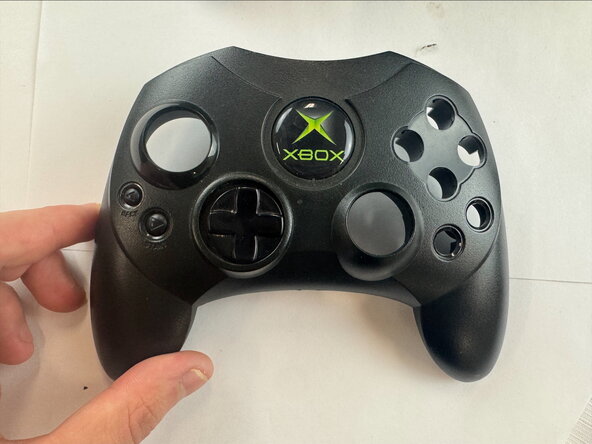
If the trigger on your Xbox Controller S is unresponsive or difficult to press, use this guide to replace it. The trigger is used to perform in-game actions, such as aiming or firing a weapon. Step 4 requires desoldering to remove the trigger from the motherboard.
crwdns2942213:0crwdne2942213:0
-
-
Remove the seven 9.4 mm screws on the back of the controller using a Phillips #00 screwdriver.
-
-
-
Remove the back shell.
-
Flip the controller over and remove the front shell.
-
-
-
-
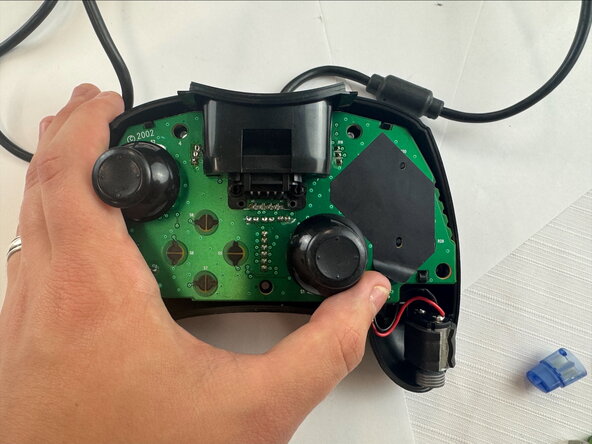
Carefully remove the motherboard from the shell.
-
-
-
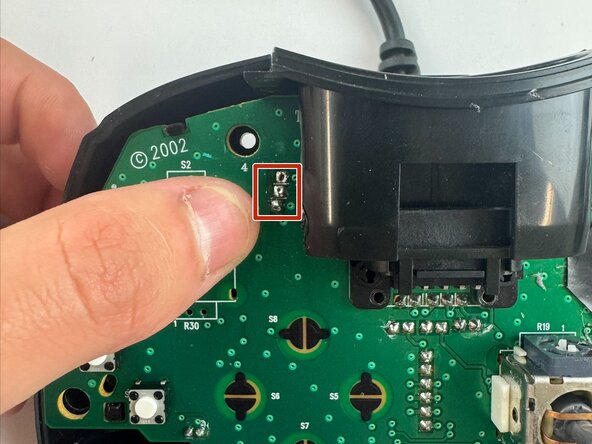
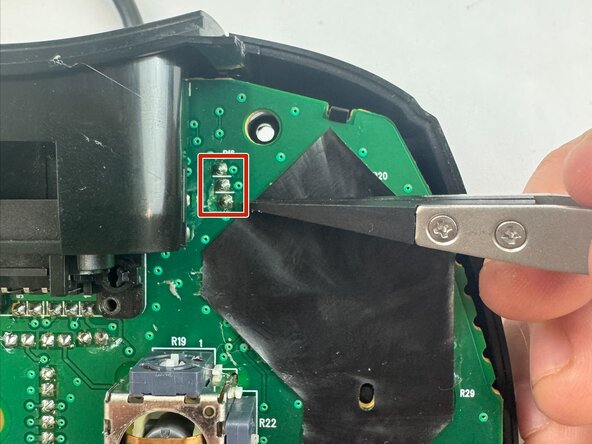
Desolder the three attachment points for the trigger, then unclip the trigger from the circuit board.
-






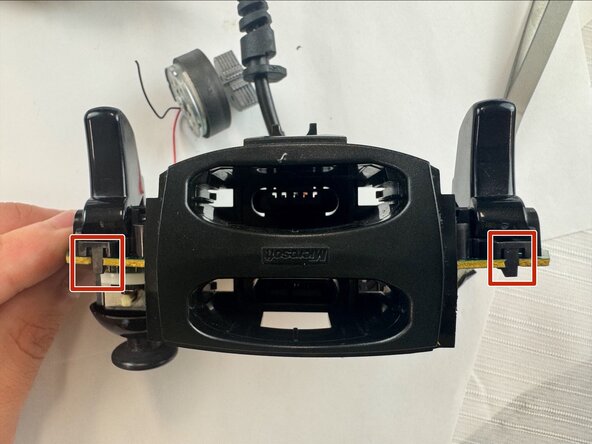


To reassemble your device, follow these instructions in reverse order.


crwdns2935287:0crwdne2935287:0

Texas Tech, Team 46-5, Johansen Fall 2025 crwdns2935289:0Texas Tech, Team 46-5, Johansen Fall 2025crwdne2935289:0
TTU-JOHANSEN-F25S46G5
crwdns2931471:04crwdne2931471:0
crwdns2935297:04crwdne2935297:0
