crwdns2933423:0crwdne2933423:0
crwdns2947577:0crwdnd2947577:0crwdne2947577:0

Wooting 60HE Keycap Replacement

crwdns2942213:0crwdne2942213:0

    1. Wooting 60HE Keycap Replacement, Keycap: crwdns2935265:01crwdnd2935265:01crwdnd2935265:01crwdne2935265:0
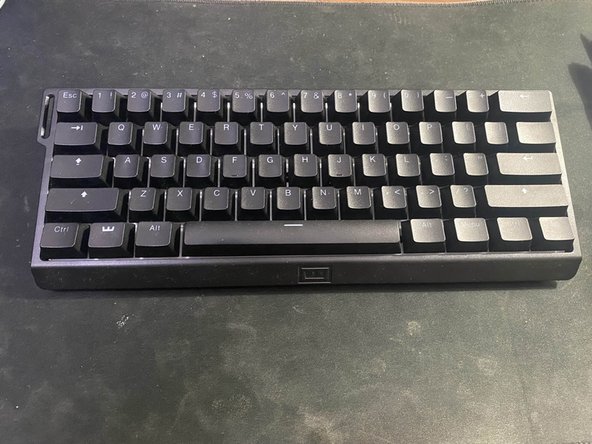
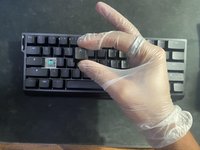
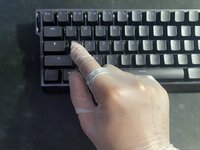
      • Use a small, soft bristle brush to remove small hairs or dust from the keyboard.

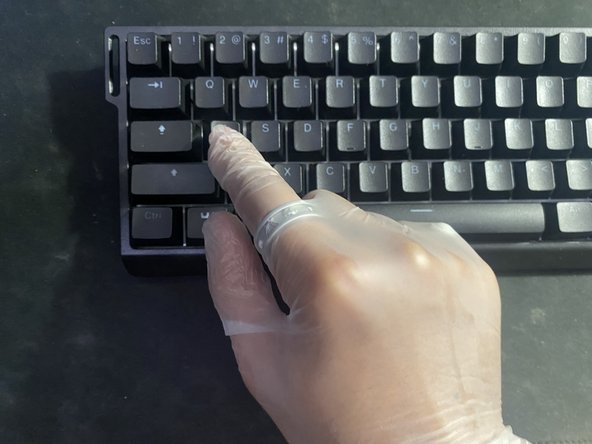
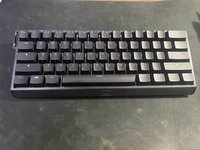
      • For this replacement, we will be replacing the "A" keycap.

      crwdns2952109:0crwdne2952109:0

      crwdns2917038:0crwdne2917038:0

    2. Wooting 60HE Keycap Replacement: crwdns2935265:02crwdnd2935265:01crwdnd2935265:02crwdne2935265:0 Wooting 60HE Keycap Replacement: crwdns2935265:02crwdnd2935265:02crwdnd2935265:02crwdne2935265:0
      • Hook the two metal brackets of the keycap puller at a slight angle on the corners of the key.

      • Slightly tug upwards, and the key should come out smoothly. Place the key to the side.

      • It is essential to be gentle; excessive force can cause cracks or scratches on the key.

      crwdns2952109:0crwdne2952109:0

      crwdns2917038:0crwdne2917038:0

    3. Wooting 60HE Keycap Replacement: crwdns2935265:03crwdnd2935265:01crwdnd2935265:01crwdne2935265:0
      crwdns2935267:0crwdne2935267:0
      Tweezers
      $4.99
      • Using tweezers, carefully extract debris from the exposed backboard of the keyboard.

      • Try to avoid the key nub, as it is lubricated, and outside contact can ruin it.

      crwdns2952109:0crwdne2952109:0

      crwdns2917038:0crwdne2917038:0

    4. Wooting 60HE Keycap Replacement: crwdns2935265:04crwdnd2935265:01crwdnd2935265:01crwdne2935265:0
      • Hold a multi-purpose electronics duster three inches away and at an angle from the exposed key.

      • Press the trigger in short bursts.

      • This will help get rid of any debris that you could not get from using your tweezers.

      crwdns2952109:0crwdne2952109:0

      crwdns2917038:0crwdne2917038:0

    5. Wooting 60HE Keycap Replacement: crwdns2935265:05crwdnd2935265:01crwdnd2935265:02crwdne2935265:0 Wooting 60HE Keycap Replacement: crwdns2935265:05crwdnd2935265:02crwdnd2935265:02crwdne2935265:0
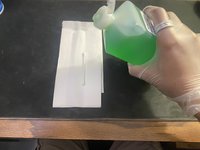
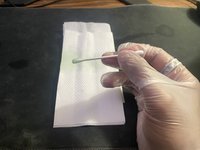
      • Place a cotton swab on a napkin and lightly coat the head of the swab with 70% isopropyl alcohol.

      crwdns2952109:0crwdne2952109:0

      crwdns2917038:0crwdne2917038:0

    6. Wooting 60HE Keycap Replacement: crwdns2935265:06crwdnd2935265:01crwdnd2935265:01crwdne2935265:0
      • Gently pat around the white backboard of the keyboard with the cotton swab.

      • This will help get rid of any built up residue, oils, or any possible spills that could have occurred in the past.

      • Isopropyl alcohol can strip the lubricant on the key, so put emphasis on dabbing the white backboard and not the key itself.

      crwdns2952109:0crwdne2952109:0

      crwdns2917038:0crwdne2917038:0

    7. Wooting 60HE Keycap Replacement: crwdns2935265:07crwdnd2935265:01crwdnd2935265:03crwdne2935265:0 Wooting 60HE Keycap Replacement: crwdns2935265:07crwdnd2935265:02crwdnd2935265:03crwdne2935265:0 Wooting 60HE Keycap Replacement: crwdns2935265:07crwdnd2935265:03crwdnd2935265:03crwdne2935265:0
      • Line the keycap in the upright position above the nub and press down lightly.

      • The key should slide back in place.

      crwdns2952109:0crwdne2952109:0

      crwdns2917038:0crwdne2917038:0

crwdns2935217:0crwdne2935217:0

crwdns2935221:0crwdne2935221:0

Aryav Balia

crwdns2935283:010/25/23crwdne2935283:0

157 crwdns2915208:0crwdne2915208:0

crwdns2935295:0crwdne2935295:0

crwdns2935287:0crwdne2935287:0

CSU Los Angeles, Team 1-1, Briggs Fall 2023 crwdns2935289:0CSU Los Angeles, Team 1-1, Briggs Fall 2023crwdne2935289:0

CSULA-BRIGGS-F23S1G1

crwdns2931471:06crwdne2931471:0

crwdns2935297:060crwdne2935297:0

crwdns2947412:00crwdne2947412:0

crwdns2917038:0crwdne2917038:0

crwdns2936625:0crwdne2936625:0:

crwdns2936751:024crwdne2936751:0 3

crwdns2936753:07crwdne2936753:0 21

crwdns2936753:030crwdne2936753:0 96

crwdns2942667:0crwdne2942667:0 1,742