crwdns2933423:0crwdne2933423:0
crwdns2947577:0crwdnd2947577:0crwdne2947577:0

Verizon Ellipsis 10 Camera Replacement

crwdns2942213:0crwdne2942213:0

    1. Verizon Ellipsis 10 Camera Replacement, Back Cover: crwdns2935265:01crwdnd2935265:01crwdnd2935265:01crwdne2935265:0
      • Open the SD/SIM card cover to start prying off the back cover.

      crwdns2952109:0crwdne2952109:0

      crwdns2917038:0crwdne2917038:0

    2. Verizon Ellipsis 10 Camera Replacement: crwdns2935265:02crwdnd2935265:01crwdnd2935265:01crwdne2935265:0
      • Start using the iFixit Opening Tool in the SD/SIM area to release the clips holding the back panel on.

      crwdns2952109:0crwdne2952109:0

      crwdns2917038:0crwdne2917038:0

    3. Verizon Ellipsis 10 Camera Replacement: crwdns2935265:03crwdnd2935265:01crwdnd2935265:01crwdne2935265:0
      • Follow along the edge of the device to undo all of the retaining clips.

      crwdns2952109:0crwdne2952109:0

      crwdns2917038:0crwdne2917038:0

    4. Verizon Ellipsis 10 Camera Replacement: crwdns2935265:04crwdnd2935265:01crwdnd2935265:01crwdne2935265:0
      • Once all the clips are undone, the back panel should come off with little effort.

      crwdns2952109:0crwdne2952109:0

      crwdns2917038:0crwdne2917038:0

    1. Verizon Ellipsis 10 Camera Replacement, Battery: crwdns2935265:05crwdnd2935265:01crwdnd2935265:01crwdne2935265:0
      • Remove the bottom piece of tape securing the battery making sure you are not peeling up anything else in the process.

      crwdns2952109:0crwdne2952109:0

      crwdns2917038:0crwdne2917038:0

    2. Verizon Ellipsis 10 Camera Replacement: crwdns2935265:06crwdnd2935265:01crwdnd2935265:01crwdne2935265:0
      • Remove the top piece of tape using an iFixit opening tool.

      crwdns2952109:0crwdne2952109:0

      crwdns2917038:0crwdne2917038:0

    3. Verizon Ellipsis 10 Camera Replacement: crwdns2935265:07crwdnd2935265:01crwdnd2935265:01crwdne2935265:0
      • Once you have a hold on the tape, carefully remove it making sure you aren’t damaging the battery in the process.

      crwdns2952109:0crwdne2952109:0

      crwdns2917038:0crwdne2917038:0

    4. Verizon Ellipsis 10 Camera Replacement: crwdns2935265:08crwdnd2935265:01crwdnd2935265:01crwdne2935265:0
      • Unplug the battery power connector by sliding the white plastic plug down away from the board.

      crwdns2952109:0crwdne2952109:0

      crwdns2917038:0crwdne2917038:0

    5. Verizon Ellipsis 10 Camera Replacement: crwdns2935265:09crwdnd2935265:01crwdnd2935265:01crwdne2935265:0
      • The battery should be free to come out of the device. Make sure not to bend or damage the battery.

      crwdns2952109:0crwdne2952109:0

      crwdns2917038:0crwdne2917038:0

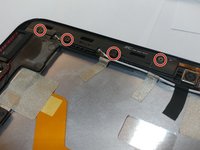
    1. Verizon Ellipsis 10 Camera Replacement, Camera: crwdns2935265:010crwdnd2935265:01crwdnd2935265:01crwdne2935265:0
      • Remove 4 M1.5 screws holding in the labeled LTE module.

      crwdns2952109:0crwdne2952109:0

      crwdns2917038:0crwdne2917038:0

    2. Verizon Ellipsis 10 Camera Replacement: crwdns2935265:011crwdnd2935265:01crwdnd2935265:01crwdne2935265:0
      • Use a nylon spudger to pry up the module.

      • It's held in with some clips so there will be a little bit of resistance.

      crwdns2952109:0crwdne2952109:0

      crwdns2917038:0crwdne2917038:0

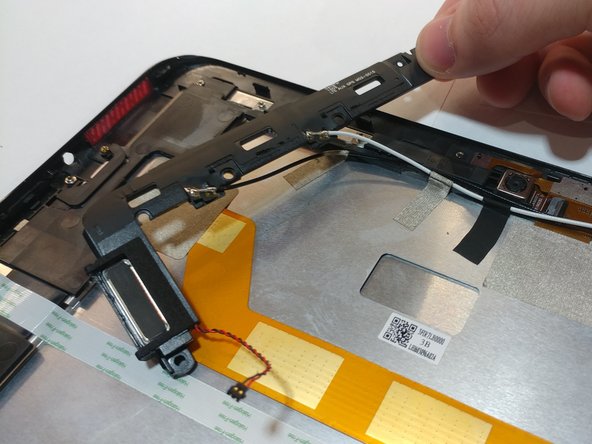
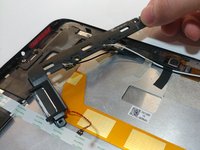
    3. Verizon Ellipsis 10 Camera Replacement: crwdns2935265:012crwdnd2935265:01crwdnd2935265:02crwdne2935265:0 Verizon Ellipsis 10 Camera Replacement: crwdns2935265:012crwdnd2935265:02crwdnd2935265:02crwdne2935265:0
      • Remove the 4 M1.5 screws holding in the labeled auxiliary LTE/GPS module.

      • The module should come up with a little resistance.

      crwdns2952109:0crwdne2952109:0

      crwdns2917038:0crwdne2917038:0

    4. Verizon Ellipsis 10 Camera Replacement: crwdns2935265:013crwdnd2935265:01crwdnd2935265:01crwdne2935265:0
      crwdns2935267:0crwdne2935267:0
      Tweezers
      $4.99
      • Use a pair of tweezers to lift up the front camera off its locating post.

      crwdns2952109:0crwdne2952109:0

      crwdns2917038:0crwdne2917038:0

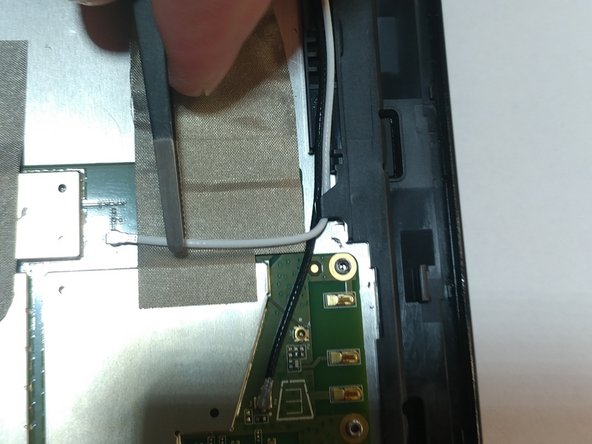
    5. Verizon Ellipsis 10 Camera Replacement: crwdns2935265:014crwdnd2935265:01crwdnd2935265:02crwdne2935265:0 Verizon Ellipsis 10 Camera Replacement: crwdns2935265:014crwdnd2935265:02crwdnd2935265:02crwdne2935265:0
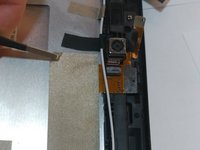
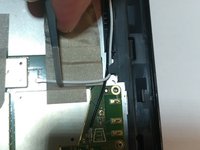
      • Remove the non-conductive tape covering the camera ribbon cable.

      • You may need to remove the white antenna cable to remove the tape.

      crwdns2952109:0crwdne2952109:0

      crwdns2917038:0crwdne2917038:0

    6. Verizon Ellipsis 10 Camera Replacement: crwdns2935265:015crwdnd2935265:01crwdnd2935265:01crwdne2935265:0
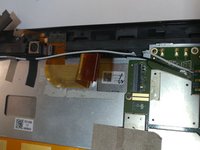
      • Carefully unplug the ribbon cable from the motherboard.

      crwdns2952109:0crwdne2952109:0

      crwdns2917038:0crwdne2917038:0

    7. Verizon Ellipsis 10 Camera Replacement: crwdns2935265:016crwdnd2935265:01crwdnd2935265:02crwdne2935265:0 Verizon Ellipsis 10 Camera Replacement: crwdns2935265:016crwdnd2935265:02crwdnd2935265:02crwdne2935265:0
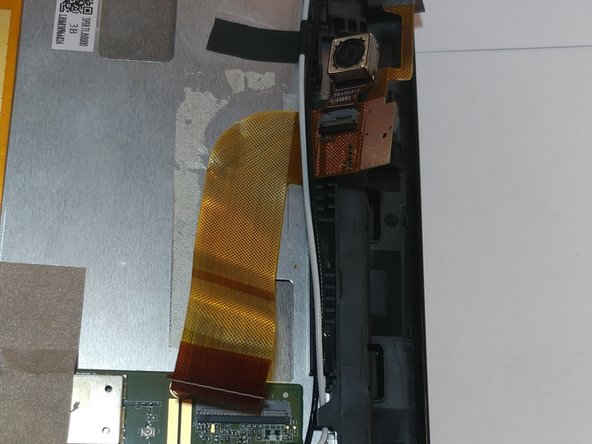
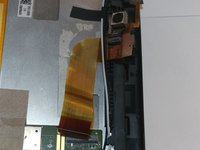
      • Peel up the ribbon cable carefully as it is glued to the device.

      • After having peeled up the cable, the cameras should be free to come out of the device.

      crwdns2952109:0crwdne2952109:0

      crwdns2917038:0crwdne2917038:0

crwdns2915888:0crwdne2915888:0

To reassemble your device, follow these instructions in reverse order.

crwdns2935221:0crwdne2935221:0

crwdns2935227:0crwdne2935227:0

Mary Duran

crwdns2935283:004/03/19crwdne2935283:0

606 crwdns2915208:0crwdne2915208:0

crwdns2935297:04crwdne2935297:0

crwdns2935287:0crwdne2935287:0

Oregon Institute of Technology, Team S2-G10, Lancaster Spring 2019 crwdns2935289:0Oregon Institute of Technology, Team S2-G10, Lancaster Spring 2019crwdne2935289:0

OIT-LANCASTER-S19S2G10

crwdns2931471:04crwdne2931471:0

crwdns2935297:084crwdne2935297:0

crwdns2947412:00crwdne2947412:0

crwdns2917038:0crwdne2917038:0

crwdns2936625:0crwdne2936625:0:

crwdns2936751:024crwdne2936751:0 0

crwdns2936753:07crwdne2936753:0 5

crwdns2936753:030crwdne2936753:0 19

crwdns2942667:0crwdne2942667:0 336