crwdns2933423:0crwdne2933423:0
crwdns2947577:0crwdnd2947577:0crwdne2947577:0

VTech Write and Learn Creative Center Speaker Replacement

crwdns2942213:0crwdne2942213:0

  1. VTech Write and Learn Creative Center Speaker Replacement, Back Panel: crwdns2935265:01crwdnd2935265:01crwdnd2935265:03crwdne2935265:0 VTech Write and Learn Creative Center Speaker Replacement, Back Panel: crwdns2935265:01crwdnd2935265:02crwdnd2935265:03crwdne2935265:0 VTech Write and Learn Creative Center Speaker Replacement, Back Panel: crwdns2935265:01crwdnd2935265:03crwdnd2935265:03crwdne2935265:0
    • Remove all eleven 9mm PH 2 Phillips screws securing the back of the case.

    crwdns2952109:0crwdne2952109:0
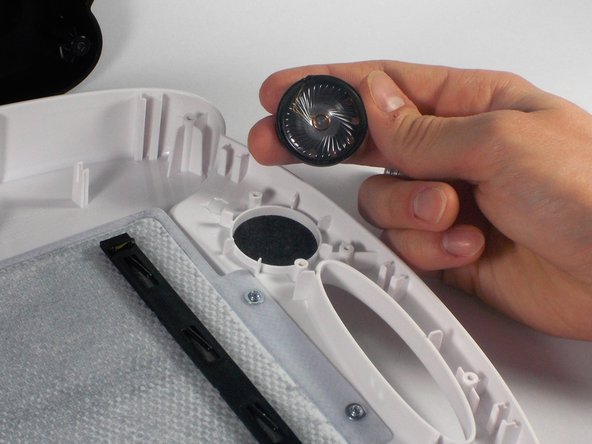
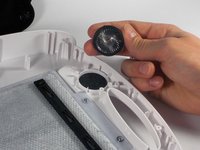
  2. VTech Write and Learn Creative Center Speaker Replacement, Speaker: crwdns2935265:02crwdnd2935265:01crwdnd2935265:03crwdne2935265:0 VTech Write and Learn Creative Center Speaker Replacement, Speaker: crwdns2935265:02crwdnd2935265:02crwdnd2935265:03crwdne2935265:0 VTech Write and Learn Creative Center Speaker Replacement, Speaker: crwdns2935265:02crwdnd2935265:03crwdnd2935265:03crwdne2935265:0
    • In order to remove the speaker, you must desolder the two wires connecting it to the circuit board.

    • When you desolder, apply the tip of the soldering iron to the soldered joint for approximately 5 - 10 seconds.

    • The soldered joint will turn to a liquid consistency. At this moment, remove the wire and soldering iron.

    • Repeat each of the following steps for the second soldered joint.

    • Soldering irons are dangerously hot. The soldering iron should only come in contact with joints being desoldered or soldered.

    • Make sure to allow time for your soldering iron to heat up before using it.

    • Make sure the tip of the soldering iron is cleaned so the tin on the tip is exposed. This will allow the soldering iron to work efficiently.

    crwdns2952109:0crwdne2952109:0
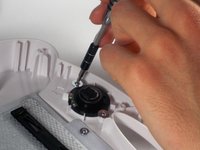
  3. VTech Write and Learn Creative Center Speaker Replacement: crwdns2935265:03crwdnd2935265:01crwdnd2935265:02crwdne2935265:0 VTech Write and Learn Creative Center Speaker Replacement: crwdns2935265:03crwdnd2935265:02crwdnd2935265:02crwdne2935265:0
    • Remove the 2 5mm PH 0 Phillips screws with 10 mm heads that secure the speaker to the front of the case.

    crwdns2952109:0crwdne2952109:0
crwdns2915888:0crwdne2915888:0

To reassemble your device, follow these instructions in reverse order.

Victoria Hathaway

crwdns2935283:004/06/16crwdne2935283:0

331 crwdns2915208:0crwdne2915208:0

crwdns2935297:03crwdne2935297:0

crwdns2935287:0crwdne2935287:0

UMass Dartmouth, Team 1-2, Miles Spring 2016 crwdns2935289:0UMass Dartmouth, Team 1-2, Miles Spring 2016crwdne2935289:0

UMASSD-MILES-S16S1G2

crwdns2931471:03crwdne2931471:0

crwdns2935297:012crwdne2935297:0

crwdns2947410:01crwdne2947410:0

crwdns2917038:0crwdne2917038:0

crwdns2936625:0crwdne2936625:0:

crwdns2936751:024crwdne2936751:0 1

crwdns2936753:07crwdne2936753:0 5

crwdns2936753:030crwdne2936753:0 55

crwdns2942667:0crwdne2942667:0 1,535