crwdns2933423:0crwdne2933423:0
crwdns2947577:0crwdnd2947577:0crwdne2947577:0

VTech InnoTab Max Screen Replacement

crwdns2942213:0crwdne2942213:0

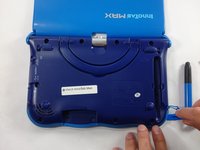
    1. VTech InnoTab Max Screen Replacement, Cover: crwdns2935265:01crwdnd2935265:01crwdnd2935265:03crwdne2935265:0 VTech InnoTab Max Screen Replacement, Cover: crwdns2935265:01crwdnd2935265:02crwdnd2935265:03crwdne2935265:0 VTech InnoTab Max Screen Replacement, Cover: crwdns2935265:01crwdnd2935265:03crwdnd2935265:03crwdne2935265:0
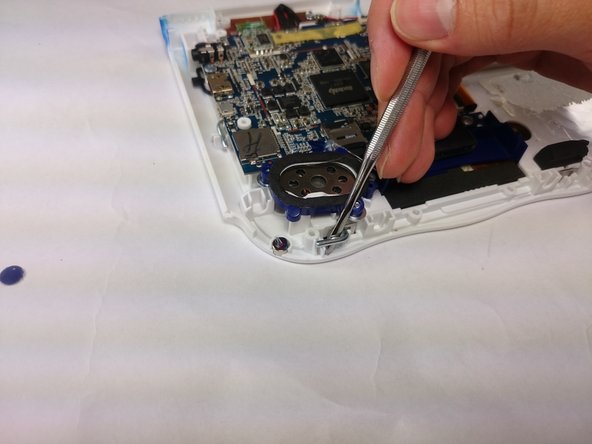
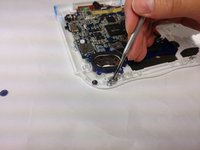
      • Remove all screw caps from the back panel using a metal spudger.

      crwdns2952109:0crwdne2952109:0

      crwdns2917038:0crwdne2917038:0

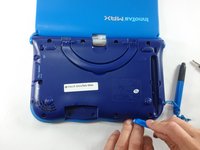
    2. VTech InnoTab Max Screen Replacement: crwdns2935265:02crwdnd2935265:01crwdnd2935265:03crwdne2935265:0 VTech InnoTab Max Screen Replacement: crwdns2935265:02crwdnd2935265:02crwdnd2935265:03crwdne2935265:0 VTech InnoTab Max Screen Replacement: crwdns2935265:02crwdnd2935265:03crwdnd2935265:03crwdne2935265:0
      • Next remove all of the now uncovered screws.

      • If there is a cartridge in the device make sure to remove it.

      crwdns2952109:0crwdne2952109:0

      crwdns2917038:0crwdne2917038:0

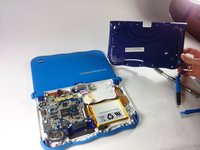
    3. VTech InnoTab Max Screen Replacement: crwdns2935265:03crwdnd2935265:01crwdnd2935265:02crwdne2935265:0 VTech InnoTab Max Screen Replacement: crwdns2935265:03crwdnd2935265:02crwdnd2935265:02crwdne2935265:0
      • Now that all of the screws have been removed, pry the back cover off using a plastic opening tool.

      crwdns2952109:0crwdne2952109:0

      crwdns2917038:0crwdne2917038:0

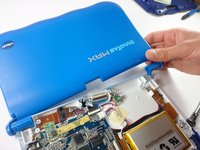
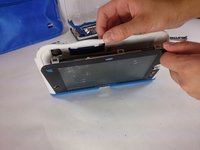
    4. VTech InnoTab Max Screen Replacement: crwdns2935265:04crwdnd2935265:01crwdnd2935265:02crwdne2935265:0 VTech InnoTab Max Screen Replacement: crwdns2935265:04crwdnd2935265:02crwdnd2935265:02crwdne2935265:0
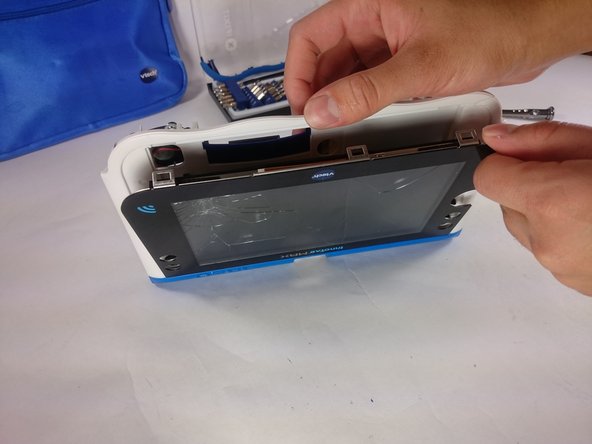
      • Here you can see the back cover has been fully removed and you can now access the front cover.

      • To remove the front cover, remove the springs holding the pictured brackets in place, then pull it away.

      crwdns2952109:0crwdne2952109:0

      crwdns2917038:0crwdne2917038:0

    1. VTech InnoTab Max Screen Replacement, Battery: crwdns2935265:05crwdnd2935265:01crwdnd2935265:01crwdne2935265:0
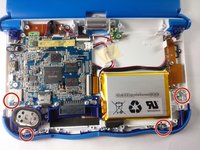
      • Once the back cover is removed the battery will be located in the bottom right as you can see in the image to the right.

      crwdns2952109:0crwdne2952109:0

      crwdns2917038:0crwdne2917038:0

    2. VTech InnoTab Max Screen Replacement: crwdns2935265:06crwdnd2935265:01crwdnd2935265:03crwdne2935265:0 VTech InnoTab Max Screen Replacement: crwdns2935265:06crwdnd2935265:02crwdnd2935265:03crwdne2935265:0 VTech InnoTab Max Screen Replacement: crwdns2935265:06crwdnd2935265:03crwdnd2935265:03crwdne2935265:0
      crwdns2935267:0crwdne2935267:0
      Plastic Cards
      $2.99
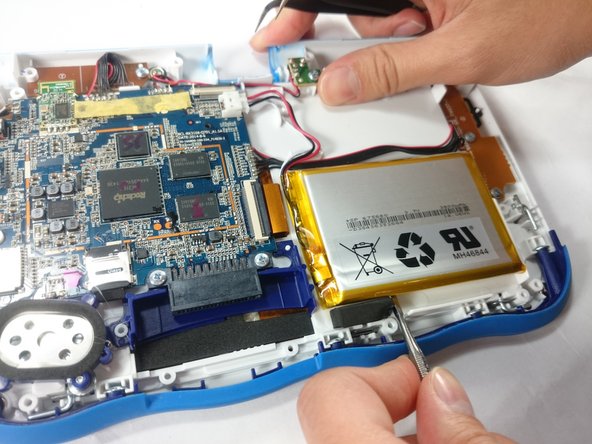
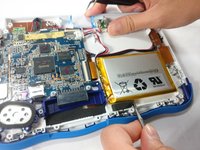
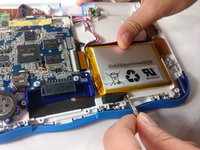
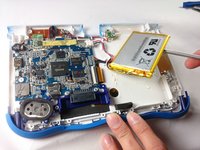
      • Remove the tape holding down the wires, and carefully pry the battery off of the base of the device.

      • Pry carefully to avoid damaging the battery. The battery may start to bend slightly, this is normal and not a cause for concern.

      • It is best to use a plastic card or nylon spudger to remove the battery. Metal tools can puncture a battery, potentially causing a fire.

      crwdns2952109:0crwdne2952109:0

      crwdns2917038:0crwdne2917038:0

    3. VTech InnoTab Max Screen Replacement: crwdns2935265:07crwdnd2935265:01crwdnd2935265:03crwdne2935265:0 VTech InnoTab Max Screen Replacement: crwdns2935265:07crwdnd2935265:02crwdnd2935265:03crwdne2935265:0 VTech InnoTab Max Screen Replacement: crwdns2935265:07crwdnd2935265:03crwdnd2935265:03crwdne2935265:0
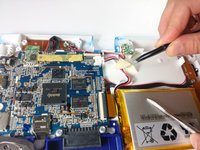
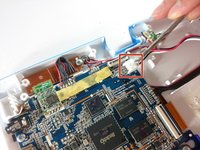
      • Now that the battery is free to be moved, unplug the wire connecting the battery to the motherboard.

      crwdns2952109:0crwdne2952109:0

      crwdns2917038:0crwdne2917038:0

    4. VTech InnoTab Max Screen Replacement: crwdns2935265:08crwdnd2935265:01crwdnd2935265:01crwdne2935265:0
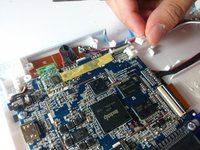
      • The battery is now fully disconnected.

      crwdns2952109:0crwdne2952109:0

      crwdns2917038:0crwdne2917038:0

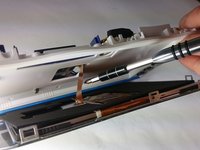
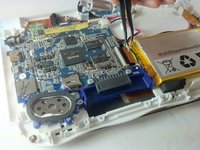
    1. VTech InnoTab Max Screen Replacement, Screen: crwdns2935265:09crwdnd2935265:01crwdnd2935265:02crwdne2935265:0 VTech InnoTab Max Screen Replacement, Screen: crwdns2935265:09crwdnd2935265:02crwdnd2935265:02crwdne2935265:0
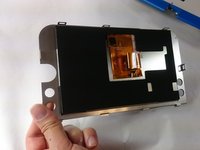
      • In order to unlock the screen you need to remove the 4 pins that can be seen in the picture.

      • To remove simply just turn and pull them out. Use a metal or nylon spudger if they are too small to grip.

      crwdns2952109:0crwdne2952109:0

      crwdns2917038:0crwdne2917038:0

    2. VTech InnoTab Max Screen Replacement: crwdns2935265:010crwdnd2935265:01crwdnd2935265:03crwdne2935265:0 VTech InnoTab Max Screen Replacement: crwdns2935265:010crwdnd2935265:02crwdnd2935265:03crwdne2935265:0 VTech InnoTab Max Screen Replacement: crwdns2935265:010crwdnd2935265:03crwdnd2935265:03crwdne2935265:0
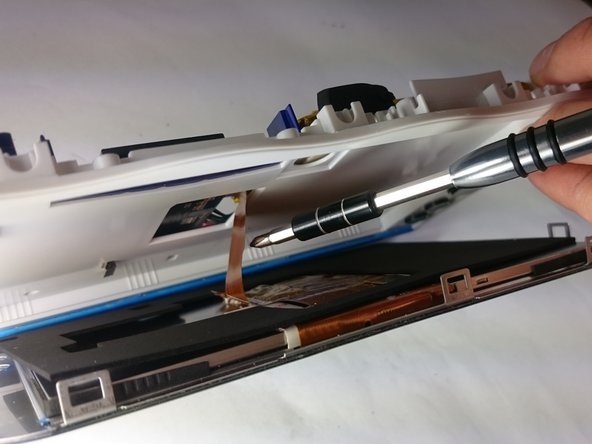
      • Once the pins are removed the screen should be loose from the frame and only connected by the brown film pictured.

      crwdns2952109:0crwdne2952109:0

      crwdns2917038:0crwdne2917038:0

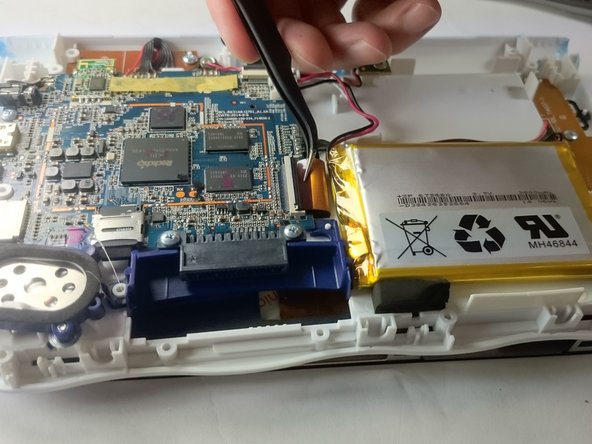
    3. VTech InnoTab Max Screen Replacement: crwdns2935265:011crwdnd2935265:01crwdnd2935265:03crwdne2935265:0 VTech InnoTab Max Screen Replacement: crwdns2935265:011crwdnd2935265:02crwdnd2935265:03crwdne2935265:0 VTech InnoTab Max Screen Replacement: crwdns2935265:011crwdnd2935265:03crwdnd2935265:03crwdne2935265:0
      crwdns2935267:0crwdne2935267:0
      Tweezers
      $4.99
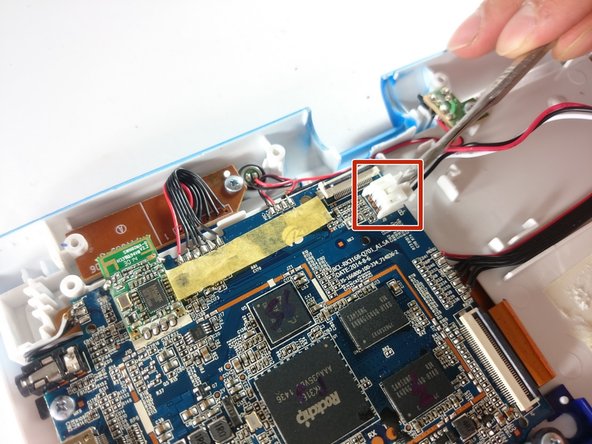
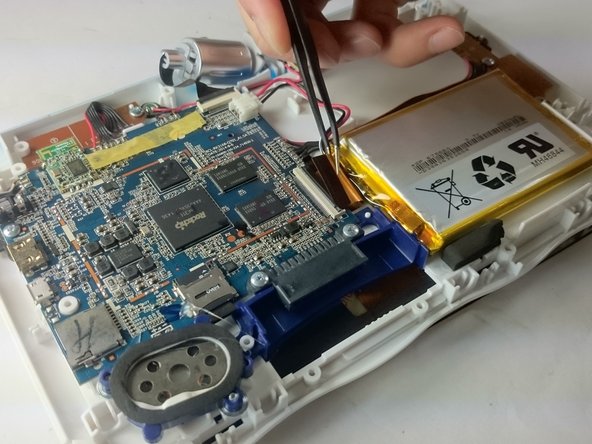
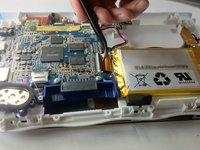
      • In order to completely remove the screen you need to unclip the film from the motherboard by simply using a pair of tweezers and gently pulling.

      • Be careful not to tear the film when pulling.

      crwdns2952109:0crwdne2952109:0

      crwdns2917038:0crwdne2917038:0

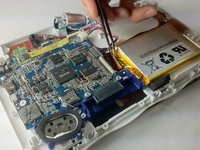
    4. VTech InnoTab Max Screen Replacement: crwdns2935265:012crwdnd2935265:01crwdnd2935265:02crwdne2935265:0 VTech InnoTab Max Screen Replacement: crwdns2935265:012crwdnd2935265:02crwdnd2935265:02crwdne2935265:0
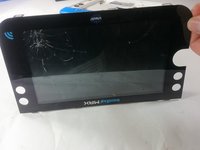
      • Once unclipped from the motherboard the screen should be entirely free from the device

      crwdns2952109:0crwdne2952109:0

      crwdns2917038:0crwdne2917038:0

crwdns2915888:0crwdne2915888:0

To reassemble your device, follow these instructions in reverse order.

crwdns2935221:0crwdne2935221:0

crwdns2935229:04crwdne2935229:0

Jacob Schioppo

crwdns2935283:002/15/17crwdne2935283:0

594 crwdns2915208:0crwdne2915208:0

crwdns2935297:04crwdne2935297:0

crwdns2935287:0crwdne2935287:0

USF Tampa, Team S5-G5, Lacy Spring 2017 crwdns2935289:0USF Tampa, Team S5-G5, Lacy Spring 2017crwdne2935289:0

USFT-LACY-S17S5G5

crwdns2931471:03crwdne2931471:0

crwdns2935297:060crwdne2935297:0

crwdns2947412:05crwdne2947412:0

Where can I buy a screen? Can't find any sites that sell the innotab Max screens.

Damien Hennigan - crwdns2934203:0crwdne2934203:0 crwdns2950251:0crwdne2950251:0
i can not seem to find a replacement screen online, where can i buy one? Innotab Max from Vtech… HELP please..

fanny_muller - crwdns2934203:0crwdne2934203:0 crwdns2950251:0crwdne2950251:0
Hello, where can i buy a KIDICOM MAX Rose Screen. Our daughter here is broken!.thanks a lot!

hans.depre@gmail.com

Hans Depre - crwdns2934203:0crwdne2934203:0 crwdns2950251:0crwdne2950251:0

bonjour je cherche a raplasser l ecran du kidicom max car le mien ne salume plus pas merci

theobald - crwdns2934203:0crwdne2934203:0 crwdns2950251:0crwdne2950251:0

crwdns2917038:0crwdne2917038:0

crwdns2936625:0crwdne2936625:0:

crwdns2936751:024crwdne2936751:0 3

crwdns2936753:07crwdne2936753:0 19

crwdns2936753:030crwdne2936753:0 93

crwdns2942667:0crwdne2942667:0 5,963