crwdns2933423:0crwdne2933423:0
crwdns2947577:0crwdnd2947577:0crwdne2947577:0

VTech InnoTab Max Motherboard Replacement

crwdns2942213:0crwdne2942213:0

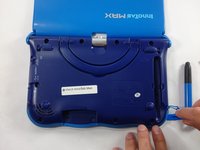
  1. VTech InnoTab Max Motherboard Replacement, Cover: crwdns2935265:01crwdnd2935265:01crwdnd2935265:03crwdne2935265:0 VTech InnoTab Max Motherboard Replacement, Cover: crwdns2935265:01crwdnd2935265:02crwdnd2935265:03crwdne2935265:0 VTech InnoTab Max Motherboard Replacement, Cover: crwdns2935265:01crwdnd2935265:03crwdnd2935265:03crwdne2935265:0
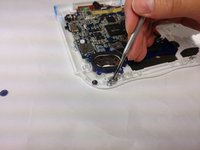
    • Remove all screw caps from the back panel using a metal spudger.

    crwdns2952109:0crwdne2952109:0
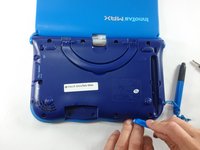
  2. VTech InnoTab Max Motherboard Replacement: crwdns2935265:02crwdnd2935265:01crwdnd2935265:03crwdne2935265:0 VTech InnoTab Max Motherboard Replacement: crwdns2935265:02crwdnd2935265:02crwdnd2935265:03crwdne2935265:0 VTech InnoTab Max Motherboard Replacement: crwdns2935265:02crwdnd2935265:03crwdnd2935265:03crwdne2935265:0
    • Next remove all of the now uncovered screws.

    • If there is a cartridge in the device make sure to remove it.

    crwdns2952109:0crwdne2952109:0
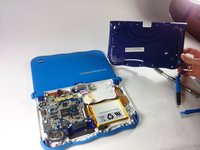
  3. VTech InnoTab Max Motherboard Replacement: crwdns2935265:03crwdnd2935265:01crwdnd2935265:02crwdne2935265:0 VTech InnoTab Max Motherboard Replacement: crwdns2935265:03crwdnd2935265:02crwdnd2935265:02crwdne2935265:0
    • Now that all of the screws have been removed, pry the back cover off using a plastic opening tool.

    crwdns2952109:0crwdne2952109:0
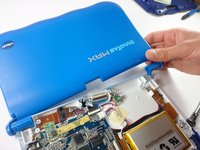
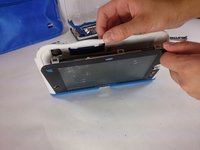
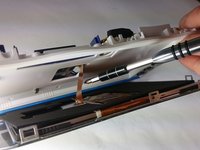
  4. VTech InnoTab Max Motherboard Replacement: crwdns2935265:04crwdnd2935265:01crwdnd2935265:02crwdne2935265:0 VTech InnoTab Max Motherboard Replacement: crwdns2935265:04crwdnd2935265:02crwdnd2935265:02crwdne2935265:0
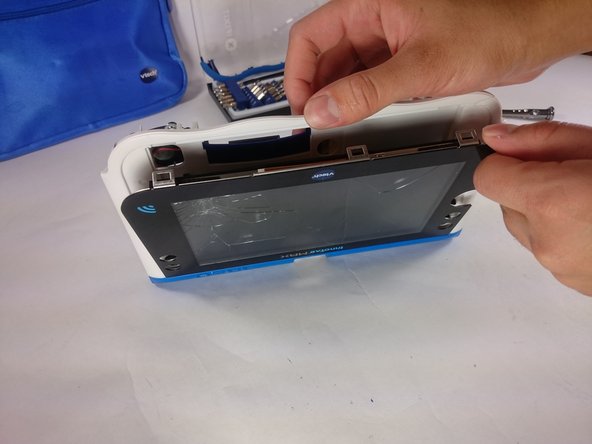
    • Here you can see the back cover has been fully removed and you can now access the front cover.

    • To remove the front cover, remove the springs holding the pictured brackets in place, then pull it away.

    crwdns2952109:0crwdne2952109:0
  5. VTech InnoTab Max Motherboard Replacement, Battery: crwdns2935265:05crwdnd2935265:01crwdnd2935265:01crwdne2935265:0
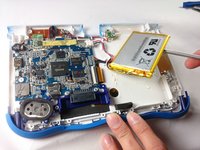
    • Once the back cover is removed the battery will be located in the bottom right as you can see in the image to the right.

    crwdns2952109:0crwdne2952109:0
  6. VTech InnoTab Max Motherboard Replacement: crwdns2935265:06crwdnd2935265:01crwdnd2935265:03crwdne2935265:0 VTech InnoTab Max Motherboard Replacement: crwdns2935265:06crwdnd2935265:02crwdnd2935265:03crwdne2935265:0 VTech InnoTab Max Motherboard Replacement: crwdns2935265:06crwdnd2935265:03crwdnd2935265:03crwdne2935265:0
    crwdns2935267:0crwdne2935267:0
    Plastic Cards
    $2.99
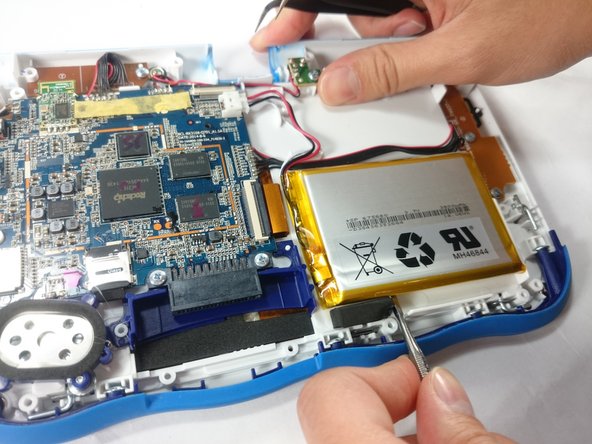
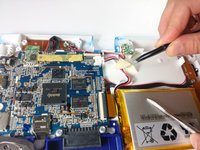
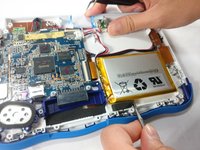
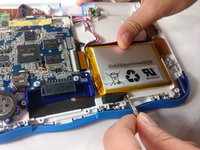
    • Remove the tape holding down the wires, and carefully pry the battery off of the base of the device.

    • Pry carefully to avoid damaging the battery. The battery may start to bend slightly, this is normal and not a cause for concern.

    • It is best to use a plastic card or nylon spudger to remove the battery. Metal tools can puncture a battery, potentially causing a fire.

    crwdns2952109:0crwdne2952109:0
  7. VTech InnoTab Max Motherboard Replacement: crwdns2935265:07crwdnd2935265:01crwdnd2935265:03crwdne2935265:0 VTech InnoTab Max Motherboard Replacement: crwdns2935265:07crwdnd2935265:02crwdnd2935265:03crwdne2935265:0 VTech InnoTab Max Motherboard Replacement: crwdns2935265:07crwdnd2935265:03crwdnd2935265:03crwdne2935265:0
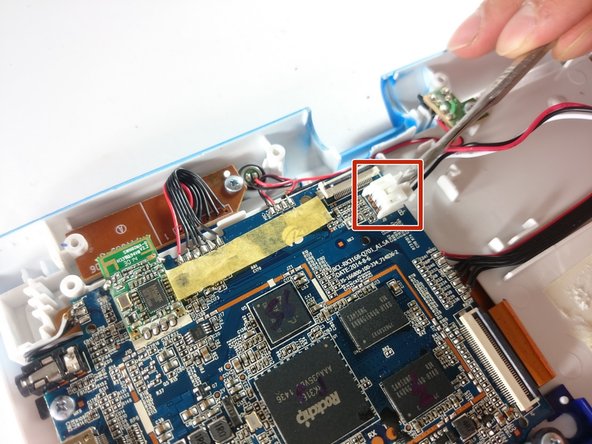
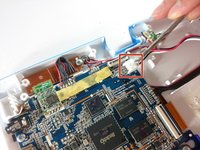
    • Now that the battery is free to be moved, unplug the wire connecting the battery to the motherboard.

    crwdns2952109:0crwdne2952109:0
  8. VTech InnoTab Max Motherboard Replacement: crwdns2935265:08crwdnd2935265:01crwdnd2935265:01crwdne2935265:0
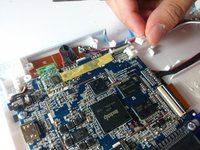
    • The battery is now fully disconnected.

    crwdns2952109:0crwdne2952109:0
  9. VTech InnoTab Max Motherboard Replacement, Camera: crwdns2935265:09crwdnd2935265:01crwdnd2935265:01crwdne2935265:0
    • The camera is not held down by anything, so simply remove it from it's spot to prepare for unplugging it.

    crwdns2952109:0crwdne2952109:0
  10. VTech InnoTab Max Motherboard Replacement: crwdns2935265:010crwdnd2935265:01crwdnd2935265:02crwdne2935265:0 VTech InnoTab Max Motherboard Replacement: crwdns2935265:010crwdnd2935265:02crwdnd2935265:02crwdne2935265:0
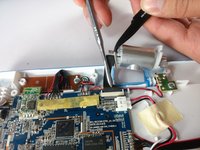
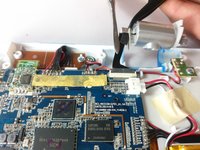
    • Carefully remove the wire connecting the camera to the motherboard, using a tool to grip it if needed.

    • Be careful to only pull from the end of the connector (closest to the motherboard), as the strip is easy to tear.

    crwdns2952109:0crwdne2952109:0
  11. VTech InnoTab Max Motherboard Replacement: crwdns2935265:011crwdnd2935265:01crwdnd2935265:01crwdne2935265:0
    • The camera is now removed completely removed from the device.

    crwdns2952109:0crwdne2952109:0
  12. VTech InnoTab Max Motherboard Replacement, Screen: crwdns2935265:012crwdnd2935265:01crwdnd2935265:02crwdne2935265:0 VTech InnoTab Max Motherboard Replacement, Screen: crwdns2935265:012crwdnd2935265:02crwdnd2935265:02crwdne2935265:0
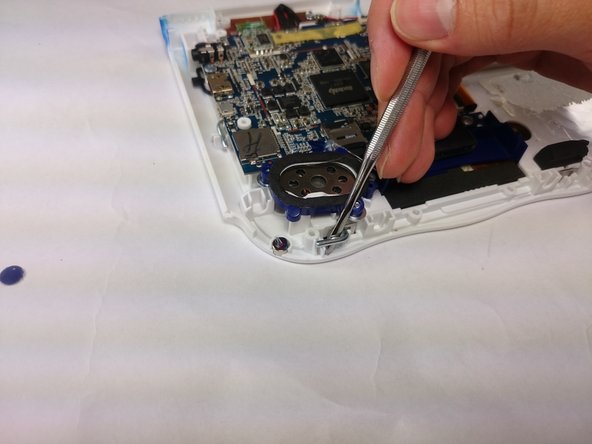
    • In order to unlock the screen you need to remove the 4 pins that can be seen in the picture.

    • To remove simply just turn and pull them out. Use a metal or nylon spudger if they are too small to grip.

    crwdns2952109:0crwdne2952109:0
  13. VTech InnoTab Max Motherboard Replacement: crwdns2935265:013crwdnd2935265:01crwdnd2935265:03crwdne2935265:0 VTech InnoTab Max Motherboard Replacement: crwdns2935265:013crwdnd2935265:02crwdnd2935265:03crwdne2935265:0 VTech InnoTab Max Motherboard Replacement: crwdns2935265:013crwdnd2935265:03crwdnd2935265:03crwdne2935265:0
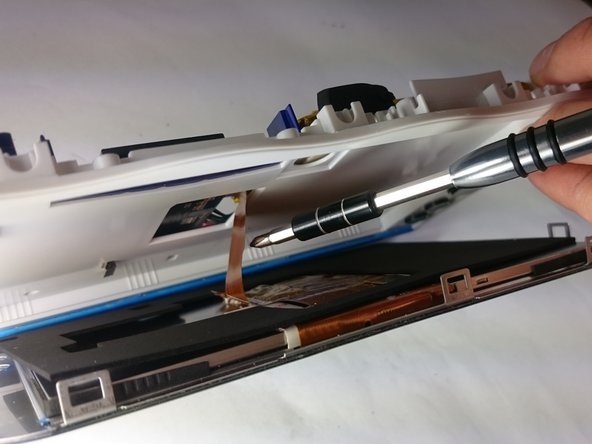
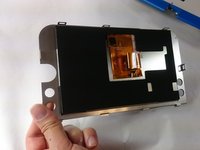
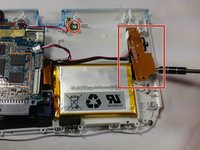
    • Once the pins are removed the screen should be loose from the frame and only connected by the brown film pictured.

    crwdns2952109:0crwdne2952109:0
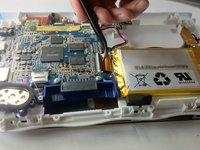
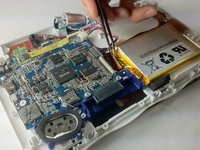
  14. VTech InnoTab Max Motherboard Replacement: crwdns2935265:014crwdnd2935265:01crwdnd2935265:03crwdne2935265:0 VTech InnoTab Max Motherboard Replacement: crwdns2935265:014crwdnd2935265:02crwdnd2935265:03crwdne2935265:0 VTech InnoTab Max Motherboard Replacement: crwdns2935265:014crwdnd2935265:03crwdnd2935265:03crwdne2935265:0
    crwdns2935267:0crwdne2935267:0
    Tweezers
    $4.99
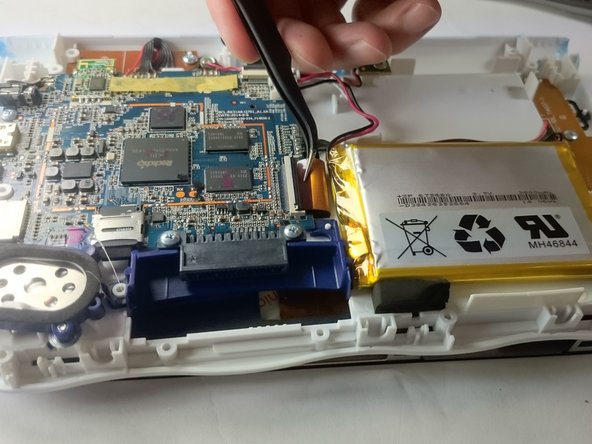
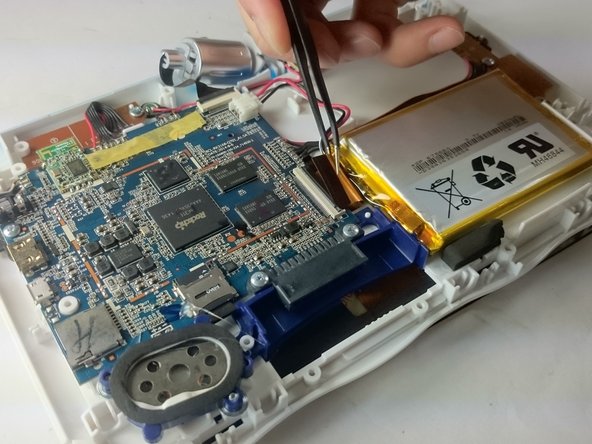
    • In order to completely remove the screen you need to unclip the film from the motherboard by simply using a pair of tweezers and gently pulling.

    • Be careful not to tear the film when pulling.

    crwdns2952109:0crwdne2952109:0
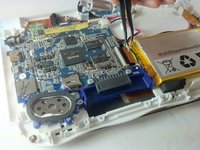
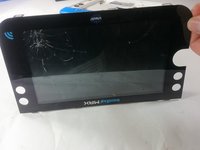
  15. VTech InnoTab Max Motherboard Replacement: crwdns2935265:015crwdnd2935265:01crwdnd2935265:02crwdne2935265:0 VTech InnoTab Max Motherboard Replacement: crwdns2935265:015crwdnd2935265:02crwdnd2935265:02crwdne2935265:0
    • Once unclipped from the motherboard the screen should be entirely free from the device

    crwdns2952109:0crwdne2952109:0
  16. VTech InnoTab Max Motherboard Replacement, Motherboard: crwdns2935265:016crwdnd2935265:01crwdnd2935265:01crwdne2935265:0
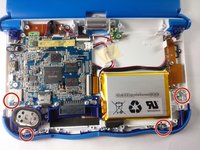
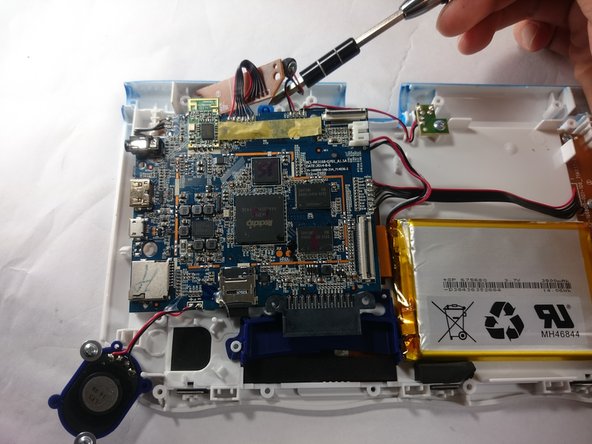
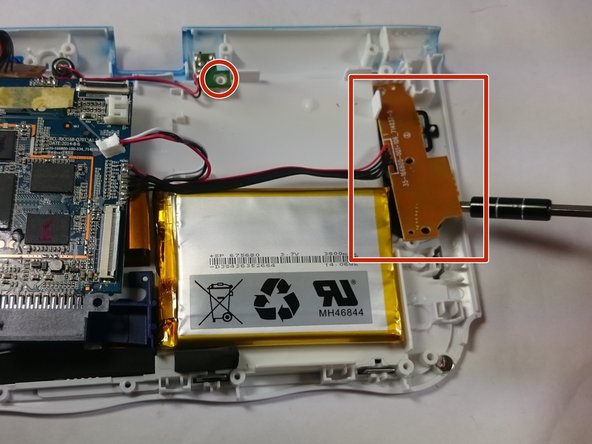
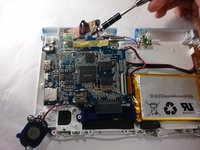
    • Remove the circled screws that are holding down the motherboard and components.

    • Every component that will need to be unscrewed will have wires running to it from the motherboard. These wires will not be disconnected.

    crwdns2952109:0crwdne2952109:0
  17. VTech InnoTab Max Motherboard Replacement: crwdns2935265:017crwdnd2935265:01crwdnd2935265:03crwdne2935265:0 VTech InnoTab Max Motherboard Replacement: crwdns2935265:017crwdnd2935265:02crwdnd2935265:03crwdne2935265:0 VTech InnoTab Max Motherboard Replacement: crwdns2935265:017crwdnd2935265:03crwdnd2935265:03crwdne2935265:0
    • With all of the screws out, lift up the speaker, the two visible bronze plates, and the small green chip at the top.

    • Do not try to disconnect any of the wires running to these devices, as you will not be able to reconnect them.

    • All of these components can be located by following wires leaving the motherboard.

    crwdns2952109:0crwdne2952109:0
  18. VTech InnoTab Max Motherboard Replacement: crwdns2935265:018crwdnd2935265:01crwdnd2935265:01crwdne2935265:0
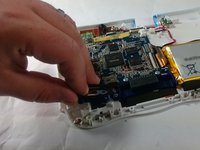
    • With all of these components out of their place, lift up the motherboard to reveal one more bronze plate.

    • Remove the screws holding down this plate, and remove it with the rest of the motherboard.

    crwdns2952109:0crwdne2952109:0
  19. VTech InnoTab Max Motherboard Replacement: crwdns2935265:019crwdnd2935265:01crwdnd2935265:01crwdne2935265:0
    • All components should be free from the device, and you can now completely remove the motherboard.

    crwdns2952109:0crwdne2952109:0
crwdns2915888:0crwdne2915888:0

To reassemble your device, follow these instructions in reverse order.

crwdns2935229:03crwdne2935229:0

Jacob Schioppo

crwdns2935283:002/15/17crwdne2935283:0

594 crwdns2915208:0crwdne2915208:0

crwdns2935297:04crwdne2935297:0

crwdns2935287:0crwdne2935287:0

USF Tampa, Team S5-G5, Lacy Spring 2017 crwdns2935289:0USF Tampa, Team S5-G5, Lacy Spring 2017crwdne2935289:0

USFT-LACY-S17S5G5

crwdns2931471:03crwdne2931471:0

crwdns2935297:010crwdne2935297:0

crwdns2947412:00crwdne2947412:0

crwdns2917038:0crwdne2917038:0

crwdns2936625:0crwdne2936625:0:

crwdns2936751:024crwdne2936751:0 1

crwdns2936753:07crwdne2936753:0 7

crwdns2936753:030crwdne2936753:0 38

crwdns2942667:0crwdne2942667:0 2,461