crwdns2933423:0crwdne2933423:0
crwdns2947577:0crwdnd2947577:0crwdne2947577:0

Uniden TCX905 Button Keypad Cleaning Guide

crwdns2942213:0crwdne2942213:0

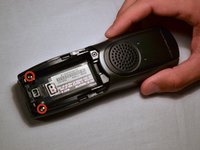
    1. Uniden TCX905 Button Keypad Cleaning Guide, Battery Cover: crwdns2935265:01crwdnd2935265:01crwdnd2935265:02crwdne2935265:0 Uniden TCX905 Button Keypad Cleaning Guide, Battery Cover: crwdns2935265:01crwdnd2935265:02crwdnd2935265:02crwdne2935265:0
      • Starting from the top of the cover, slide down and away from the phone with your thumb

      • Lift battery cover off of batter and place it to the side

      crwdns2952109:0crwdne2952109:0

      crwdns2917038:0crwdne2917038:0

    1. Uniden TCX905 Button Keypad Cleaning Guide, Battery Pack: crwdns2935265:02crwdnd2935265:01crwdnd2935265:02crwdne2935265:0 Uniden TCX905 Button Keypad Cleaning Guide, Battery Pack: crwdns2935265:02crwdnd2935265:02crwdnd2935265:02crwdne2935265:0
      • Once battery cover is removed, place your thumb and index fingers on the the wires near the receptacle

      • Gently pull straight up on the wires until a click is heard which signifies the battery is completely disconnected

      • Place battery pack to the side

      crwdns2952109:0crwdne2952109:0

      crwdns2917038:0crwdne2917038:0

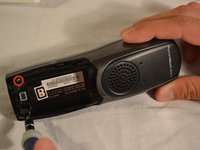
    1. Uniden TCX905 Button Keypad Cleaning Guide, Back Shell: crwdns2935265:03crwdnd2935265:01crwdnd2935265:02crwdne2935265:0 Uniden TCX905 Button Keypad Cleaning Guide, Back Shell: crwdns2935265:03crwdnd2935265:02crwdnd2935265:02crwdne2935265:0
      • Remove the two 11mm screws inside the battery storage compartment using Phillips #1 screwdriver (located near the very bottom of the phone)

      crwdns2952109:0crwdne2952109:0

      crwdns2917038:0crwdne2917038:0

    2. Uniden TCX905 Button Keypad Cleaning Guide: crwdns2935265:04crwdnd2935265:01crwdnd2935265:03crwdne2935265:0 Uniden TCX905 Button Keypad Cleaning Guide: crwdns2935265:04crwdnd2935265:02crwdnd2935265:03crwdne2935265:0 Uniden TCX905 Button Keypad Cleaning Guide: crwdns2935265:04crwdnd2935265:03crwdnd2935265:03crwdne2935265:0
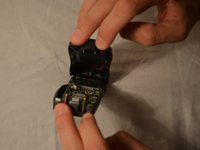
      • Gently open phone casing along the seam at the bottom of the phone using index and middle fingers of both hands

      crwdns2952109:0crwdne2952109:0

      crwdns2917038:0crwdne2917038:0

    3. Uniden TCX905 Button Keypad Cleaning Guide: crwdns2935265:05crwdnd2935265:01crwdnd2935265:03crwdne2935265:0 Uniden TCX905 Button Keypad Cleaning Guide: crwdns2935265:05crwdnd2935265:02crwdnd2935265:03crwdne2935265:0 Uniden TCX905 Button Keypad Cleaning Guide: crwdns2935265:05crwdnd2935265:03crwdnd2935265:03crwdne2935265:0
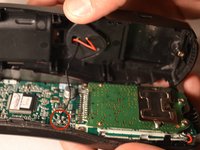
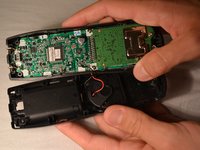
      • Ensure that wired connection between circuit board and back shell is not strained

      • Fold the back shell underneath the front shell and circuit board

      crwdns2952109:0crwdne2952109:0

      crwdns2917038:0crwdne2917038:0

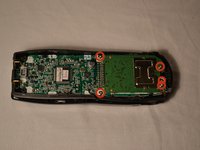
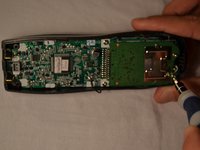
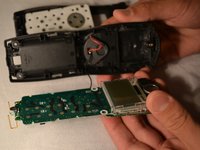
    1. Uniden TCX905 Button Keypad Cleaning Guide, Circuit Board: crwdns2935265:06crwdnd2935265:01crwdnd2935265:02crwdne2935265:0 Uniden TCX905 Button Keypad Cleaning Guide, Circuit Board: crwdns2935265:06crwdnd2935265:02crwdnd2935265:02crwdne2935265:0
      • Carefully remove the middle two 7mm screws, the outer top 9mm screws, and the top middle 7 mm screw that hold the logic board to the front shell of the phone casing using the Phillips #1 screwdriver

      crwdns2952109:0crwdne2952109:0

      crwdns2917038:0crwdne2917038:0

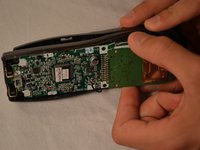
    2. Uniden TCX905 Button Keypad Cleaning Guide: crwdns2935265:07crwdnd2935265:01crwdnd2935265:03crwdne2935265:0 Uniden TCX905 Button Keypad Cleaning Guide: crwdns2935265:07crwdnd2935265:02crwdnd2935265:03crwdne2935265:0 Uniden TCX905 Button Keypad Cleaning Guide: crwdns2935265:07crwdnd2935265:03crwdnd2935265:03crwdne2935265:0
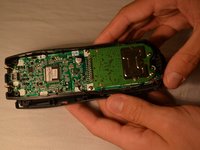
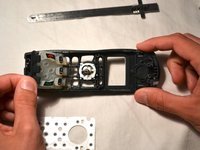
      • Using index finger and thumb, carefully remove the circuit board from the front shell of phone

      crwdns2952109:0crwdne2952109:0

      crwdns2917038:0crwdne2917038:0

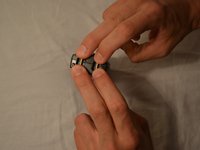
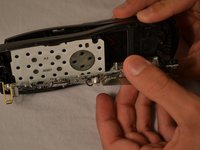
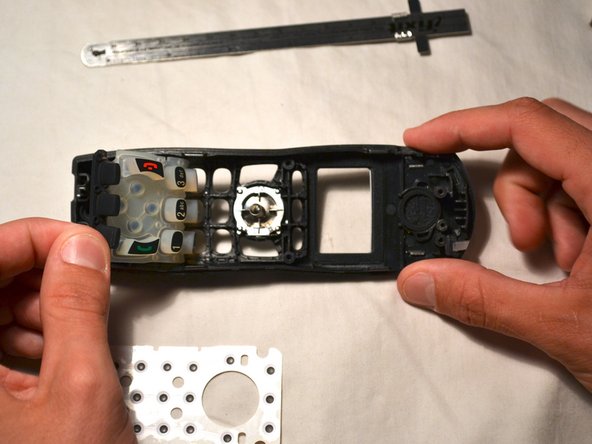
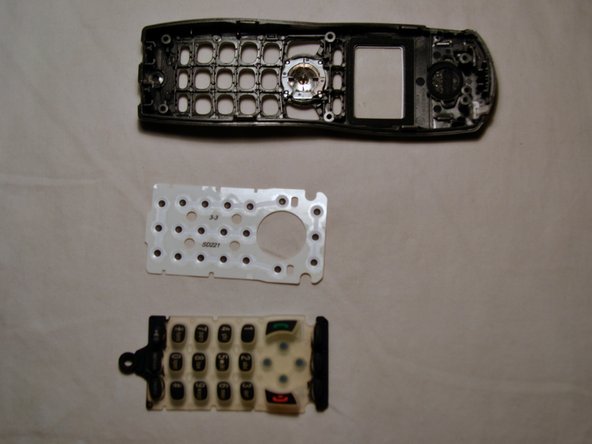
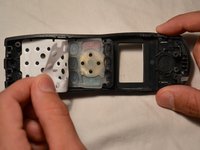
    1. Uniden TCX905 Button Keypad Cleaning Guide, Button Keypad: crwdns2935265:08crwdnd2935265:01crwdnd2935265:03crwdne2935265:0 Uniden TCX905 Button Keypad Cleaning Guide, Button Keypad: crwdns2935265:08crwdnd2935265:02crwdnd2935265:03crwdne2935265:0 Uniden TCX905 Button Keypad Cleaning Guide, Button Keypad: crwdns2935265:08crwdnd2935265:03crwdnd2935265:03crwdne2935265:0
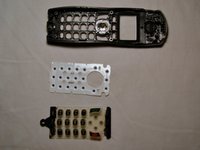
      • Remove the white plastic sheet covering the button pad with your fingers

      • Gently remove the silicon button pad

      crwdns2952109:0crwdne2952109:0

      crwdns2917038:0crwdne2917038:0

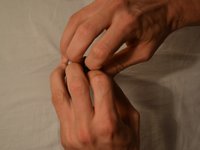
    2. Uniden TCX905 Button Keypad Cleaning Guide: crwdns2935265:09crwdnd2935265:01crwdnd2935265:02crwdne2935265:0 Uniden TCX905 Button Keypad Cleaning Guide: crwdns2935265:09crwdnd2935265:02crwdnd2935265:02crwdne2935265:0
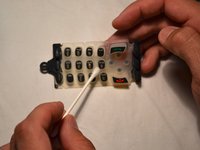
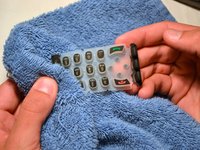
      • Wet one end of the cotton swab with water and clean button pad as needed

      • Repeat process with multiple cotton swabs if needed

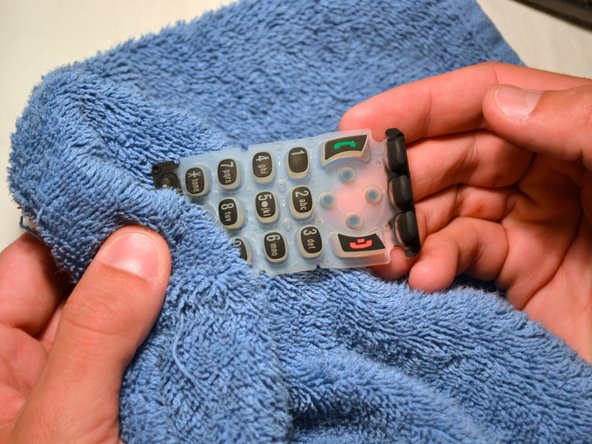
      • Dry the button pad with a clean, soft rag before replacing

      crwdns2952109:0crwdne2952109:0

      crwdns2917038:0crwdne2917038:0

crwdns2915888:0crwdne2915888:0

To reassemble your device, follow these instructions in reverse order.

crwdns2935221:0crwdne2935221:0

Gary Pence

crwdns2935283:003/26/14crwdne2935283:0

807 crwdns2915208:0crwdne2915208:0

crwdns2935297:08crwdne2935297:0

crwdns2935287:0crwdne2935287:0

Clemson, Team 1-1, Benson Spring 2014 crwdns2935289:0Clemson, Team 1-1, Benson Spring 2014crwdne2935289:0

CLEM-BENSON-S14S1G1

crwdns2931471:03crwdne2931471:0

crwdns2935297:096crwdne2935297:0

crwdns2947412:00crwdne2947412:0

crwdns2917038:0crwdne2917038:0

crwdns2936625:0crwdne2936625:0:

crwdns2936751:024crwdne2936751:0 11

crwdns2936753:07crwdne2936753:0 25

crwdns2936753:030crwdne2936753:0 39

crwdns2942667:0crwdne2942667:0 1,321