crwdns2933423:0crwdne2933423:0
crwdns2947577:0crwdnd2947577:0crwdne2947577:0

UTStarcom XV6700 Camera Replacement

crwdns2942213:0crwdne2942213:0

    1. UTStarcom XV6700 Camera Replacement, Battery: crwdns2935265:01crwdnd2935265:01crwdnd2935265:01crwdne2935265:0
      • Press the on/off button on the top to power the phone off.

      crwdns2952109:0crwdne2952109:0

      crwdns2917038:0crwdne2917038:0

    2. UTStarcom XV6700 Camera Replacement: crwdns2935265:02crwdnd2935265:01crwdnd2935265:01crwdne2935265:0
      • Remove the battery cover by pressing and sliding the cover down and off of the phone.

      crwdns2952109:0crwdne2952109:0

      crwdns2917038:0crwdne2917038:0

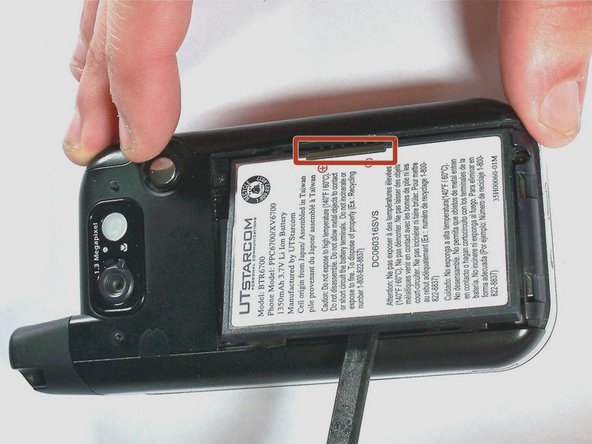
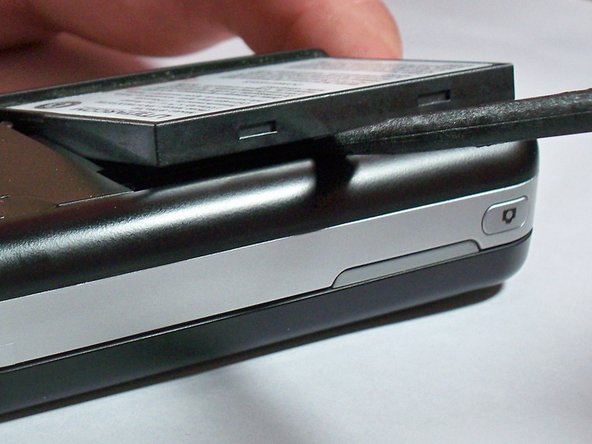
    3. UTStarcom XV6700 Camera Replacement: crwdns2935265:03crwdnd2935265:01crwdnd2935265:03crwdne2935265:0 UTStarcom XV6700 Camera Replacement: crwdns2935265:03crwdnd2935265:02crwdnd2935265:03crwdne2935265:0 UTStarcom XV6700 Camera Replacement: crwdns2935265:03crwdnd2935265:03crwdnd2935265:03crwdne2935265:0
      • Pull the battery removal tab and lift the battery out of the phone.

      • If the battery removal tab is missing, place a spudger on the opposite side of the highlighted connector and pry the battery up.

      crwdns2952109:0crwdne2952109:0

      crwdns2917038:0crwdne2917038:0

    1. UTStarcom XV6700 Camera Replacement, Camera: crwdns2935265:04crwdnd2935265:01crwdnd2935265:01crwdne2935265:0
      crwdns2935267:0crwdne2935267:0
      Tweezers
      $4.99
      • Remove the two 4.0-mm #000 Phillips screws at the top of the battery compartment. Tweezers may be useful to remove the screws.

      crwdns2952109:0crwdne2952109:0

      crwdns2917038:0crwdne2917038:0

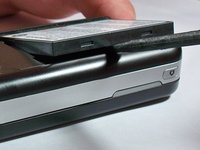
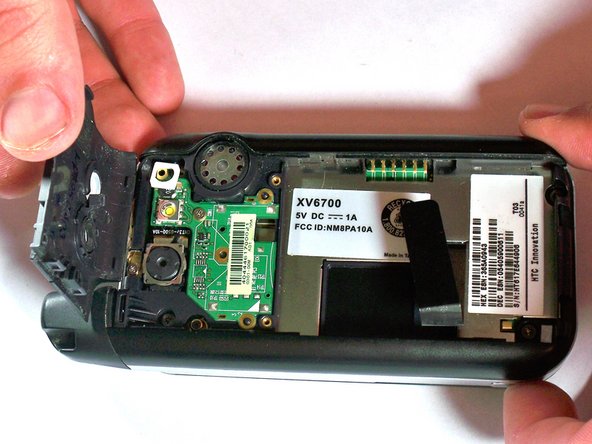
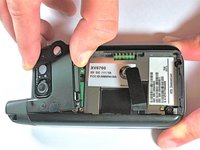
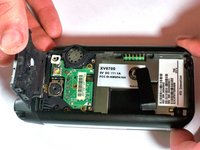
    2. UTStarcom XV6700 Camera Replacement: crwdns2935265:05crwdnd2935265:01crwdnd2935265:02crwdne2935265:0 UTStarcom XV6700 Camera Replacement: crwdns2935265:05crwdnd2935265:02crwdnd2935265:02crwdne2935265:0
      • Use firm pressure to carefully pry off the cover with your fingers.

      crwdns2952109:0crwdne2952109:0

      crwdns2917038:0crwdne2917038:0

    3. UTStarcom XV6700 Camera Replacement: crwdns2935265:06crwdnd2935265:01crwdnd2935265:01crwdne2935265:0
      • Remove the 4.0-mm #00 Phillips screw securing the camera flash circuit board. The board is still connected by a connector on the bottom of the board.

      crwdns2952109:0crwdne2952109:0

      crwdns2917038:0crwdne2917038:0

    4. UTStarcom XV6700 Camera Replacement: crwdns2935265:07crwdnd2935265:01crwdnd2935265:01crwdne2935265:0
      • Gently pry off the camera flash circuit board with the spudger.

      crwdns2952109:0crwdne2952109:0

      crwdns2917038:0crwdne2917038:0

    5. UTStarcom XV6700 Camera Replacement: crwdns2935265:08crwdnd2935265:01crwdnd2935265:01crwdne2935265:0
      • Gently pry off the camera with the spudger.

      crwdns2952109:0crwdne2952109:0

      crwdns2917038:0crwdne2917038:0

crwdns2915888:0crwdne2915888:0

To reassemble your device, follow these instructions in reverse order.

crwdns2935221:0crwdne2935221:0

Jesse Walker

crwdns2935283:006/04/13crwdne2935283:0

201 crwdns2915208:0crwdne2915208:0

crwdns2935297:02crwdne2935297:0

crwdns2935287:0crwdne2935287:0

University of Kentucky Louisville, Team 1-4, Chamberlain Spring 2013 crwdns2935289:0University of Kentucky Louisville, Team 1-4, Chamberlain Spring 2013crwdne2935289:0

LOUISVILLE-CHAMBERLAIN-S13S1G4

crwdns2931471:03crwdne2931471:0

crwdns2935297:056crwdne2935297:0

crwdns2947412:00crwdne2947412:0

crwdns2917038:0crwdne2917038:0

crwdns2936625:0crwdne2936625:0:

crwdns2936751:024crwdne2936751:0 0

crwdns2936753:07crwdne2936753:0 4

crwdns2936753:030crwdne2936753:0 17

crwdns2942667:0crwdne2942667:0 522