crwdns2933423:0crwdne2933423:0
crwdns2947577:0crwdnd2947577:0crwdne2947577:0

Top Cover

crwdns2942213:0crwdne2942213:0

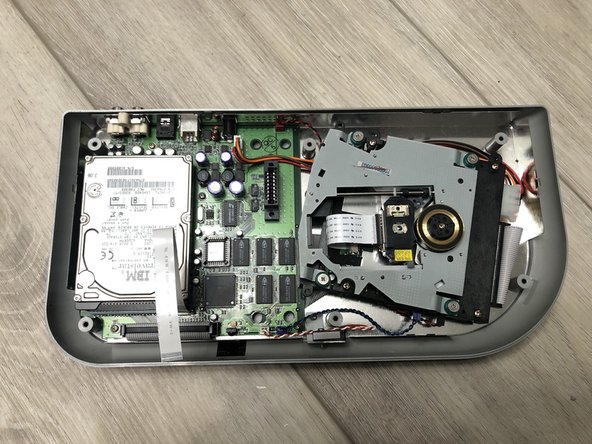
  1. Top Cover, Remove screws: crwdns2935265:01crwdnd2935265:01crwdnd2935265:01crwdne2935265:0
    • Remove six Philips #2 screws from the bottom of the case.

    • REASSEMBLY CAUTION: To prevent thread stripping during reassembly, turn screws backwards slowly until you feel the screw thread drop into the original plastic thread, and only then, tighten screw normally but lightly - you're working with 20+ year-old plastics.

    crwdns2952109:0crwdne2952109:0

    crwdns2917038:0crwdne2917038:0

  2. Top Cover, Disconnect top cover ribbon cable: crwdns2935265:02crwdnd2935265:01crwdnd2935265:01crwdne2935265:0
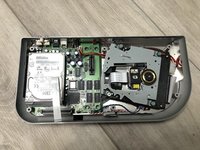
    • Carefully fold the top and bottom open, revealing a ribbon cable connecting the two halves.

    • Unlock and disconnect the ribbon cable. Unlock by pulling the lock lever evenly on both sides, parallel to the board surface (not lift/pivot), in the direction of the ribbon cable.

    • When this ZIF (Zero Insertion Force) connector is properly unlocked, the ribbon cable should just fall right out of the socket (no need to pull with any strength).

    crwdns2952109:0crwdne2952109:0

    crwdns2917038:0crwdne2917038:0

  3. Top Cover, Remove RF shield: crwdns2935265:03crwdnd2935265:01crwdnd2935265:02crwdne2935265:0 Top Cover, Remove RF shield: crwdns2935265:03crwdnd2935265:02crwdnd2935265:02crwdne2935265:0
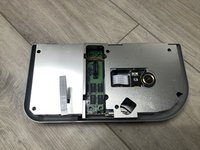
    • Simply lift the RF shield off the unit.

    • When reinstalling, take note of the 6 fork-like interlocking clips around the edge of the shield, which should engage with the original positions.

    crwdns2952109:0crwdne2952109:0

    crwdns2917038:0crwdne2917038:0

crwdns2915888:0crwdne2915888:0

To reassemble your device, follow these instructions in reverse order.

crwdns2935221:0crwdne2935221:0

Matt Falcon

crwdns2935283:005/09/15crwdne2935283:0

2.773 crwdns2915208:0crwdne2915208:0

crwdns2935297:014crwdne2935297:0

crwdns2947412:00crwdne2947412:0

crwdns2917038:0crwdne2917038:0

crwdns2936625:0crwdne2936625:0:

crwdns2936751:024crwdne2936751:0 2

crwdns2936753:07crwdne2936753:0 10

crwdns2936753:030crwdne2936753:0 35

crwdns2942667:0crwdne2942667:0 266