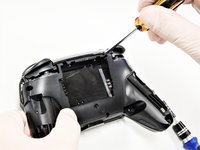
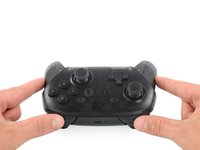
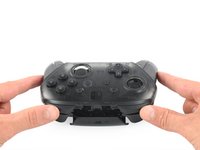
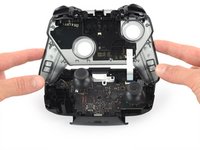
crwdns2933423:0crwdne2933423:0
crwdns2947577:0crwdnd2947577:0crwdne2947577:0

Switch Pro Controller Motherboard Replacement

crwdns2869540:0crwdne2869540:0: 27K

crwdns2959988:0crwdne2959988:0

crwdns2959990:0crwdne2959990:0
17
crwdns2959992:0crwdne2959992:0
113
crwdns2959994:0crwdne2959994:0
477
crwdns2959996:0crwdne2959996:0
27,009
crwdns2955950:0crwdne2955950:0: 20

crwdns2960004:019crwdne2960004:0, crwdns2960006:01crwdne2960006:0

crwdns2960000:0crwdne2960000:0
crwdns2959984:0crwdne2959984:0: 6

crwdns2959974:06crwdne2959974:0

crwdns2959986:0crwdne2959986:0: 2

crwdns2959982:02crwdne2959982:0

crwdns2955944:0crwdne2955944:0: crwdns2931289:01crwdne2931289:0
crwdns2955970:0crwdne2955970:0: crwdns2937803:0crwdne2937803:0
Switch Pro Controller Motherboard Replacement

crwdns2915892:0crwdne2915892:0

crwdns2959928:0crwdne2959928:0 ↓

This guide is used for the replacement of the Motherboard on your Nintendo Switch Pro Controller. Take precaution when completing this guide because it involves the removal of a lithium-ion battery. If the battery is swollen, check out this resource on how to dispose of a swollen battery. To Complete this guide correctly you must complete steps eight and nine with caution so as to not damage the white ribbon. In addition, you must be able to solder. If you do not know how to solder, check out this resource on how to solder. Be careful when removing the plastic pieces and the internal circuit board of the controller so as to not damage the components.

crwdns2959930:0crwdne2959930:0

crwdns2943213:0crwdne2943213:0

crwdns2943215:0crwdne2943215:0

    1. Switch Pro Controller Motherboard Replacement, Remove the screws: crwdns2935265:01crwdnd2935265:01crwdnd2935265:01crwdne2935265:0
      • Flip the controller over so the model stickers face the ceiling.

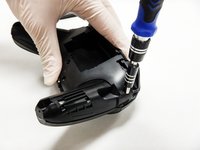
      • Use a JIS #00 screwdriver to remove the two black 8.4 mm screws that secure the handles, located at the ends of the handles.

      crwdns2952109:0crwdne2952109:0

      crwdns2917038:0crwdne2917038:0

    2. Switch Pro Controller Motherboard Replacement, Remove the handle covers: crwdns2935265:02crwdnd2935265:01crwdnd2935265:03crwdne2935265:0 Switch Pro Controller Motherboard Replacement, Remove the handle covers: crwdns2935265:02crwdnd2935265:02crwdnd2935265:03crwdne2935265:0 Switch Pro Controller Motherboard Replacement, Remove the handle covers: crwdns2935265:02crwdnd2935265:03crwdnd2935265:03crwdne2935265:0
      • Carefully remove the handle covers by pulling them away from the main body.

      crwdns2952109:0crwdne2952109:0

      crwdns2917038:0crwdne2917038:0

    3. Switch Pro Controller Motherboard Replacement, Remove the screws: crwdns2935265:03crwdnd2935265:01crwdnd2935265:01crwdne2935265:0
      • Use a JIS #00 screwdriver to remove the four silver 6.8 mm screws that secure the clear back plastic cover.

      crwdns2952109:0crwdne2952109:0

      crwdns2917038:0crwdne2917038:0

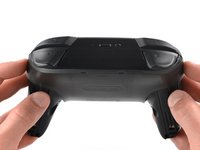
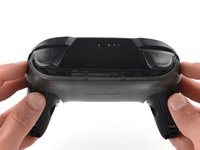
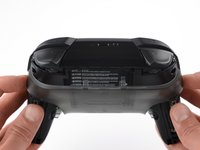
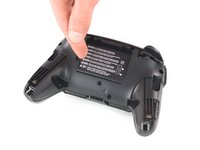
    4. Switch Pro Controller Motherboard Replacement, Unclip the plastic cover: crwdns2935265:04crwdnd2935265:01crwdnd2935265:03crwdne2935265:0 Switch Pro Controller Motherboard Replacement, Unclip the plastic cover: crwdns2935265:04crwdnd2935265:02crwdnd2935265:03crwdne2935265:0 Switch Pro Controller Motherboard Replacement, Unclip the plastic cover: crwdns2935265:04crwdnd2935265:03crwdnd2935265:03crwdne2935265:0
      • Carefully pry away the clear plastic cover using your fingernail.

      crwdns2952109:0crwdne2952109:0

      crwdns2917038:0crwdne2917038:0

    5. Switch Pro Controller Motherboard Replacement, Remove the clear plastic cover: crwdns2935265:05crwdnd2935265:01crwdnd2935265:01crwdne2935265:0
      • Remove the clear plastic cover.

      crwdns2952109:0crwdne2952109:0

      crwdns2917038:0crwdne2917038:0

    6. Switch Pro Controller Motherboard Replacement, Remove the battery: crwdns2935265:06crwdnd2935265:01crwdnd2935265:03crwdne2935265:0 Switch Pro Controller Motherboard Replacement, Remove the battery: crwdns2935265:06crwdnd2935265:02crwdnd2935265:03crwdne2935265:0 Switch Pro Controller Motherboard Replacement, Remove the battery: crwdns2935265:06crwdnd2935265:03crwdnd2935265:03crwdne2935265:0
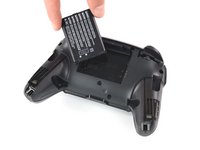
      • Remove the lithium-ion battery by using a fingernail or plastic opening tool to pry it up on the left side.

      • Only a small amount of force is needed.

      crwdns2952109:0crwdne2952109:0

      crwdns2917038:0crwdne2917038:0

    1. Switch Pro Controller Motherboard Replacement, Remove the screws: crwdns2935265:07crwdnd2935265:01crwdnd2935265:03crwdne2935265:0 Switch Pro Controller Motherboard Replacement, Remove the screws: crwdns2935265:07crwdnd2935265:02crwdnd2935265:03crwdne2935265:0 Switch Pro Controller Motherboard Replacement, Remove the screws: crwdns2935265:07crwdnd2935265:03crwdnd2935265:03crwdne2935265:0
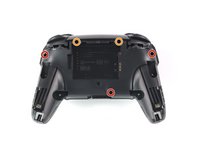
      • Use a Phillips #1 screwdriver to remove the five 5 mm screws from the back of the controller.

      • The two case screws above the handgrips and the single case screw below the battery bay have a shallow seat. These three screws can be easily removed.

      • The two case screws adjacent to the ZR and ZL shoulder buttons have a deep seat. Use an extension or a narrow PH1 Phillips screwdriver with a longer shaft to reach these screws.

      crwdns2952109:0crwdne2952109:0

      crwdns2917038:0crwdne2917038:0

    2. Switch Pro Controller Motherboard Replacement: crwdns2935265:08crwdnd2935265:01crwdnd2935265:03crwdne2935265:0 Switch Pro Controller Motherboard Replacement: crwdns2935265:08crwdnd2935265:02crwdnd2935265:03crwdne2935265:0 Switch Pro Controller Motherboard Replacement: crwdns2935265:08crwdnd2935265:03crwdnd2935265:03crwdne2935265:0
      • There's an adhesive pad located in the center of each handle. It will require a bit of force to pry away the front cover, but be mindful of the attached ribbon cable.

      • Delicately take off the plastic cover from the controller.

      • Don't completely remove the front cover just yet, as it's still attached to the motherboard via a white ribbon cable.

      crwdns2952109:0crwdne2952109:0

      crwdns2917038:0crwdne2917038:0

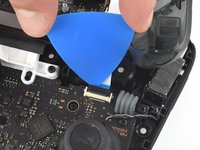
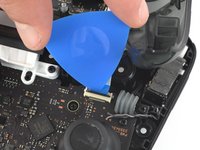
    3. Switch Pro Controller Motherboard Replacement, Open the flap: crwdns2935265:09crwdnd2935265:01crwdnd2935265:02crwdne2935265:0 Switch Pro Controller Motherboard Replacement, Open the flap: crwdns2935265:09crwdnd2935265:02crwdnd2935265:02crwdne2935265:0
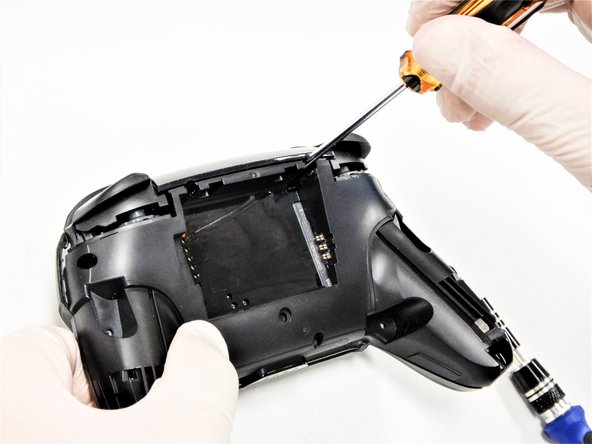
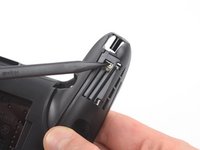
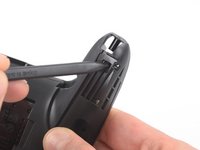
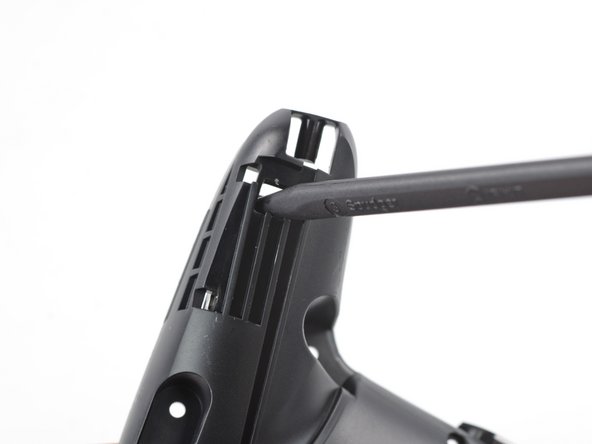
      • Use the tip of an opening pick to open the black flap of the ZIF connector by pushing it upwards.

      crwdns2952109:0crwdne2952109:0

      crwdns2917038:0crwdne2917038:0

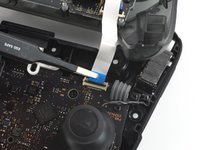
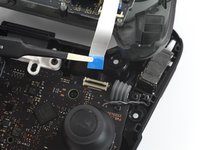
    4. Switch Pro Controller Motherboard Replacement, Disconnect the interconnect cable: crwdns2935265:010crwdnd2935265:01crwdnd2935265:02crwdne2935265:0 Switch Pro Controller Motherboard Replacement, Disconnect the interconnect cable: crwdns2935265:010crwdnd2935265:02crwdnd2935265:02crwdne2935265:0
      crwdns2935267:0crwdne2935267:0
      Tweezers
      $4.99
      • Use your fingers or a pair of blunt nose tweezers to disconnect the interconnect cable from its connector.

      crwdns2952109:0crwdne2952109:0

      crwdns2917038:0crwdne2917038:0

    5. Switch Pro Controller Motherboard Replacement, Remove the front case: crwdns2935265:011crwdnd2935265:01crwdnd2935265:01crwdne2935265:0
      • Remove the front case.

      crwdns2952109:0crwdne2952109:0

      crwdns2917038:0crwdne2917038:0

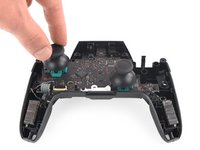
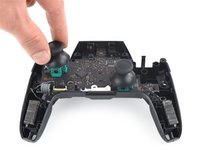
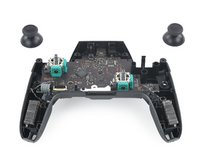
    1. Switch Pro Controller Motherboard Replacement, Remove the joystick caps: crwdns2935265:012crwdnd2935265:01crwdnd2935265:03crwdne2935265:0 Switch Pro Controller Motherboard Replacement, Remove the joystick caps: crwdns2935265:012crwdnd2935265:02crwdnd2935265:03crwdne2935265:0 Switch Pro Controller Motherboard Replacement, Remove the joystick caps: crwdns2935265:012crwdnd2935265:03crwdnd2935265:03crwdne2935265:0
      • With light force pull the two joystick caps off of the controller.

      crwdns2952109:0crwdne2952109:0

      crwdns2917038:0crwdne2917038:0

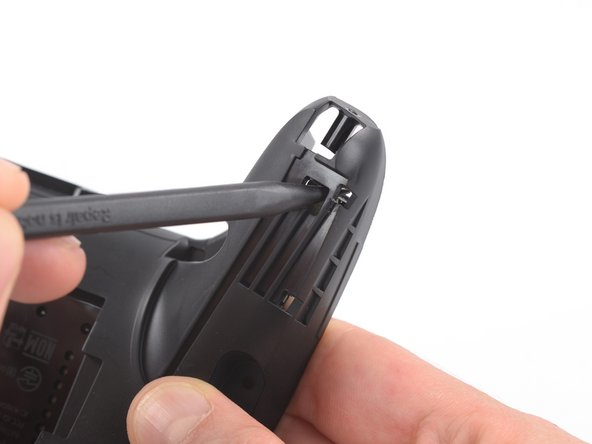
    1. Switch Pro Controller Motherboard Replacement, Loosen the adhesive: crwdns2935265:013crwdnd2935265:01crwdnd2935265:02crwdne2935265:0 Switch Pro Controller Motherboard Replacement, Loosen the adhesive: crwdns2935265:013crwdnd2935265:02crwdnd2935265:02crwdne2935265:0
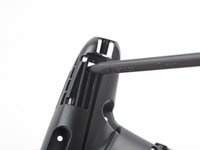
      • Insert the tip of a spudger from the back into the hole on the right controller handle.

      • Push the spudger through the hole to loosen the adhesive which is holding rumble modules in their places.

      crwdns2952109:0crwdne2952109:0

      crwdns2917038:0crwdne2917038:0

    2. Switch Pro Controller Motherboard Replacement, Loosen the adhesive: crwdns2935265:014crwdnd2935265:01crwdnd2935265:02crwdne2935265:0 Switch Pro Controller Motherboard Replacement, Loosen the adhesive: crwdns2935265:014crwdnd2935265:02crwdnd2935265:02crwdne2935265:0
      • Insert the tip of a spudger from the back into the hole on the left controller handle.

      • Push the spudger through the hole to loosen the adhesive which is holding rumble modules in their places.

      crwdns2952109:0crwdne2952109:0

      crwdns2917038:0crwdne2917038:0

    3. Switch Pro Controller Motherboard Replacement, Lift the modules: crwdns2935265:015crwdnd2935265:01crwdnd2935265:02crwdne2935265:0 Switch Pro Controller Motherboard Replacement, Lift the modules: crwdns2935265:015crwdnd2935265:02crwdnd2935265:02crwdne2935265:0
      crwdns2935267:0crwdne2935267:0
      Tweezers
      $4.99
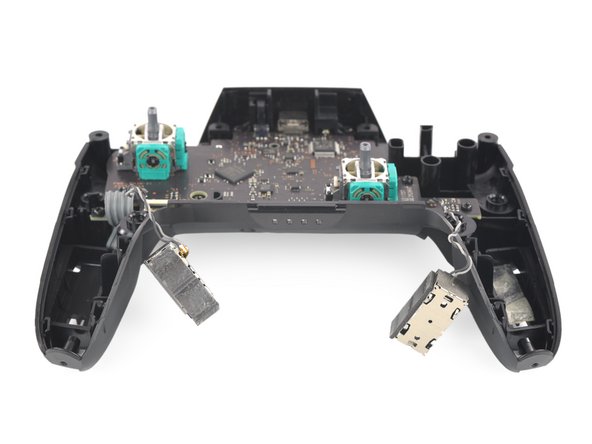
      • Use a pair tweezers to lift the modules out of their places.

      crwdns2952109:0crwdne2952109:0

      crwdns2917038:0crwdne2917038:0

    4. Switch Pro Controller Motherboard Replacement, Unscrew the motherboard: crwdns2935265:016crwdnd2935265:01crwdnd2935265:01crwdne2935265:0
      • Use a Phillips #1 screwdriver to remove the four 5 mm-long screws securing the motherboard.

      crwdns2952109:0crwdne2952109:0

      crwdns2917038:0crwdne2917038:0

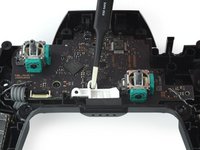
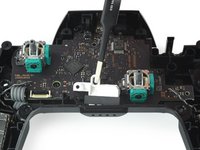
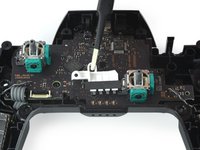
    5. Switch Pro Controller Motherboard Replacement, Remove the LED light: crwdns2935265:017crwdnd2935265:01crwdnd2935265:03crwdne2935265:0 Switch Pro Controller Motherboard Replacement, Remove the LED light: crwdns2935265:017crwdnd2935265:02crwdnd2935265:03crwdne2935265:0 Switch Pro Controller Motherboard Replacement, Remove the LED light: crwdns2935265:017crwdnd2935265:03crwdnd2935265:03crwdne2935265:0
      • Use your thumb or a pair of tweezers to to take off the white LED light housing.

      crwdns2952109:0crwdne2952109:0

      crwdns2917038:0crwdne2917038:0

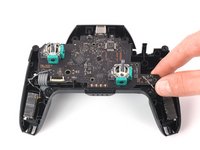
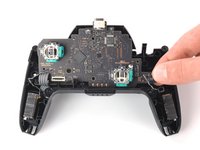
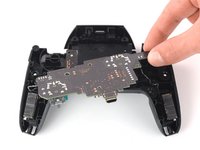
    6. Switch Pro Controller Motherboard Replacement, Lift the motherboard: crwdns2935265:018crwdnd2935265:01crwdnd2935265:03crwdne2935265:0 Switch Pro Controller Motherboard Replacement, Lift the motherboard: crwdns2935265:018crwdnd2935265:02crwdnd2935265:03crwdne2935265:0 Switch Pro Controller Motherboard Replacement, Lift the motherboard: crwdns2935265:018crwdnd2935265:03crwdnd2935265:03crwdne2935265:0
      • Lift the motherboard carefully as to not damage the wires and flip it to reveal the backside.

      crwdns2952109:0crwdne2952109:0

      crwdns2917038:0crwdne2917038:0

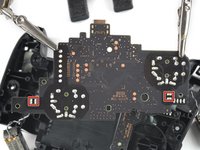
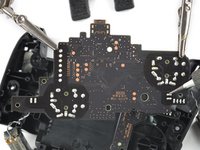
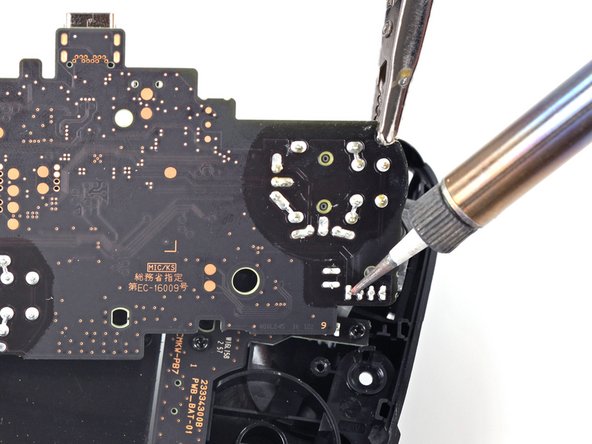
    7. Switch Pro Controller Motherboard Replacement, Desolder the rumble modules: crwdns2935265:019crwdnd2935265:01crwdnd2935265:03crwdne2935265:0 Switch Pro Controller Motherboard Replacement, Desolder the rumble modules: crwdns2935265:019crwdnd2935265:02crwdnd2935265:03crwdne2935265:0 Switch Pro Controller Motherboard Replacement, Desolder the rumble modules: crwdns2935265:019crwdnd2935265:03crwdnd2935265:03crwdne2935265:0
      • Desolder the rumble motor solder points on either side of the motherboard.

      • Remove the rumble modules.

      • Refer to the following solder guide if necessary: How to Solder

      • Solder the new rumble modules into the same pins.

      crwdns2952109:0crwdne2952109:0

      crwdns2917038:0crwdne2917038:0

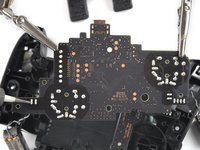
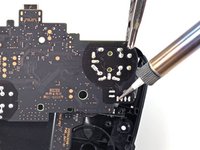
    1. Switch Pro Controller Motherboard Replacement, Desolder the main power cable: crwdns2935265:020crwdnd2935265:01crwdnd2935265:02crwdne2935265:0 Switch Pro Controller Motherboard Replacement, Desolder the main power cable: crwdns2935265:020crwdnd2935265:02crwdnd2935265:02crwdne2935265:0
      • Remove the main power cable from the highlighted pins by de-soldering them.

      • Remove the motherboard.

      • Refer to the following solder guide if necessary: How to Solder.

      crwdns2952109:0crwdne2952109:0

      crwdns2917038:0crwdne2917038:0

crwdns2915888:0crwdne2915888:0

To reassemble your device, follow these instructions in reverse order.

crwdns2935221:0crwdne2935221:0

crwdns2935229:06crwdne2935229:0

Jared Murphy Johnson

crwdns2935283:009/16/20crwdne2935283:0

299 crwdns2915208:0crwdne2915208:0

crwdns2935295:0crwdne2935295:0

crwdns2935287:0crwdne2935287:0

The Citadel Military College of South Carolina, Team S2-G9, Eggleston Fall 2020 crwdns2935289:0The Citadel Military College of South Carolina, Team S2-G9, Eggleston Fall 2020crwdne2935289:0

CMCSC-EGGLESTON-F20S2G9

crwdns2931471:03crwdne2931471:0

crwdns2935297:036crwdne2935297:0

crwdns2947410:01crwdne2947410:0

maybe a tutorial about how you change the usb c port since there are no videos about the pro controller replacement anywhere

Del Meg - crwdns2934203:0crwdne2934203:0 crwdns2950251:0crwdne2950251:0

crwdns2917038:0crwdne2917038:0

crwdns2936625:0crwdne2936625:0:

crwdns2936751:024crwdne2936751:0 17

crwdns2936753:07crwdne2936753:0 113

crwdns2936753:030crwdne2936753:0 477

crwdns2959996:0crwdne2959996:0 27,009