
Sony VAIO PCG-3E2L RAM Replacement

crwdns2959934:0crwdnd2959934:0Chengyang Chencrwdnd2959934:0crwdnd2959934:0crwdne2959934:0
crwdns2959936:0Kho 23, 2015crwdne2959936:0
crwdns2869540:0crwdne2869540:0: 2038
crwdns2959988:0crwdne2959988:0
- crwdns2959990:0crwdne2959990:0
- 0
- crwdns2959992:0crwdne2959992:0
- 14
- crwdns2959994:0crwdne2959994:0
- 80
- crwdns2959996:0crwdne2959996:0
- 2,038
crwdns2955950:0crwdne2955950:0: 0
crwdns2959998:0crwdne2959998:0
crwdns2960000:0crwdne2960000:0crwdns2959984:0crwdne2959984:0: 0 1
crwdns2959956:0crwdne2959956:0
crwdns2959968:01crwdne2959968:0
crwdns2959986:0crwdne2959986:0: 0 1
crwdns2959958:0crwdne2959958:0
crwdns2959976:01crwdne2959976:0
crwdns2915892:0crwdne2915892:0
crwdns2959928:0crwdne2959928:0 ↓This guide will aid readers to replace battery of the device when the RAM is not functioning properly.
crwdns2959930:0crwdne2959930:0
crwdns2943213:0crwdne2943213:0
crwdns2943215:0crwdne2943215:0

-
-
-
Using a #00 Phillips screwdriver, remove the screw
-
Remove the cover
 crwdns2952109:0crwdne2952109:0
-
-
-
-
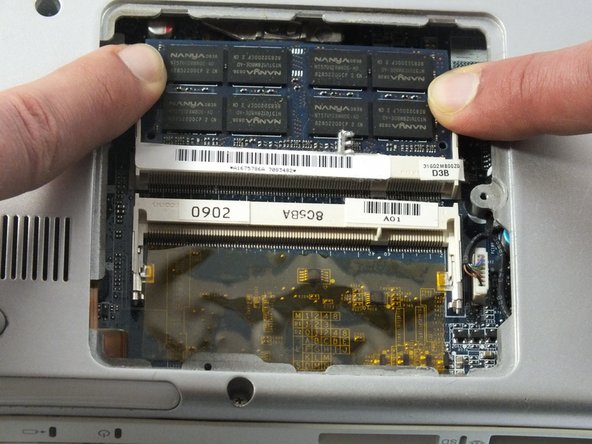
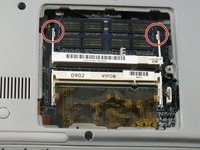
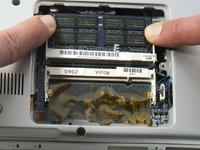
Use two thumbs to push two plastic around RAM outward.
-
Remove the popped up RAM
-
-
-
Use two thumbs to push two plastic around the other RAM outward.
-
Remove the popped up RAM
-
-


To reassemble your device, follow these instructions in reverse order.

crwdns2935287:0crwdne2935287:0

UMass Dartmouth, Team 5-2, Kish Spring 2015 crwdns2935289:0UMass Dartmouth, Team 5-2, Kish Spring 2015crwdne2935289:0
UMASSD-KISH-S15S5G2
crwdns2931471:04crwdne2931471:0
crwdns2935297:060crwdne2935297:0
