crwdns2933423:0crwdne2933423:0
crwdns2947577:0crwdnd2947577:0crwdne2947577:0

Sony SRS-X5 Button Pad Replacement

crwdns2942213:0crwdne2942213:0

    1. Sony SRS-X5 Button Pad Replacement, Battery: crwdns2935265:01crwdnd2935265:01crwdnd2935265:01crwdne2935265:0
      • To gain access to the 6 bottom screws remove the following. Remove the adhered 4 corner foam pads on the bottom of the speaker using the blue plastic opening tool to reveal the screws underneath. Remove the adhered 2 center plastic squares.

      • Make sure the speaker is unplugged and powered down before doing any work on the device.

      crwdns2952109:0crwdne2952109:0

      crwdns2917038:0crwdne2917038:0

    2. Sony SRS-X5 Button Pad Replacement: crwdns2935265:02crwdnd2935265:01crwdnd2935265:02crwdne2935265:0 Sony SRS-X5 Button Pad Replacement: crwdns2935265:02crwdnd2935265:02crwdnd2935265:02crwdne2935265:0
      • Unscrew the six 6mm screws with a Phillips head #1 screwdriver.

      • Remove the bottom panel of the speaker.

      crwdns2952109:0crwdne2952109:0

      crwdns2917038:0crwdne2917038:0

    3. Sony SRS-X5 Button Pad Replacement: crwdns2935265:03crwdnd2935265:01crwdnd2935265:01crwdne2935265:0
      • Unplug the battery by gently pinching the plastic end connected to the smaller board and pull away.

      • Remove the battery.

      crwdns2952109:0crwdne2952109:0

      crwdns2917038:0crwdne2917038:0

    1. Sony SRS-X5 Button Pad Replacement, Speaker: crwdns2935265:04crwdnd2935265:01crwdnd2935265:01crwdne2935265:0
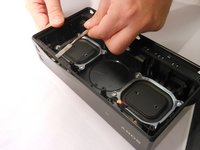
      • To remove the speaker grill, first push down slightly on the 2 plastic hook tabs to release them, then push the middle plastic screw tab out.

      crwdns2952109:0crwdne2952109:0

      crwdns2917038:0crwdne2917038:0

    2. Sony SRS-X5 Button Pad Replacement: crwdns2935265:05crwdnd2935265:01crwdnd2935265:01crwdne2935265:0
      • Remove the eight 0.5mm Phillips #1 screws from the speaker panel.

      crwdns2952109:0crwdne2952109:0

      crwdns2917038:0crwdne2917038:0

    3. Sony SRS-X5 Button Pad Replacement: crwdns2935265:06crwdnd2935265:01crwdnd2935265:02crwdne2935265:0 Sony SRS-X5 Button Pad Replacement: crwdns2935265:06crwdnd2935265:02crwdnd2935265:02crwdne2935265:0
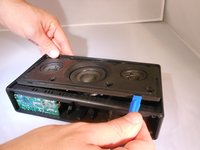
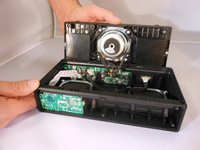
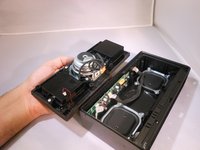
      • Using the plastic opening tool, flip open the speaker panel.

      crwdns2952109:0crwdne2952109:0

      crwdns2917038:0crwdne2917038:0

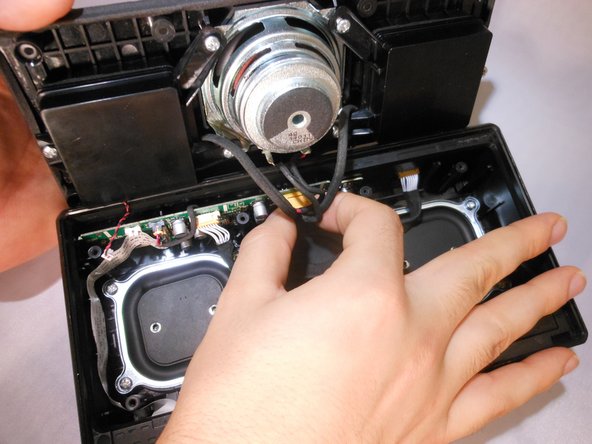
    4. Sony SRS-X5 Button Pad Replacement: crwdns2935265:07crwdnd2935265:01crwdnd2935265:03crwdne2935265:0 Sony SRS-X5 Button Pad Replacement: crwdns2935265:07crwdnd2935265:02crwdnd2935265:03crwdne2935265:0 Sony SRS-X5 Button Pad Replacement: crwdns2935265:07crwdnd2935265:03crwdnd2935265:03crwdne2935265:0
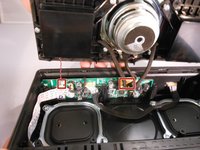
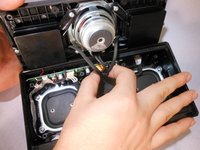
      • Unplug the 6-pin speaker connector and 2-pin microphone connector from the motherboard by squeezing the sides of the plastic ends.

      crwdns2952109:0crwdne2952109:0

      crwdns2917038:0crwdne2917038:0

    1. Sony SRS-X5 Button Pad Replacement, Button Pad: crwdns2935265:08crwdnd2935265:01crwdnd2935265:01crwdne2935265:0
      • Unplug the electrical cord from the button pad.

      crwdns2952109:0crwdne2952109:0

      crwdns2917038:0crwdne2917038:0

    2. Sony SRS-X5 Button Pad Replacement: crwdns2935265:09crwdnd2935265:01crwdnd2935265:02crwdne2935265:0 Sony SRS-X5 Button Pad Replacement: crwdns2935265:09crwdnd2935265:02crwdnd2935265:02crwdne2935265:0
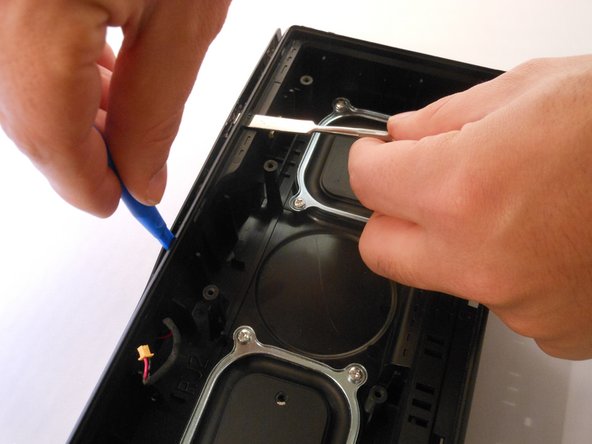
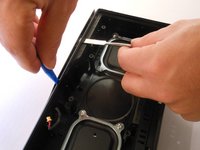
      • Using both the plastic opening tool and metal spudger gently pry open the cover from the top of the speaker.

      crwdns2952109:0crwdne2952109:0

      crwdns2917038:0crwdne2917038:0

    3. Sony SRS-X5 Button Pad Replacement: crwdns2935265:010crwdnd2935265:01crwdnd2935265:01crwdne2935265:0
      • Gently remove the cover using your hands.

      • Make sure you remove the cover gently so it doesn't break.

      crwdns2952109:0crwdne2952109:0

      crwdns2917038:0crwdne2917038:0

    4. Sony SRS-X5 Button Pad Replacement: crwdns2935265:011crwdnd2935265:01crwdnd2935265:02crwdne2935265:0 Sony SRS-X5 Button Pad Replacement: crwdns2935265:011crwdnd2935265:02crwdnd2935265:02crwdne2935265:0
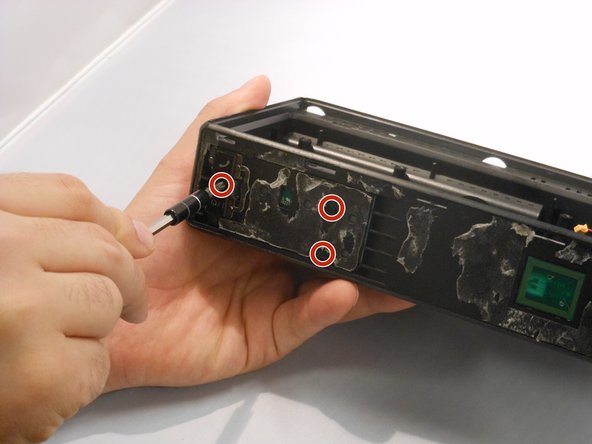
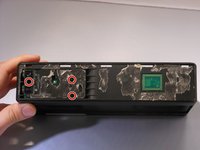
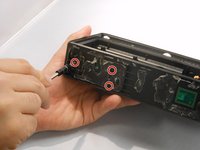
      • Using the Phillips #00, unscrew the three 3.32mm screws keeping the button board in place.

      crwdns2952109:0crwdne2952109:0

      crwdns2917038:0crwdne2917038:0

    5. Sony SRS-X5 Button Pad Replacement: crwdns2935265:012crwdnd2935265:01crwdnd2935265:01crwdne2935265:0
      • Gently remove the button pad from the speaker.

      crwdns2952109:0crwdne2952109:0

      crwdns2917038:0crwdne2917038:0

crwdns2915888:0crwdne2915888:0

To reassemble your device, follow these instructions in reverse order.

crwdns2935221:0crwdne2935221:0

Jeffrey Yalung

crwdns2935283:009/28/16crwdne2935283:0

460 crwdns2915208:0crwdne2915208:0

crwdns2935297:03crwdne2935297:0

crwdns2935287:0crwdne2935287:0

Eastern Washington University, Team 2-6, Mathisen Fall 2016 crwdns2935289:0Eastern Washington University, Team 2-6, Mathisen Fall 2016crwdne2935289:0

EWU-MATHISEN-F16S2G6

crwdns2931471:04crwdne2931471:0

crwdns2935297:060crwdne2935297:0

crwdns2947412:00crwdne2947412:0

crwdns2917038:0crwdne2917038:0

crwdns2936625:0crwdne2936625:0:

crwdns2936751:024crwdne2936751:0 1

crwdns2936753:07crwdne2936753:0 26

crwdns2936753:030crwdne2936753:0 85

crwdns2942667:0crwdne2942667:0 1,507