crwdns2933423:0crwdne2933423:0
crwdns2947577:0crwdnd2947577:0crwdne2947577:0

Sony ICF-C1T Screen Replacement

crwdns2869540:0crwdne2869540:0: 6K

crwdns2959988:0crwdne2959988:0

crwdns2959990:0crwdne2959990:0
3
crwdns2959992:0crwdne2959992:0
27
crwdns2959994:0crwdne2959994:0
113
crwdns2959996:0crwdne2959996:0
6.047
crwdns2955950:0crwdne2955950:0: 0

crwdns2959998:0crwdne2959998:0

crwdns2960000:0crwdne2960000:0
crwdns2959984:0crwdne2959984:0: 1

crwdns2959972:01crwdne2959972:0

crwdns2959986:0crwdne2959986:0: 0

crwdns2959958:0crwdne2959958:0

crwdns2955944:0crwdne2955944:0: 20 - 30 crwdns2931279:0crwdne2931279:0
crwdns2955970:0crwdne2955970:0: crwdns2937801:0crwdne2937801:0
Sony ICF-C1T Screen Replacement

crwdns2915892:0crwdne2915892:0

crwdns2959928:0crwdne2959928:0 ↓

Use this guide to replace the screen of a Sony ICF-C1T. When your screen is too bright or it has a lot of scratches on it, you can easily replace the screen or add a sheet of tint to the backside of it.

crwdns2959930:0crwdne2959930:0

crwdns2943215:0crwdne2943215:0

    1. Sony ICF-C1T Screen Replacement, Screen: crwdns2935265:01crwdnd2935265:01crwdnd2935265:01crwdne2935265:0
      • Make sure the clock is unplugged from the wall and the replacement battery has been taken out of the clock to prevent harm to you and to the clock.

      • Use a Phillips 00 head screwdriver to remove the four 14 mm screws from the bottom of the clock.

      crwdns2952109:0crwdne2952109:0

      crwdns2917038:0crwdne2917038:0

    2. Sony ICF-C1T Screen Replacement: crwdns2935265:02crwdnd2935265:01crwdnd2935265:01crwdne2935265:0
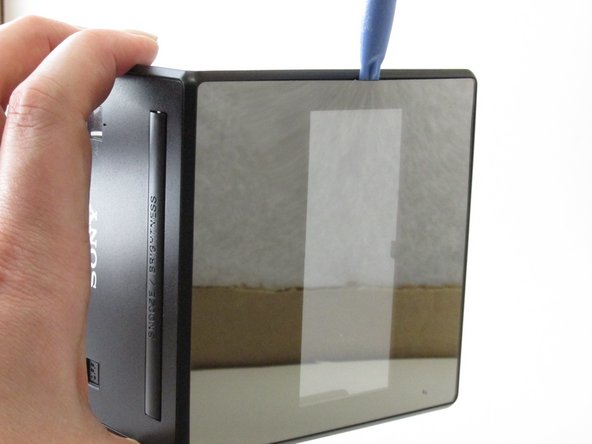
      • Insert the plastic opening tool to pry apart the top and sides of the device gently.

      crwdns2952109:0crwdne2952109:0

      crwdns2917038:0crwdne2917038:0

    3. Sony ICF-C1T Screen Replacement: crwdns2935265:03crwdnd2935265:01crwdnd2935265:02crwdne2935265:0 Sony ICF-C1T Screen Replacement: crwdns2935265:03crwdnd2935265:02crwdnd2935265:02crwdne2935265:0
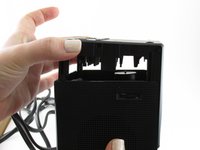
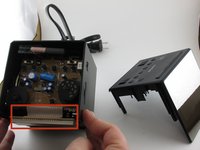
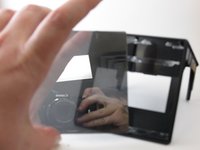
      • Carefully pull the top of clock off as the clock display is located directly behind the face plate and is still connected by multiple wires.

      • Pull the top of the device away from the rest of the clock to expose the inside.

      crwdns2952109:0crwdne2952109:0

      crwdns2917038:0crwdne2917038:0

    4. Sony ICF-C1T Screen Replacement: crwdns2935265:04crwdnd2935265:01crwdnd2935265:02crwdne2935265:0 Sony ICF-C1T Screen Replacement: crwdns2935265:04crwdnd2935265:02crwdnd2935265:02crwdne2935265:0
      • Do not use too much pressure on the plastic to not break it.

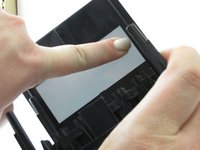
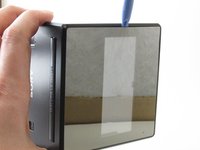
      • Add pressure to the inside of the screen so that a small area is loosened enough to be able to use an opening tool.

      • Use the plastic opening tool to separate the screen from the device.

      crwdns2952109:0crwdne2952109:0

      crwdns2917038:0crwdne2917038:0

    5. Sony ICF-C1T Screen Replacement: crwdns2935265:05crwdnd2935265:01crwdnd2935265:02crwdne2935265:0 Sony ICF-C1T Screen Replacement: crwdns2935265:05crwdnd2935265:02crwdnd2935265:02crwdne2935265:0
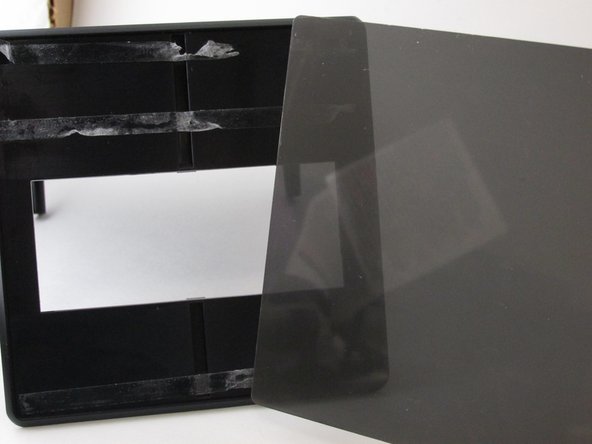
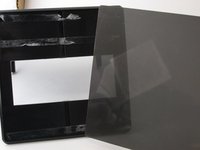
      • Apply a tinted spray to dim the brightness once the tinted sheet is out of the way.

      • Another way to solve the brightness problem is to apply a tinted color sheet protector.

      crwdns2952109:0crwdne2952109:0

      crwdns2917038:0crwdne2917038:0

crwdns2915888:0crwdne2915888:0

To reassemble your device, follow these instructions in reverse order.

crwdns2935221:0crwdne2935221:0

crwdns2935227:0crwdne2935227:0

crwdns2862417:0crwdne2862417:0

crwdns2935293:0crwdne2935293:0

amber woolery

crwdns2935283:001/30/15crwdne2935283:0

307 crwdns2915208:0crwdne2915208:0

crwdns2935297:02crwdne2935297:0

crwdns2935287:0crwdne2935287:0

University of Kentucky Louisville, Team 1-5, Rountree Winter 2015 crwdns2935289:0University of Kentucky Louisville, Team 1-5, Rountree Winter 2015crwdne2935289:0

LOUISVILLE-ROUNTREE-W15S1G5

crwdns2931471:03crwdne2931471:0

crwdns2935297:060crwdne2935297:0

crwdns2947412:00crwdne2947412:0

crwdns2917038:0crwdne2917038:0

crwdns2936625:0crwdne2936625:0:

crwdns2936751:024crwdne2936751:0 3

crwdns2936753:07crwdne2936753:0 27

crwdns2936753:030crwdne2936753:0 113

crwdns2959996:0crwdne2959996:0 6,047