crwdns2933423:0crwdne2933423:0
crwdns2947577:0crwdnd2947577:0crwdne2947577:0

Sony Ericsson z300 Screens Replacement

crwdns2942213:0crwdne2942213:0

    1. Sony Ericsson z300 Screens Replacement, Back Phone Cover: crwdns2935265:01crwdnd2935265:01crwdnd2935265:01crwdne2935265:0
      • To remove the back cover, use your thumb to press down on the center of case and slide it off.

      crwdns2952109:0crwdne2952109:0

      crwdns2917038:0crwdne2917038:0

    1. Sony Ericsson z300 Screens Replacement, Battery: crwdns2935265:02crwdnd2935265:01crwdnd2935265:01crwdne2935265:0
      • Using a fingernail lift the battery out of the phone.

      crwdns2952109:0crwdne2952109:0

      crwdns2917038:0crwdne2917038:0

    1. Sony Ericsson z300 Screens Replacement, Front Phone Cover: crwdns2935265:03crwdnd2935265:01crwdnd2935265:01crwdne2935265:0
      • To remove the front cover, lift up the case with a fingernail in the small slot as shown.

      crwdns2952109:0crwdne2952109:0

      crwdns2917038:0crwdne2917038:0

    1. Sony Ericsson z300 Screens Replacement, Front Dark Grey Case: crwdns2935265:04crwdnd2935265:01crwdnd2935265:01crwdne2935265:0
      • To remove the front grey case, remove the two screws shown with a T5 Torx Screwdriver.

      crwdns2952109:0crwdne2952109:0

      crwdns2917038:0crwdne2917038:0

    2. Sony Ericsson z300 Screens Replacement: crwdns2935265:05crwdnd2935265:01crwdnd2935265:01crwdne2935265:0
      • Pry up the dark grey case with your fingernail until all four snaps around the top are loose.

      crwdns2952109:0crwdne2952109:0

      crwdns2917038:0crwdne2917038:0

    3. Sony Ericsson z300 Screens Replacement: crwdns2935265:06crwdnd2935265:01crwdnd2935265:01crwdne2935265:0
      • Lift up towards the bottom and slide the case off.

      crwdns2952109:0crwdne2952109:0

      crwdns2917038:0crwdne2917038:0

    1. Sony Ericsson z300 Screens Replacement, Screens: crwdns2935265:07crwdnd2935265:01crwdnd2935265:01crwdne2935265:0
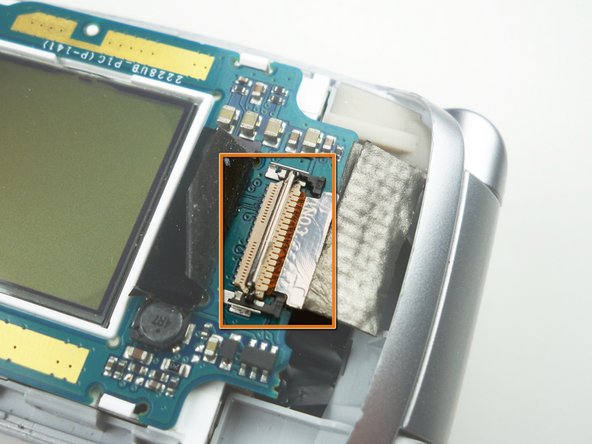
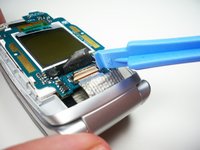
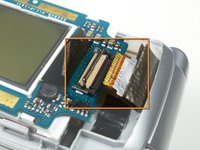
      • Use a plastic opening tool to lift the black tape off of the ribbon cable connector.

      crwdns2952109:0crwdne2952109:0

      crwdns2917038:0crwdne2917038:0

    2. Sony Ericsson z300 Screens Replacement: crwdns2935265:08crwdnd2935265:01crwdnd2935265:01crwdne2935265:0
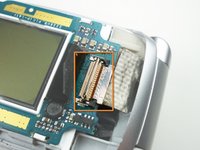
      • Lift the ribbon cable connector lock using a plastic opening tool.

      crwdns2952109:0crwdne2952109:0

      crwdns2917038:0crwdne2917038:0

    3. Sony Ericsson z300 Screens Replacement: crwdns2935265:09crwdnd2935265:01crwdnd2935265:02crwdne2935265:0 Sony Ericsson z300 Screens Replacement: crwdns2935265:09crwdnd2935265:02crwdnd2935265:02crwdne2935265:0
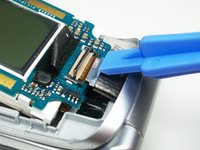
      • Slide the black ribbon cable tray out with a plastic opening tool.

      • Shown in the second picture is the try already slid out.

      crwdns2952109:0crwdne2952109:0

      crwdns2917038:0crwdne2917038:0

    4. Sony Ericsson z300 Screens Replacement: crwdns2935265:010crwdnd2935265:01crwdnd2935265:02crwdne2935265:0 Sony Ericsson z300 Screens Replacement: crwdns2935265:010crwdnd2935265:02crwdnd2935265:02crwdne2935265:0
      • Slide the ribbon cable out of the connector.

      • Shown in the second picture is the cable already out.

      crwdns2952109:0crwdne2952109:0

      crwdns2917038:0crwdne2917038:0

    5. Sony Ericsson z300 Screens Replacement: crwdns2935265:011crwdnd2935265:01crwdnd2935265:01crwdne2935265:0
      • Use a plastic opening tool to lift up on the screen board and release the clips holding it in place.

      • Lift the entire board out of the phone to remove both screens.

      crwdns2952109:0crwdne2952109:0

      crwdns2917038:0crwdne2917038:0

crwdns2915888:0crwdne2915888:0

To reassemble your device, follow these instructions in reverse order.

crwdns2935221:0crwdne2935221:0

Alex Serventi

crwdns2935283:010/07/10crwdne2935283:0

65 crwdns2915208:0crwdne2915208:0

crwdns2935297:013crwdne2935297:0

crwdns2935287:0crwdne2935287:0

Cal Poly, Team 5-15, Maness Fall 2010 crwdns2935289:0Cal Poly, Team 5-15, Maness Fall 2010crwdne2935289:0

CPSU-MANESS-F10S5G15

crwdns2931471:04crwdne2931471:0

crwdns2935297:0156crwdne2935297:0

crwdns2947412:00crwdne2947412:0

crwdns2917038:0crwdne2917038:0

crwdns2936625:0crwdne2936625:0:

crwdns2936751:024crwdne2936751:0 2

crwdns2936753:07crwdne2936753:0 24

crwdns2936753:030crwdne2936753:0 69

crwdns2942667:0crwdne2942667:0 1,747