crwdns2915892:0crwdne2915892:0
Need to clean the inside of the camera? Start by taking off the back cover.
crwdns2942213:0crwdne2942213:0
-
-
-
Remove battery by sliding the tab to open the cover
 crwdns2952109:0crwdne2952109:0
-
-
-
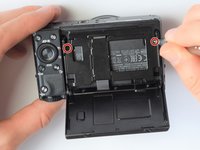
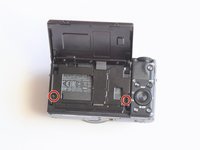
Using the screwdriver, remove all screws (black 2.5mm) from outermost layer of the assembly.
-
-
-
-
Also using the screwdriver, remove screws (black 1mm) underneath articulated LCD screen.
-
Remove the marked 2.5 mm screws with the screwdriver
-
-
-
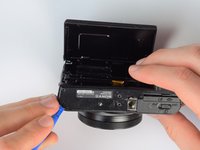
Using the plastic opening tools, carefully pry off the bottom plate.
-
-
-
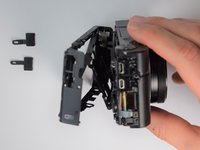
Using the same plastic opening tools, separate the screen and back assembly from the front portion of the camera
-
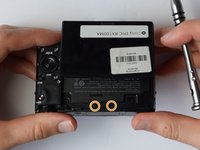
Once the back assembly is slightly detached, pull the media covers for the HDMI and Multimedia ports
-
-
-
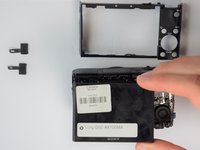
Remove the back cover
-
-




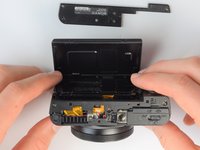


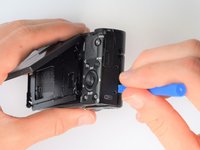
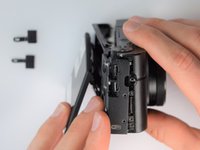
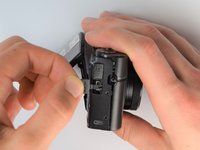


To reassemble your device, follow these instructions in reverse order.
crwdns2935221:0crwdne2935221:0
crwdns2935229:02crwdne2935229:0

crwdns2935287:0crwdne2935287:0

Cal Poly, Team 21-1, Maness Winter 2017 crwdns2935289:0Cal Poly, Team 21-1, Maness Winter 2017crwdne2935289:0
CPSU-MANESS-W17S21G1
crwdns2931471:05crwdne2931471:0
crwdns2935297:060crwdne2935297:0
crwdns2947410:01crwdne2947410:0
Hi! Two of the 1mm screws fell out of my camera from behind the display, where can I find new ones? I keep checking amazon and its kits of 750pcs+ and they don't seem like the right 1mm screws. Do you know where I can get some?
Victoria Gallardo - crwdns2934203:0crwdne2934203:0 crwdns2950251:0crwdne2950251:0
