crwdns2933423:0crwdne2933423:0
crwdns2947577:0crwdnd2947577:0crwdne2947577:0

Sony α6500 LCD Screen Replacement

crwdns2942213:0crwdne2942213:0

    1. Sony α6500 LCD Screen Replacement, Battery: crwdns2935265:01crwdnd2935265:01crwdnd2935265:01crwdne2935265:0
      • Verify the camera is powered off by setting the switch to OFF.

      crwdns2952109:0crwdne2952109:0

      crwdns2917038:0crwdne2917038:0

    2. Sony α6500 LCD Screen Replacement: crwdns2935265:02crwdnd2935265:01crwdnd2935265:02crwdne2935265:0 Sony α6500 LCD Screen Replacement: crwdns2935265:02crwdnd2935265:02crwdnd2935265:02crwdne2935265:0
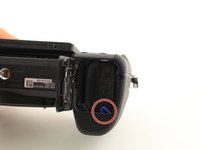
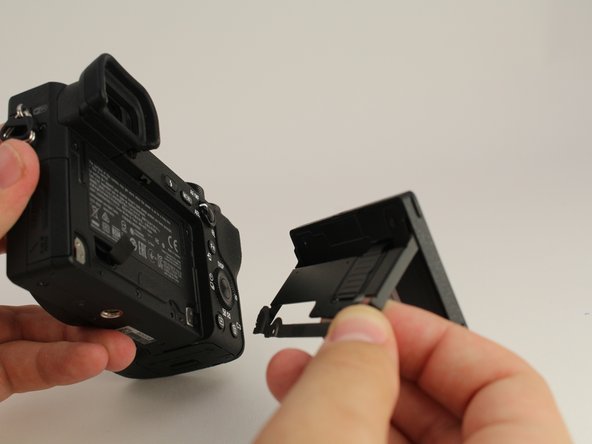
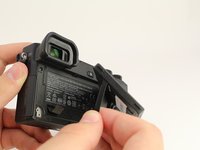
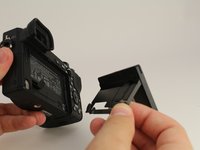
      • Flip the camera upside down.

      • Slide the battery compartment lock to OPEN to unlock it.

      crwdns2952109:0crwdne2952109:0

      crwdns2917038:0crwdne2917038:0

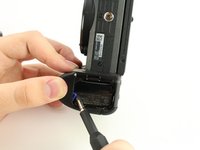
    3. Sony α6500 LCD Screen Replacement: crwdns2935265:03crwdnd2935265:01crwdnd2935265:02crwdne2935265:0 Sony α6500 LCD Screen Replacement: crwdns2935265:03crwdnd2935265:02crwdnd2935265:02crwdne2935265:0
      • Push the blue lever aside to release the battery.

      crwdns2952109:0crwdne2952109:0

      crwdns2917038:0crwdne2917038:0

    4. Sony α6500 LCD Screen Replacement: crwdns2935265:04crwdnd2935265:01crwdnd2935265:01crwdne2935265:0
      • Remove the released battery from the compartment.

      crwdns2952109:0crwdne2952109:0

      crwdns2917038:0crwdne2917038:0

    1. Sony α6500 LCD Screen Replacement, LCD Screen: crwdns2935265:05crwdnd2935265:01crwdnd2935265:03crwdne2935265:0 Sony α6500 LCD Screen Replacement, LCD Screen: crwdns2935265:05crwdnd2935265:02crwdnd2935265:03crwdne2935265:0 Sony α6500 LCD Screen Replacement, LCD Screen: crwdns2935265:05crwdnd2935265:03crwdnd2935265:03crwdne2935265:0
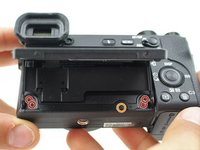
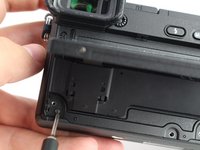
      • To access the LCD assembly we need to remove the screws attaching its hinge to the camera body.

      • Remove four 3mm JIS 000 screws.

      • Remove one 3mm JIS 00 screw.

      • After dismounting the screen hinge be careful to not tear the black wire ribbon connecting the screen to the camera body.

      crwdns2952109:0crwdne2952109:0

      crwdns2917038:0crwdne2917038:0

    2. Sony α6500 LCD Screen Replacement: crwdns2935265:06crwdnd2935265:01crwdnd2935265:02crwdne2935265:0 Sony α6500 LCD Screen Replacement: crwdns2935265:06crwdnd2935265:02crwdnd2935265:02crwdne2935265:0
      • Remove the screen hinge from the camera.

      • Be careful to not tear the black flat cable connecting the lcd screen to the main body of the camera. This particular camera's cable has been cut for demonstration purposes.

      crwdns2952109:0crwdne2952109:0

      crwdns2917038:0crwdne2917038:0

    3. Sony α6500 LCD Screen Replacement: crwdns2935265:07crwdnd2935265:01crwdnd2935265:01crwdne2935265:0
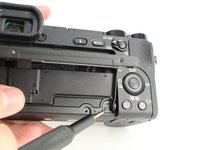
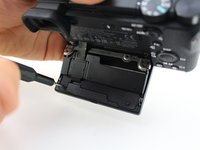
      • Flip the LCD screen up.

      • Remove two 2mm JIS 000 screws on the bottom edge.

      crwdns2952109:0crwdne2952109:0

      crwdns2917038:0crwdne2917038:0

    4. Sony α6500 LCD Screen Replacement: crwdns2935265:08crwdnd2935265:01crwdnd2935265:02crwdne2935265:0 Sony α6500 LCD Screen Replacement: crwdns2935265:08crwdnd2935265:02crwdnd2935265:02crwdne2935265:0
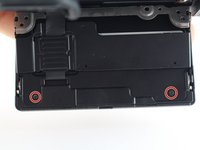
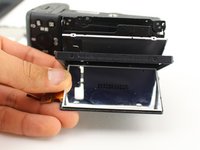
      • Flip the LCD screen down to access the back side.

      • Remove two 2mm JIS 000 screws to release the back panel of the screen.

      crwdns2952109:0crwdne2952109:0

      crwdns2917038:0crwdne2917038:0

    5. Sony α6500 LCD Screen Replacement: crwdns2935265:09crwdnd2935265:01crwdnd2935265:02crwdne2935265:0 Sony α6500 LCD Screen Replacement: crwdns2935265:09crwdnd2935265:02crwdnd2935265:02crwdne2935265:0
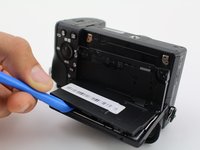
      • Use the opening tool to pry open the back panel.

      • Remove the black plastic spacer laying on top of the circuit board.

      crwdns2952109:0crwdne2952109:0

      crwdns2917038:0crwdne2917038:0

    6. Sony α6500 LCD Screen Replacement: crwdns2935265:010crwdnd2935265:01crwdnd2935265:02crwdne2935265:0 Sony α6500 LCD Screen Replacement: crwdns2935265:010crwdnd2935265:02crwdnd2935265:02crwdne2935265:0
      crwdns2935267:0crwdne2935267:0
      Tweezers
      $4.99
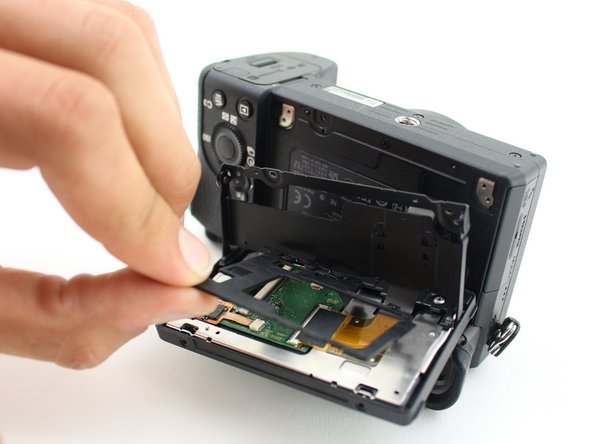
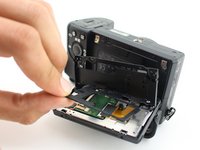
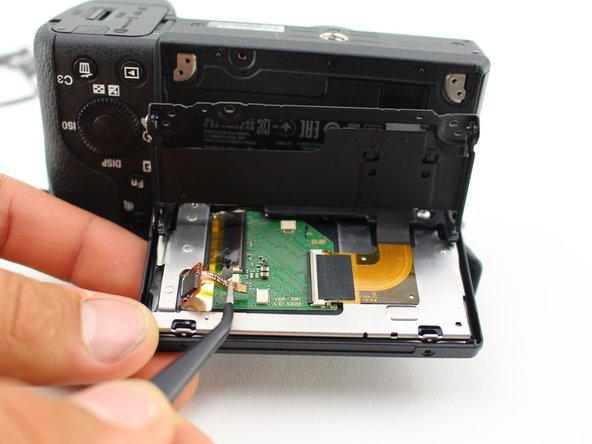
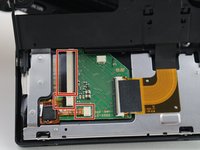
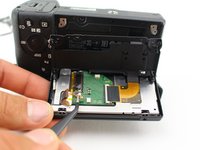
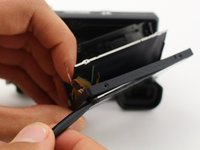
      • Carefully unplug the three wire ribbons from the circuit board with tweezers.

      • Likely you will need to wiggle the ribbons for a while before they come loose.

      • The ribbons can rip very easily, grasp the black plastic with the tweezers, on the two top ribbons, not the orange wires.

      crwdns2952109:0crwdne2952109:0

      crwdns2917038:0crwdne2917038:0

    7. Sony α6500 LCD Screen Replacement: crwdns2935265:011crwdnd2935265:01crwdnd2935265:03crwdne2935265:0 Sony α6500 LCD Screen Replacement: crwdns2935265:011crwdnd2935265:02crwdnd2935265:03crwdne2935265:0 Sony α6500 LCD Screen Replacement: crwdns2935265:011crwdnd2935265:03crwdnd2935265:03crwdne2935265:0
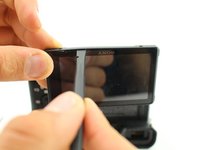
      • Slide the spudger around all sides of the screen's plastic frame, gently breaking the adhesive.

      • Remove the screen from the camera by prying it out.

      crwdns2952109:0crwdne2952109:0

      crwdns2917038:0crwdne2917038:0

crwdns2915888:0crwdne2915888:0

To reassemble your device, follow these instructions in reverse order.

crwdns2935221:0crwdne2935221:0

crwdns2935229:04crwdne2935229:0

Micah Fitzgerald

crwdns2935283:010/03/19crwdne2935283:0

674 crwdns2915208:0crwdne2915208:0

crwdns2935297:02crwdne2935297:0

crwdns2935287:0crwdne2935287:0

Cal Poly, Team S11-G5, Regan Fall 2019 crwdns2935289:0Cal Poly, Team S11-G5, Regan Fall 2019crwdne2935289:0

CPSU-REGAN-F19S11G5

crwdns2931471:05crwdne2931471:0

crwdns2935297:014crwdne2935297:0

crwdns2947412:02crwdne2947412:0

Hello, do you have an updated link with a currently available lcd screen replacement part?

JRS - Joe’s Random Stuff - crwdns2934203:0crwdne2934203:0 crwdns2950251:0crwdne2950251:0
Can I use an a6500 screen to replace an a6600 screen? Are they interchangeable?

Connor Snyder - crwdns2934203:0crwdne2934203:0 crwdns2950251:0crwdne2950251:0

crwdns2917038:0crwdne2917038:0

crwdns2936625:0crwdne2936625:0:

crwdns2936751:024crwdne2936751:0 2

crwdns2936753:07crwdne2936753:0 15

crwdns2936753:030crwdne2936753:0 67

crwdns2942667:0crwdne2942667:0 4,900