crwdns2933423:0crwdne2933423:0
crwdns2947577:0crwdnd2947577:0crwdne2947577:0

Samsung WB35F Screen Replacement

crwdns2942213:0crwdne2942213:0

  1. Samsung WB35F Screen Replacement, Rear Case: crwdns2935265:01crwdnd2935265:01crwdnd2935265:03crwdne2935265:0 Samsung WB35F Screen Replacement, Rear Case: crwdns2935265:01crwdnd2935265:02crwdnd2935265:03crwdne2935265:0 Samsung WB35F Screen Replacement, Rear Case: crwdns2935265:01crwdnd2935265:03crwdnd2935265:03crwdne2935265:0
    • The first thing to do will be unscrew all the screws using Phillips #000 Screwdriver.

    • Keep all the screws in order. Black screws goes under the bottom of camera, and the silver screws goes on the sides and inside of the camera.

    crwdns2952109:0crwdne2952109:0

    crwdns2917038:0crwdne2917038:0

  2. Samsung WB35F Screen Replacement: crwdns2935265:02crwdnd2935265:01crwdnd2935265:02crwdne2935265:0 Samsung WB35F Screen Replacement: crwdns2935265:02crwdnd2935265:02crwdnd2935265:02crwdne2935265:0
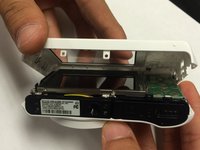
    • Using the spudger, and plastic opening tool open the casing of camera.

    crwdns2952109:0crwdne2952109:0

    crwdns2917038:0crwdne2917038:0

  3. Samsung WB35F Screen Replacement: crwdns2935265:03crwdnd2935265:01crwdnd2935265:03crwdne2935265:0 Samsung WB35F Screen Replacement: crwdns2935265:03crwdnd2935265:02crwdnd2935265:03crwdne2935265:0 Samsung WB35F Screen Replacement: crwdns2935265:03crwdnd2935265:03crwdnd2935265:03crwdne2935265:0
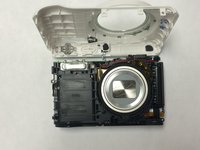
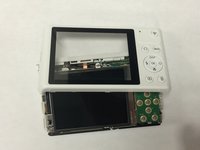
    • Once you open the camera case, you will be able to work on any part of the camera.

    crwdns2952109:0crwdne2952109:0

    crwdns2917038:0crwdne2917038:0

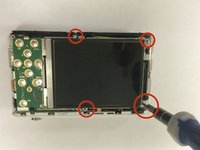
  4. Samsung WB35F Screen Replacement, Screen: crwdns2935265:04crwdnd2935265:01crwdnd2935265:03crwdne2935265:0 Samsung WB35F Screen Replacement, Screen: crwdns2935265:04crwdnd2935265:02crwdnd2935265:03crwdne2935265:0 Samsung WB35F Screen Replacement, Screen: crwdns2935265:04crwdnd2935265:03crwdnd2935265:03crwdne2935265:0
    • Open all the screws around the screen using Phillips #000 Screwdriver.

    crwdns2952109:0crwdne2952109:0

    crwdns2917038:0crwdne2917038:0

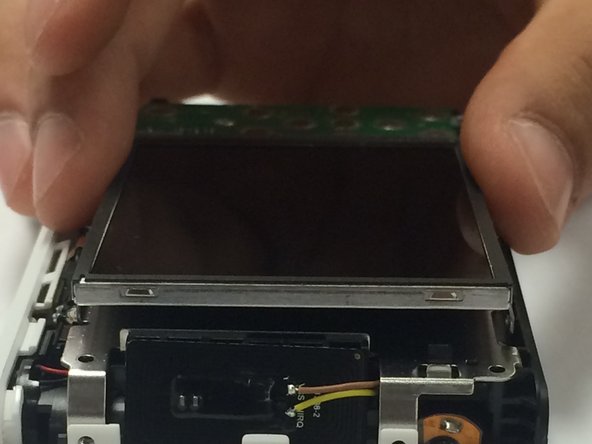
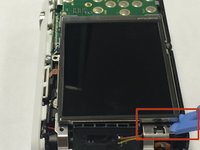
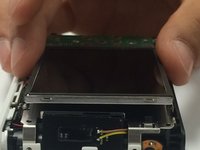
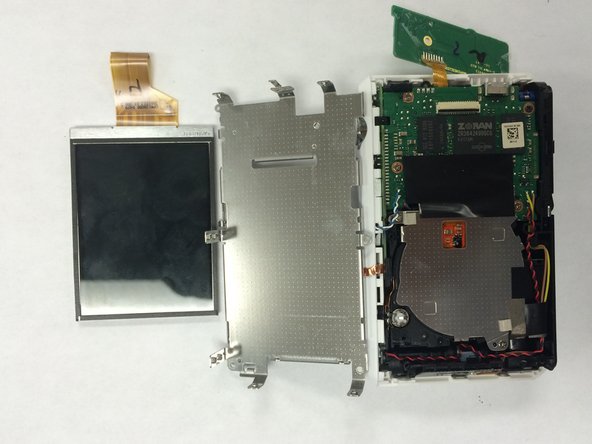
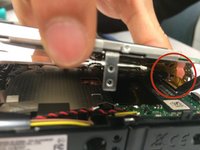
  5. Samsung WB35F Screen Replacement: crwdns2935265:05crwdnd2935265:01crwdnd2935265:02crwdne2935265:0 Samsung WB35F Screen Replacement: crwdns2935265:05crwdnd2935265:02crwdnd2935265:02crwdne2935265:0
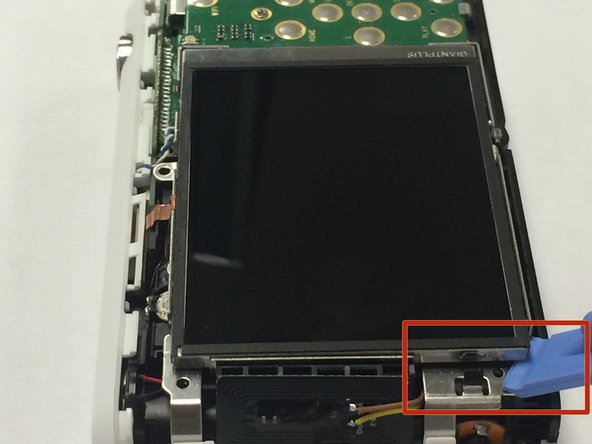
    • First disconnect the ribbon by using spudger.

    • Carefully take out the old screen and replace it with a new screen.

    • Be careful when you pull out the screen, because there is a ribbon attached to the panel.

    crwdns2952109:0crwdne2952109:0

    crwdns2917038:0crwdne2917038:0

crwdns2915888:0crwdne2915888:0

To reassemble your device, follow these instructions in reverse order.

crwdns2935221:0crwdne2935221:0

Sarmad Khan

crwdns2935283:001/09/15crwdne2935283:0

525 crwdns2915208:0crwdne2915208:0

crwdns2935297:05crwdne2935297:0

crwdns2935287:0crwdne2935287:0

USF Tampa, Team 1-6, Tanski Winter 2015 crwdns2935289:0USF Tampa, Team 1-6, Tanski Winter 2015crwdne2935289:0

USFT-TANSKI-W15S1G6

crwdns2931471:04crwdne2931471:0

crwdns2935297:010crwdne2935297:0

crwdns2947412:00crwdne2947412:0

crwdns2917038:0crwdne2917038:0

crwdns2936625:0crwdne2936625:0:

crwdns2936751:024crwdne2936751:0 1

crwdns2936753:07crwdne2936753:0 9

crwdns2936753:030crwdne2936753:0 56

crwdns2942667:0crwdne2942667:0 1,347