crwdns2933423:0crwdne2933423:0
crwdns2947577:0crwdnd2947577:0crwdne2947577:0

Samsung SGH-X105 Keypad Replacement

crwdns2942213:0crwdne2942213:0

    1. Samsung SGH-X105 Keypad Replacement, Battery: crwdns2935265:01crwdnd2935265:01crwdnd2935265:01crwdne2935265:0
      • Rotate the phone onto its front side so that the LCD screen is facing away from you.

      crwdns2952109:0crwdne2952109:0

      crwdns2917038:0crwdne2917038:0

    2. Samsung SGH-X105 Keypad Replacement: crwdns2935265:02crwdnd2935265:01crwdnd2935265:03crwdne2935265:0 Samsung SGH-X105 Keypad Replacement: crwdns2935265:02crwdnd2935265:02crwdnd2935265:03crwdne2935265:0 Samsung SGH-X105 Keypad Replacement: crwdns2935265:02crwdnd2935265:03crwdnd2935265:03crwdne2935265:0
      • Remove the battery by pressing down on the battery release button while sliding the battery downwards.

      crwdns2952109:0crwdne2952109:0

      crwdns2917038:0crwdne2917038:0

    1. Samsung SGH-X105 Keypad Replacement, Front & Back Panels: crwdns2935265:03crwdnd2935265:01crwdnd2935265:01crwdne2935265:0
      • Remove the four small black screws that secure the back phone panel using the Phillips #00 screwdriver.

      • Complete removal of screws may not be necessary.

      crwdns2952109:0crwdne2952109:0

      crwdns2917038:0crwdne2917038:0

    2. Samsung SGH-X105 Keypad Replacement: crwdns2935265:04crwdnd2935265:01crwdnd2935265:03crwdne2935265:0 Samsung SGH-X105 Keypad Replacement: crwdns2935265:04crwdnd2935265:02crwdnd2935265:03crwdne2935265:0 Samsung SGH-X105 Keypad Replacement: crwdns2935265:04crwdnd2935265:03crwdnd2935265:03crwdne2935265:0
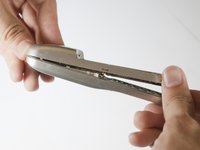
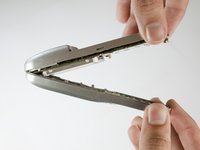
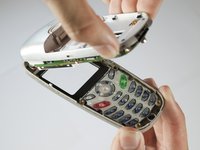
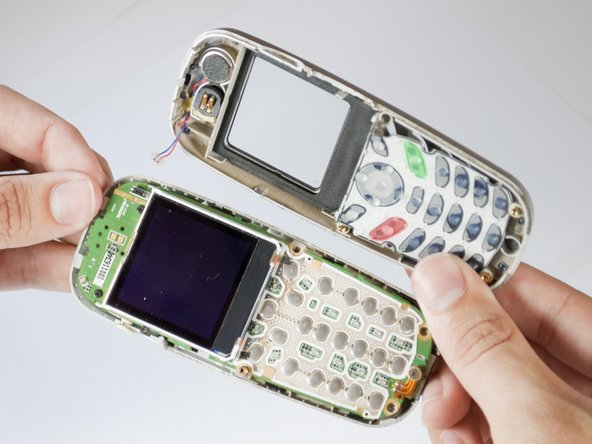
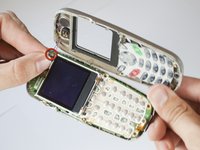
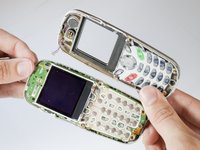
      • Carefully separate the front and back panels by gently prying them apart. Start at the bottom of the phone (near the AC charger input).

      • Volume control button will be unsecured and may fall out as soon as the panels are separated.

      • Gentle force may be required to separate the panels at the top latch.

      • There are two wires connecting the front and back panels. Be careful not to rip these wires out when separating the panels.

      crwdns2952109:0crwdne2952109:0

      crwdns2917038:0crwdne2917038:0

    3. Samsung SGH-X105 Keypad Replacement: crwdns2935265:05crwdnd2935265:01crwdnd2935265:02crwdne2935265:0 Samsung SGH-X105 Keypad Replacement: crwdns2935265:05crwdnd2935265:02crwdnd2935265:02crwdne2935265:0
      crwdns2935267:0crwdne2935267:0
      Tweezers
      $4.99
      • Using your nails, tweezers, or any precise grabbing tool, pinch the antenna wire connector (clear plastic plug) and pull gently. It should pop out rather easily.

      crwdns2952109:0crwdne2952109:0

      crwdns2917038:0crwdne2917038:0

    1. Samsung SGH-X105 Keypad Replacement, Keypad: crwdns2935265:06crwdnd2935265:01crwdnd2935265:01crwdne2935265:0
      • Put aside the back panel. You will only be working with the front panel from here on.

      crwdns2952109:0crwdne2952109:0

      crwdns2917038:0crwdne2917038:0

    2. Samsung SGH-X105 Keypad Replacement: crwdns2935265:07crwdnd2935265:01crwdnd2935265:02crwdne2935265:0 Samsung SGH-X105 Keypad Replacement: crwdns2935265:07crwdnd2935265:02crwdnd2935265:02crwdne2935265:0
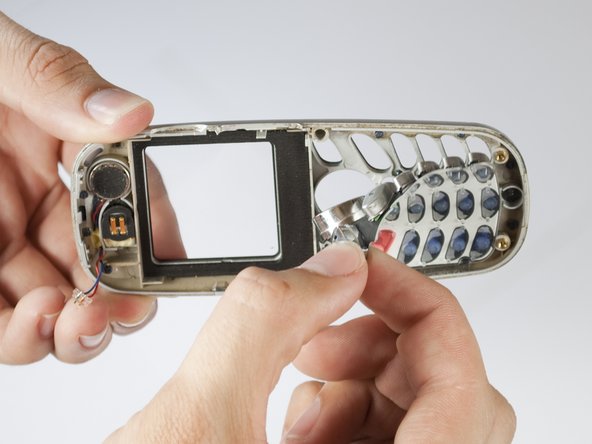
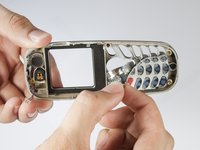
      • Take out the key pad by pressing the keys on the face of the phone and pulling the rubber keypad from the other side.

      crwdns2952109:0crwdne2952109:0

      crwdns2917038:0crwdne2917038:0

crwdns2915888:0crwdne2915888:0

To reassemble your device, follow these instructions in reverse order.

crwdns2935221:0crwdne2935221:0

Alex Martinez

crwdns2935283:004/15/10crwdne2935283:0

1 crwdns2915208:0crwdne2915208:0

crwdns2935295:0crwdne2935295:0

crwdns2935287:0crwdne2935287:0

Cal Poly, Team 28-29, Regan Spring 2010 crwdns2935289:0Cal Poly, Team 28-29, Regan Spring 2010crwdne2935289:0

CPSU-REGAN-S10S28G29

crwdns2931471:04crwdne2931471:0

crwdns2935297:054crwdne2935297:0

crwdns2947412:00crwdne2947412:0

crwdns2917038:0crwdne2917038:0

crwdns2936625:0crwdne2936625:0:

crwdns2936751:024crwdne2936751:0 1

crwdns2936753:07crwdne2936753:0 5

crwdns2936753:030crwdne2936753:0 25

crwdns2942667:0crwdne2942667:0 1,602