crwdns2933423:0crwdne2933423:0
crwdns2947577:0crwdnd2947577:0crwdne2947577:0

Samsung SCH-R355C Keyboard Replacement

crwdns2942213:0crwdne2942213:0

  1. Samsung SCH-R355C Keyboard Replacement, Keyboard: crwdns2935265:01crwdnd2935265:01crwdnd2935265:01crwdne2935265:0
    • Pull down on the back of the phone to pull it off.

    crwdns2952109:0crwdne2952109:0

    crwdns2917038:0crwdne2917038:0

  2. Samsung SCH-R355C Keyboard Replacement: crwdns2935265:02crwdnd2935265:01crwdnd2935265:02crwdne2935265:0 Samsung SCH-R355C Keyboard Replacement: crwdns2935265:02crwdnd2935265:02crwdnd2935265:02crwdne2935265:0
    • Remove the battery from the phone.

    crwdns2952109:0crwdne2952109:0

    crwdns2917038:0crwdne2917038:0

  3. Samsung SCH-R355C Keyboard Replacement: crwdns2935265:03crwdnd2935265:01crwdnd2935265:02crwdne2935265:0 Samsung SCH-R355C Keyboard Replacement: crwdns2935265:03crwdnd2935265:02crwdnd2935265:02crwdne2935265:0
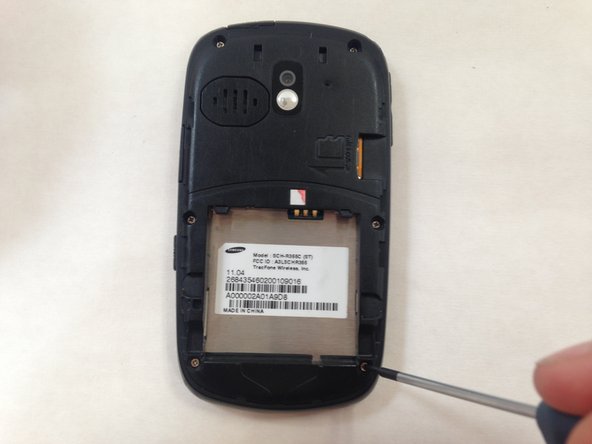
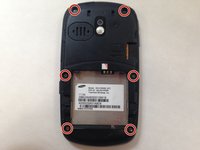
    • Use a small #00 Phillips-head screwdriver to unscrew all 6 of the 4 mm back screws.

    crwdns2952109:0crwdne2952109:0

    crwdns2917038:0crwdne2917038:0

  4. Samsung SCH-R355C Keyboard Replacement: crwdns2935265:04crwdnd2935265:01crwdnd2935265:01crwdne2935265:0
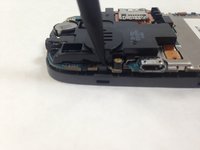
    • Push down on the silver part of the phone where the battery used to be located. Hold the back of the case to catch it as it comes off.

    crwdns2952109:0crwdne2952109:0

    crwdns2917038:0crwdne2917038:0

  5. Samsung SCH-R355C Keyboard Replacement: crwdns2935265:05crwdnd2935265:01crwdnd2935265:02crwdne2935265:0 Samsung SCH-R355C Keyboard Replacement: crwdns2935265:05crwdnd2935265:02crwdnd2935265:02crwdne2935265:0
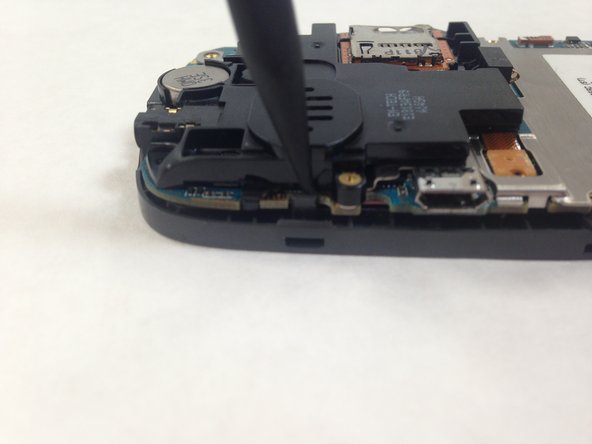
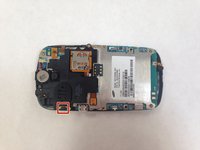
    • Pry away the friction holder on the top left-hand side of the motherboard. This will release the motherboard.

    • Don't rip the cord attaching the motherboard to the case when you lift the motherboard up. This will render the phone unusable.

    crwdns2952109:0crwdne2952109:0

    crwdns2917038:0crwdne2917038:0

  6. Samsung SCH-R355C Keyboard Replacement: crwdns2935265:06crwdnd2935265:01crwdnd2935265:02crwdne2935265:0 Samsung SCH-R355C Keyboard Replacement: crwdns2935265:06crwdnd2935265:02crwdnd2935265:02crwdne2935265:0
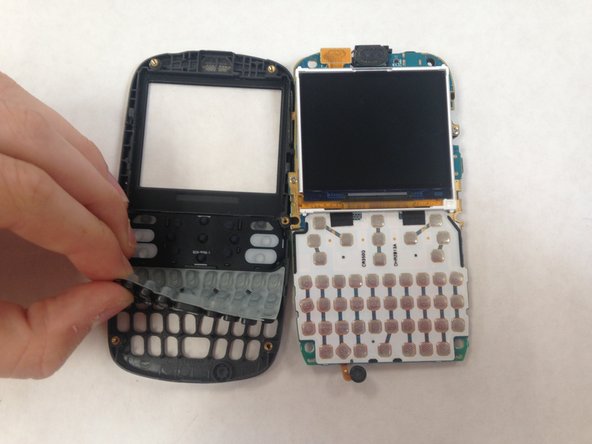
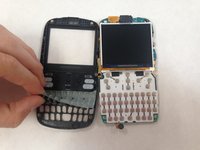
    • Lift the keyboard membrane from the bottom and replace it.

    crwdns2952109:0crwdne2952109:0

    crwdns2917038:0crwdne2917038:0

crwdns2915888:0crwdne2915888:0

To reassemble your device, follow these instructions in reverse order.

crwdns2935221:0crwdne2935221:0

crwdns2935227:0crwdne2935227:0

Lorena Valdes

crwdns2935283:005/31/16crwdne2935283:0

107 crwdns2915208:0crwdne2915208:0

crwdns2935295:0crwdne2935295:0

crwdns2935287:0crwdne2935287:0

Central Coast New Tech High, Team 4-7, Rushing Spring 2016 crwdns2935289:0Central Coast New Tech High, Team 4-7, Rushing Spring 2016crwdne2935289:0

CCNTH-RUSHING-S16S4G7

crwdns2931471:02crwdne2931471:0

crwdns2935297:02crwdne2935297:0

crwdns2947412:00crwdne2947412:0

crwdns2917038:0crwdne2917038:0

crwdns2936625:0crwdne2936625:0:

crwdns2936751:024crwdne2936751:0 0

crwdns2936753:07crwdne2936753:0 6

crwdns2936753:030crwdne2936753:0 30

crwdns2942667:0crwdne2942667:0 388