crwdns2933423:0crwdne2933423:0
crwdns2947577:0crwdnd2947577:0crwdne2947577:0

Samsung SCH-A890 Front Screen Replacement

crwdns2942213:0crwdne2942213:0

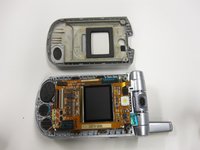
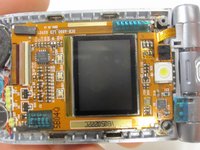
    1. Samsung SCH-A890 Front Screen Replacement, Front Screen: crwdns2935265:01crwdnd2935265:01crwdnd2935265:02crwdne2935265:0 Samsung SCH-A890 Front Screen Replacement, Front Screen: crwdns2935265:01crwdnd2935265:02crwdnd2935265:02crwdne2935265:0
      • Open the device so that the inside of the phone is facing you.

      • Remove the small, gray, circular covers on the bottom left and right corners of the inside face of the phone.

      crwdns2952109:0crwdne2952109:0

      crwdns2917038:0crwdne2917038:0

    2. Samsung SCH-A890 Front Screen Replacement: crwdns2935265:02crwdnd2935265:01crwdnd2935265:01crwdne2935265:0
      • Use the size 00 screwdriver to remove the two small screws underneath the removed covers.

      • The screws are slightly magnetic and will want to stay in place. May have to follow the next step and get the cover off, then poke the screws out.

      crwdns2952109:0crwdne2952109:0

      crwdns2917038:0crwdne2917038:0

    3. Samsung SCH-A890 Front Screen Replacement: crwdns2935265:03crwdnd2935265:01crwdnd2935265:02crwdne2935265:0 Samsung SCH-A890 Front Screen Replacement: crwdns2935265:03crwdnd2935265:02crwdnd2935265:02crwdne2935265:0
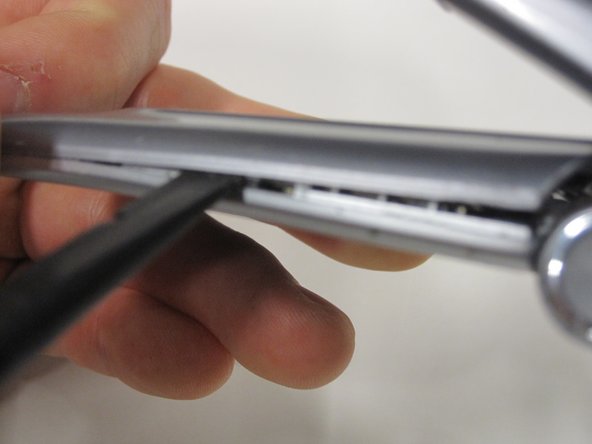
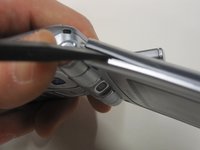
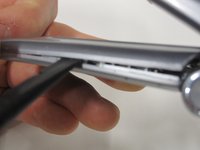
      • Insert the spudger between the top and bottom plates to pry the cover off.

      • You may need to gently slide the spudger up and down to loosen the cover without snapping it.

      • Alternate between sides to loosen the cover more safely and effectively.

      crwdns2952109:0crwdne2952109:0

      crwdns2917038:0crwdne2917038:0

    4. Samsung SCH-A890 Front Screen Replacement: crwdns2935265:04crwdnd2935265:01crwdnd2935265:02crwdne2935265:0 Samsung SCH-A890 Front Screen Replacement: crwdns2935265:04crwdnd2935265:02crwdnd2935265:02crwdne2935265:0
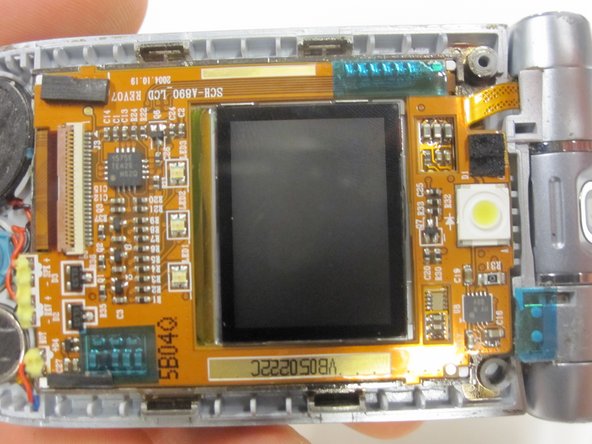
      • Carefully remove the cover off the device without scratching the display or harming the components.

      • Work in a dry, dust-free environment to prevent liquid or dust particles from entering the components.

      crwdns2952109:0crwdne2952109:0

      crwdns2917038:0crwdne2917038:0

crwdns2915888:0crwdne2915888:0

To reassemble your device, follow these instructions in reverse order.

crwdns2935221:0crwdne2935221:0

Casey Burke

crwdns2935283:001/14/10crwdne2935283:0

1 crwdns2915208:0crwdne2915208:0

crwdns2935295:0crwdne2935295:0

crwdns2935287:0crwdne2935287:0

Cal Poly, Team 5-10, Forte Winter 2010 crwdns2935289:0Cal Poly, Team 5-10, Forte Winter 2010crwdne2935289:0

CPSU-FORTE-W10S5G10

crwdns2931471:05crwdne2931471:0

crwdns2935297:054crwdne2935297:0

crwdns2947412:00crwdne2947412:0

crwdns2917038:0crwdne2917038:0

crwdns2936625:0crwdne2936625:0:

crwdns2936751:024crwdne2936751:0 1

crwdns2936753:07crwdne2936753:0 2

crwdns2936753:030crwdne2936753:0 28

crwdns2942667:0crwdne2942667:0 1,738