
Samsung RC512 Optic Drive Replacement

crwdns2959932:0crwdnd2959932:0jandocrwdnd2959932:0crwdnd2959932:0crwdnd2959932:03crwdnd2959932:0crwdne2959932:0
crwdns2959936:0N'w 24, 2016crwdne2959936:0
crwdns2869540:0crwdne2869540:0: 767
crwdns2959988:0crwdne2959988:0
- crwdns2959990:0crwdne2959990:0
- 3
- crwdns2959992:0crwdne2959992:0
- 23
- crwdns2959994:0crwdne2959994:0
- 101
- crwdns2959996:0crwdne2959996:0
- 767
crwdns2955950:0crwdne2955950:0: 0
crwdns2959998:0crwdne2959998:0
crwdns2960000:0crwdne2960000:0crwdns2959984:0crwdne2959984:0: 0 1
crwdns2959956:0crwdne2959956:0
crwdns2959968:01crwdne2959968:0
crwdns2959986:0crwdne2959986:0: 0 1
crwdns2959958:0crwdne2959958:0
crwdns2959976:01crwdne2959976:0
crwdns2915892:0crwdne2915892:0
crwdns2959928:0crwdne2959928:0 ↓Optic drive replacement may need to be done when the drive is damaged.
crwdns2959930:0crwdne2959930:0
crwdns2943215:0crwdne2943215:0


-
-
-
Place the laptop upside down.
 crwdns2952109:0crwdne2952109:0
-
-
-
Locate two notches above the battery.
-
Slide both battery locking notches to either side to remove the battery.
-
Pull the battery out.
-
-
-
-
-
-
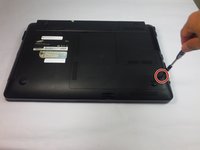
Using the Phillips #0 screwdriver, unscrew the one 5mm screw.
-
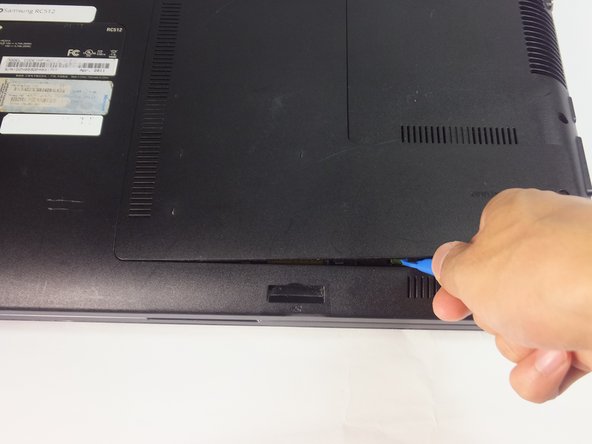
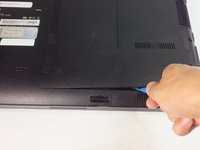
Using the blue plastic opening tools, wedge one in between the back panel and the laptop.
-
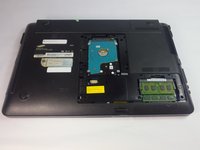
Carefully remove the back panel..
-
-
-
-
-
Remove the 4mm Phillips #0 screw using a Phillips #0 screwdriver.
-
-
-
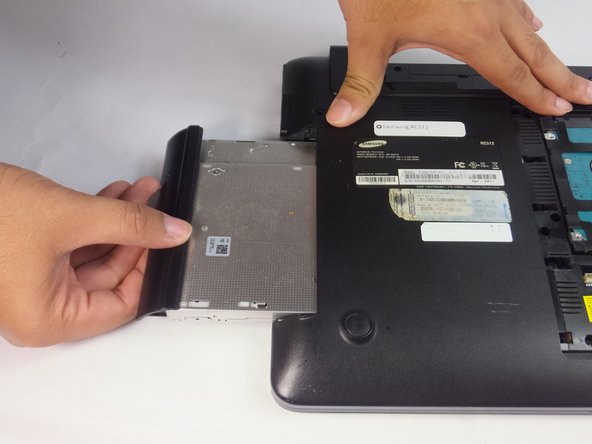
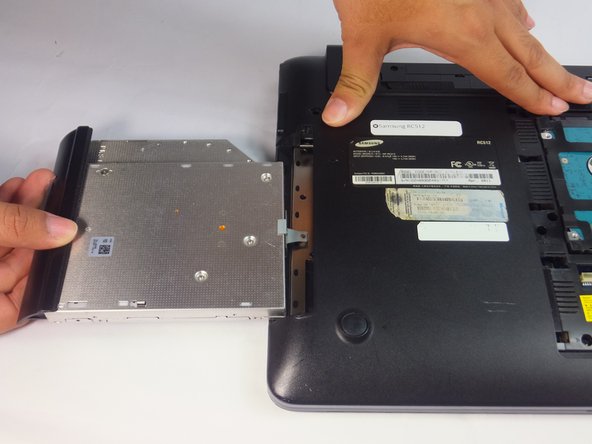
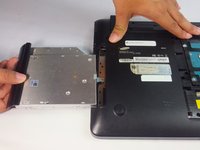
Use the spudger or fingers to gently pull the optical drive out.
-
Slide the optic drive away from the laptop.
-
-





To reassemble your device, follow these instructions in reverse order.

crwdns2935287:0crwdne2935287:0

USF Tampa, Team 18-2, Blackwell Fall 2016 crwdns2935289:0USF Tampa, Team 18-2, Blackwell Fall 2016crwdne2935289:0
USFT-BLACKWELL-F16S18G2
crwdns2931471:04crwdne2931471:0
crwdns2935297:096crwdne2935297:0
