crwdns2933423:0crwdne2933423:0
crwdns2947577:0crwdnd2947577:0crwdne2947577:0

Samsung NP700Z5AH Display Replacement

crwdns2869540:0crwdne2869540:0: 1,5 mil

crwdns2959988:0crwdne2959988:0

crwdns2959990:0crwdne2959990:0
1
crwdns2959992:0crwdne2959992:0
18
crwdns2959994:0crwdne2959994:0
97
crwdns2959996:0crwdne2959996:0
1.460
crwdns2955950:0crwdne2955950:0: 5

crwdns2960004:05crwdne2960004:0.

crwdns2959984:0crwdne2959984:0: 1

crwdns2959972:01crwdne2959972:0

crwdns2959986:0crwdne2959986:0: 0

crwdns2959958:0crwdne2959958:0

crwdns2955944:0crwdne2955944:0: 15 - 35 crwdns2931279:0crwdne2931279:0
crwdns2955970:0crwdne2955970:0: crwdns2937801:0crwdne2937801:0
crwdns2890100:0crwdne2890100:0

crwdns2944378:0crwdne2944378:0

Samsung NP700Z5AH Display Replacement

crwdns2915892:0crwdne2915892:0

crwdns2959928:0crwdne2959928:0 ↓

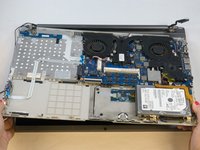
This guide will help a user to remove their device's broken or cracked screen using the steps below.

crwdns2959930:0crwdne2959930:0

crwdns2943215:0crwdne2943215:0

    1. Samsung NP700Z5AH Display Replacement, Battery: crwdns2935265:01crwdnd2935265:01crwdnd2935265:01crwdne2935265:0
      • Remove the ten 6.6mm Philips#00 screws securing the lower case to the upper case.

      crwdns2952109:0crwdne2952109:0

      crwdns2917038:0crwdne2917038:0

    2. Samsung NP700Z5AH Display Replacement: crwdns2935265:02crwdnd2935265:01crwdnd2935265:03crwdne2935265:0 Samsung NP700Z5AH Display Replacement: crwdns2935265:02crwdnd2935265:02crwdnd2935265:03crwdne2935265:0 Samsung NP700Z5AH Display Replacement: crwdns2935265:02crwdnd2935265:03crwdnd2935265:03crwdne2935265:0
      • Using your fingers, pinch the edge of the SD card and pull to remove it.

      crwdns2952109:0crwdne2952109:0

      crwdns2917038:0crwdne2917038:0

    3. Samsung NP700Z5AH Display Replacement: crwdns2935265:03crwdnd2935265:01crwdnd2935265:02crwdne2935265:0 Samsung NP700Z5AH Display Replacement: crwdns2935265:03crwdnd2935265:02crwdnd2935265:02crwdne2935265:0
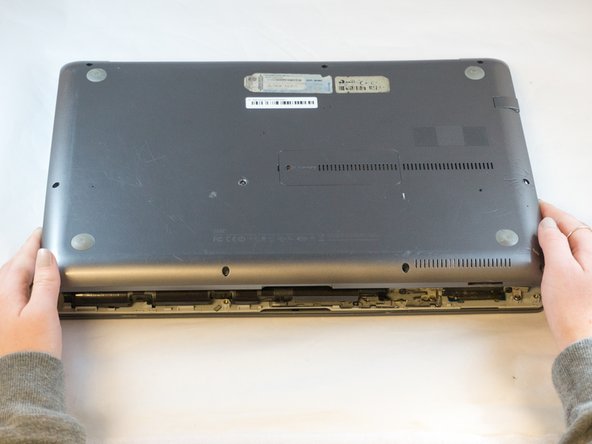
      • Wedge your fingers in between the upper case and the lower case

      • Gently pull the lower case away from the upper case to remove it

      crwdns2952109:0crwdne2952109:0

      crwdns2917038:0crwdne2917038:0

    4. Samsung NP700Z5AH Display Replacement: crwdns2935265:04crwdnd2935265:01crwdnd2935265:02crwdne2935265:0 Samsung NP700Z5AH Display Replacement: crwdns2935265:04crwdnd2935265:02crwdnd2935265:02crwdne2935265:0
      crwdns2935267:0crwdne2935267:0
      Tweezers
      $4.99
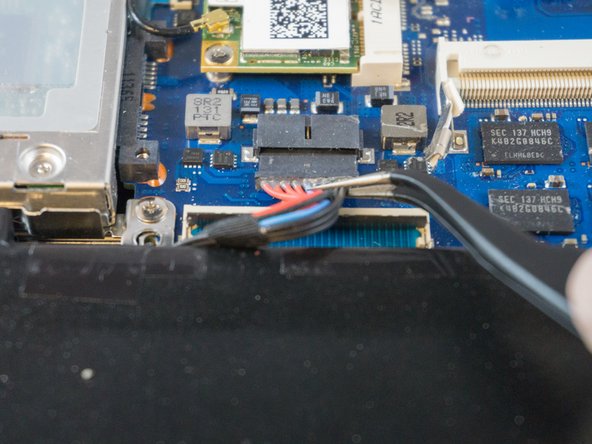
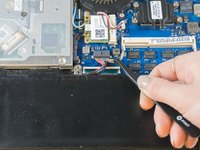
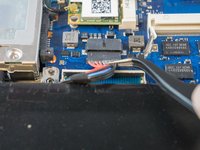
      • Using tweezers or your fingertips, carefully pull on the battery connector to disconnect it from the motherboard.

      • Be sure to pull straight backwards, or you risk damaging the wires.

      crwdns2952109:0crwdne2952109:0

      crwdns2917038:0crwdne2917038:0

    5. Samsung NP700Z5AH Display Replacement: crwdns2935265:05crwdnd2935265:01crwdnd2935265:01crwdne2935265:0
      • Remove the two 4.4mm Phillips#00 screws from the battery case.

      crwdns2952109:0crwdne2952109:0

      crwdns2917038:0crwdne2917038:0

    6. Samsung NP700Z5AH Display Replacement: crwdns2935265:06crwdnd2935265:01crwdnd2935265:02crwdne2935265:0 Samsung NP700Z5AH Display Replacement: crwdns2935265:06crwdnd2935265:02crwdnd2935265:02crwdne2935265:0
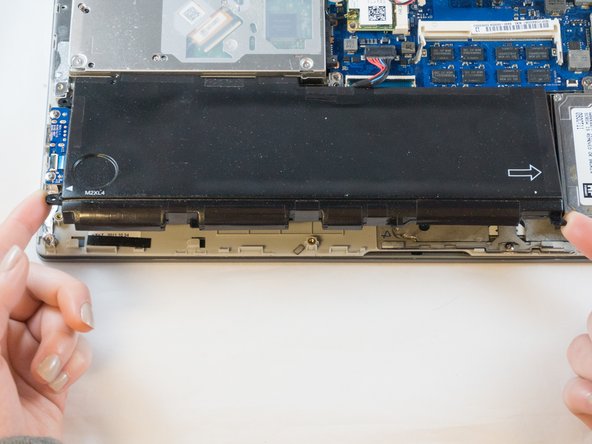
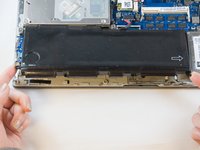
      • Place your fingers on the corner sections of the battery.

      • Lift to remove the battery.

      • If you choose to use tools to remove the battery be careful not to damage it. A damaged lithium-ion battery may leak dangerous chemicals and/or catch fire. Use only plastic pry tools.

      crwdns2952109:0crwdne2952109:0

      crwdns2917038:0crwdne2917038:0

    1. Samsung NP700Z5AH Display Replacement, Display: crwdns2935265:07crwdnd2935265:01crwdnd2935265:02crwdne2935265:0 Samsung NP700Z5AH Display Replacement, Display: crwdns2935265:07crwdnd2935265:02crwdnd2935265:02crwdne2935265:0
      • Place the tip of the spudger under the metal caps of the black and grey coaxial connectors and pry upwards to disconnect them.

      • After they are disconnected, un-thread the coaxial connectors from around the fan.

      • To reinstall, hold the connectors in place and gently press them straight down. The connectors "snap" into their sockets much like the metal snaps on a jacket.

      crwdns2952109:0crwdne2952109:0

      crwdns2917038:0crwdne2917038:0

    2. Samsung NP700Z5AH Display Replacement: crwdns2935265:08crwdnd2935265:01crwdnd2935265:03crwdne2935265:0 Samsung NP700Z5AH Display Replacement: crwdns2935265:08crwdnd2935265:02crwdnd2935265:03crwdne2935265:0 Samsung NP700Z5AH Display Replacement: crwdns2935265:08crwdnd2935265:03crwdnd2935265:03crwdne2935265:0
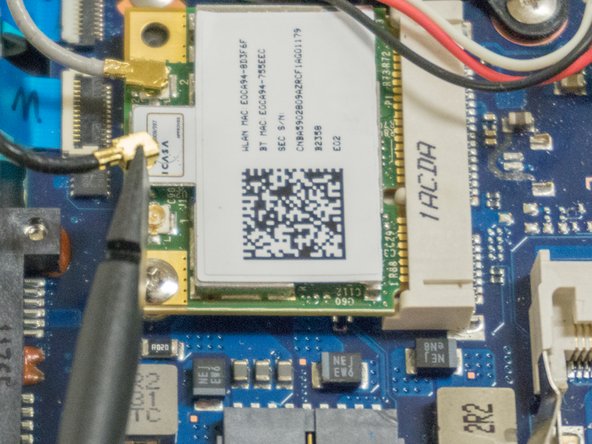
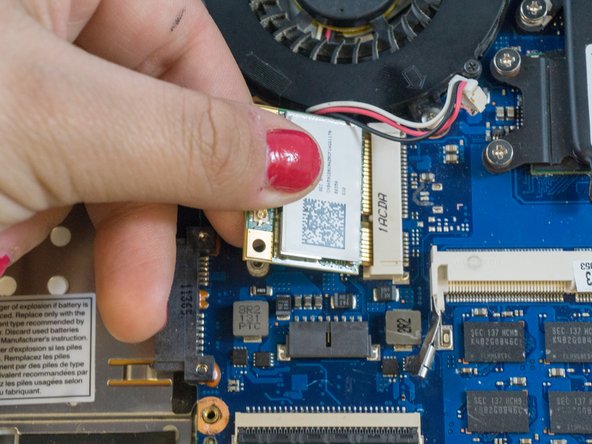
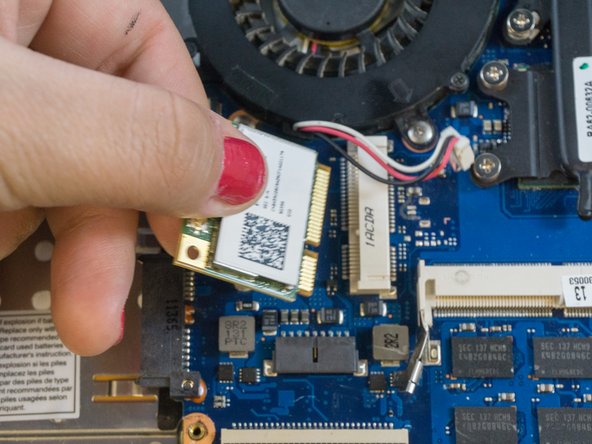
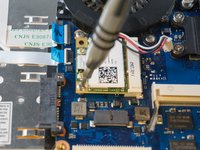
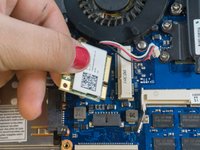
      • Using the Phillips#00, remove the single 3.5mm screw from the wireless card.

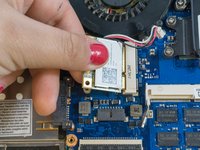
      • Grasp the edges of the wireless card with your fingers and pull straight backwards to remove it.

      crwdns2952109:0crwdne2952109:0

      crwdns2917038:0crwdne2917038:0

    3. Samsung NP700Z5AH Display Replacement: crwdns2935265:09crwdnd2935265:01crwdnd2935265:02crwdne2935265:0 Samsung NP700Z5AH Display Replacement: crwdns2935265:09crwdnd2935265:02crwdnd2935265:02crwdne2935265:0
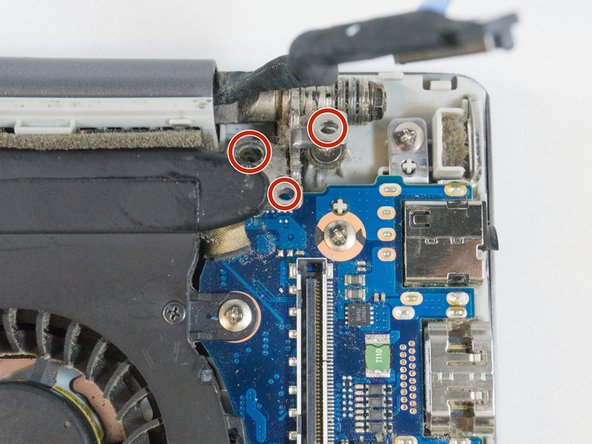
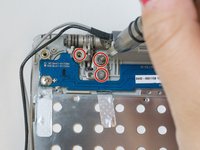
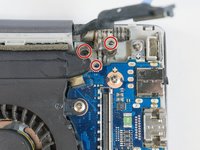
      • Using the Phillips#00, remove the six 4.5mm screws from the corner brackets holding the display to the inner case.

      crwdns2952109:0crwdne2952109:0

      crwdns2917038:0crwdne2917038:0

    4. Samsung NP700Z5AH Display Replacement: crwdns2935265:010crwdnd2935265:01crwdnd2935265:03crwdne2935265:0 Samsung NP700Z5AH Display Replacement: crwdns2935265:010crwdnd2935265:02crwdnd2935265:03crwdne2935265:0 Samsung NP700Z5AH Display Replacement: crwdns2935265:010crwdnd2935265:03crwdnd2935265:03crwdne2935265:0
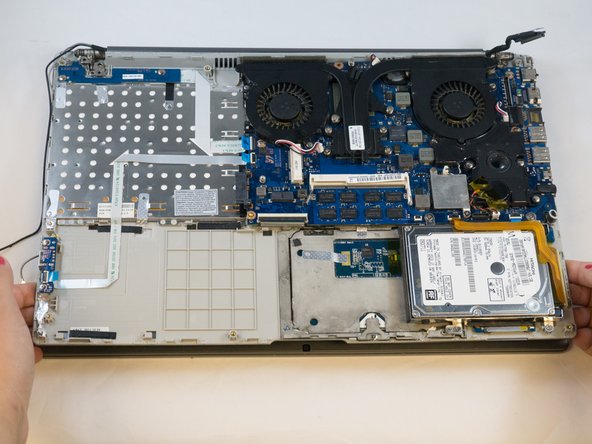
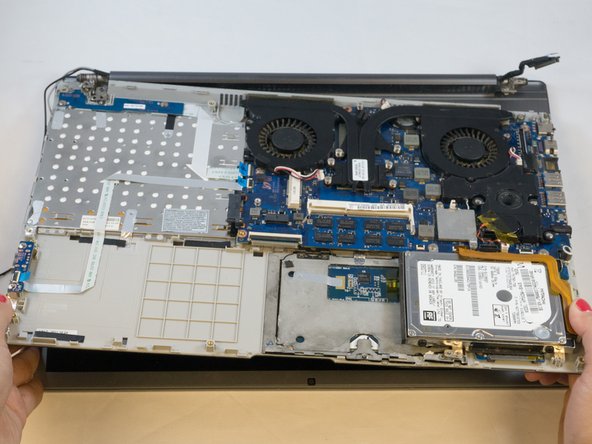
      • Using your fingers, grasp the edges of the inner case then lift and pull away to separate it from the display.

      crwdns2952109:0crwdne2952109:0

      crwdns2917038:0crwdne2917038:0

crwdns2915888:0crwdne2915888:0

To reassemble your device, follow these instructions in reverse order.

crwdns2935221:0crwdne2935221:0

crwdns2935227:0crwdne2935227:0

Erik

crwdns2935283:009/27/17crwdne2935283:0

895 crwdns2915208:0crwdne2915208:0

crwdns2935297:06crwdne2935297:0

crwdns2935287:0crwdne2935287:0

Eastern Washington University, Team S1-G1, Carnegie Fall 2017 crwdns2935289:0Eastern Washington University, Team S1-G1, Carnegie Fall 2017crwdne2935289:0

EWU-CARNEGIE-F17S1G1

crwdns2931471:03crwdne2931471:0

crwdns2935297:072crwdne2935297:0

crwdns2947412:00crwdne2947412:0

crwdns2917038:0crwdne2917038:0

crwdns2936625:0crwdne2936625:0:

crwdns2936751:024crwdne2936751:0 1

crwdns2936753:07crwdne2936753:0 18

crwdns2936753:030crwdne2936753:0 97

crwdns2959996:0crwdne2959996:0 1,460