crwdns2933423:0crwdne2933423:0
crwdns2947577:0crwdnd2947577:0crwdne2947577:0

Samsung Jack Keyboard Replacement

crwdns2942213:0crwdne2942213:0

    1. Samsung Jack Keyboard Replacement, Battery: crwdns2935265:01crwdnd2935265:01crwdnd2935265:01crwdne2935265:0
      • Slide the battery cover downwards with pressure focused on the center of the cover.

      • Lift the cover off of the phone.

      crwdns2952109:0crwdne2952109:0

      crwdns2917038:0crwdne2917038:0

    2. Samsung Jack Keyboard Replacement: crwdns2935265:02crwdnd2935265:01crwdnd2935265:01crwdne2935265:0
      • Grasp the bottom left and right corners of the battery and lift it from its housing.

      crwdns2952109:0crwdne2952109:0

      crwdns2917038:0crwdne2917038:0

    1. Samsung Jack Keyboard Replacement, Rear Case: crwdns2935265:03crwdnd2935265:01crwdnd2935265:01crwdne2935265:0
      • Remove the four black 7.30 mm screws surrounding the battery housing using a Phillips #00 Screwdriver.

      crwdns2952109:0crwdne2952109:0

      crwdns2917038:0crwdne2917038:0

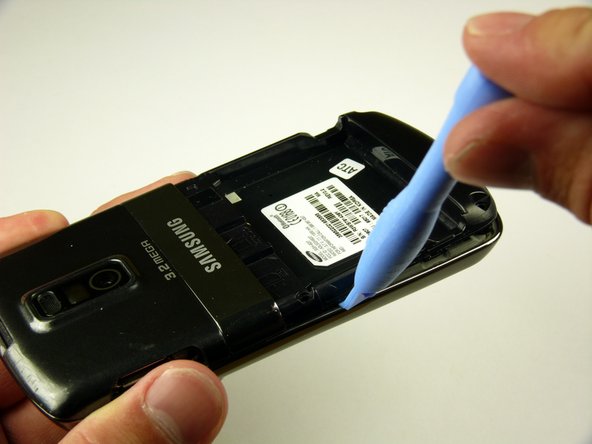
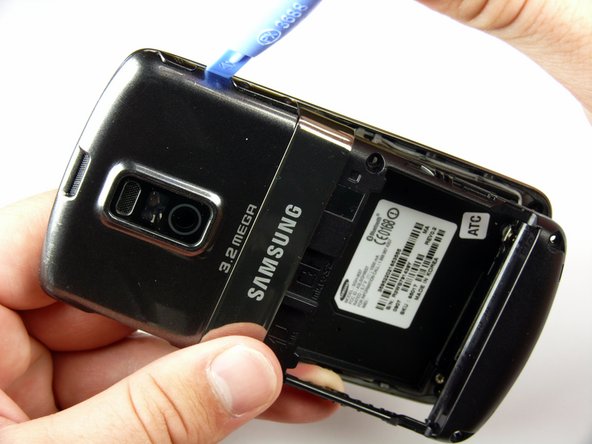
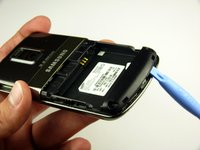
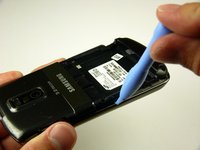
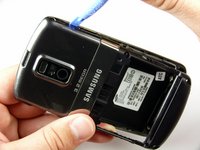
    2. Samsung Jack Keyboard Replacement: crwdns2935265:04crwdnd2935265:01crwdnd2935265:03crwdne2935265:0 Samsung Jack Keyboard Replacement: crwdns2935265:04crwdnd2935265:02crwdnd2935265:03crwdne2935265:0 Samsung Jack Keyboard Replacement: crwdns2935265:04crwdnd2935265:03crwdnd2935265:03crwdne2935265:0
      • The rear case is firmly attached to the phone with clips. Do not be afraid to use a little extra force.

      • Insert the Plastic Opening Tool in between the front and rear cases.

      • Pry with the Plastic Opening Tool around all edges of the phone until you free all the clips.

      crwdns2952109:0crwdne2952109:0

      crwdns2917038:0crwdne2917038:0

    3. Samsung Jack Keyboard Replacement: crwdns2935265:05crwdnd2935265:01crwdnd2935265:01crwdne2935265:0
      • Lift the rear case off of the phone.

      crwdns2952109:0crwdne2952109:0

      crwdns2917038:0crwdne2917038:0

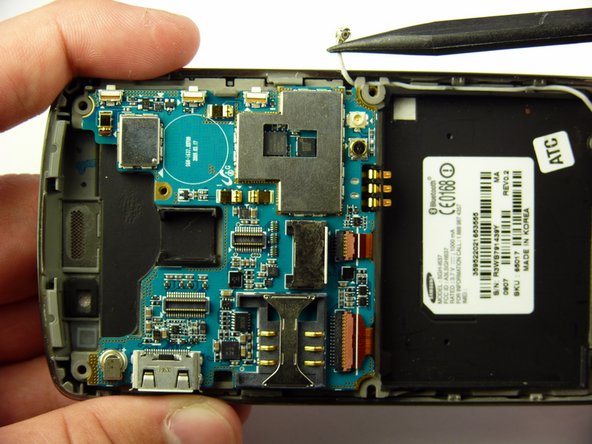
    1. Samsung Jack Keyboard Replacement, Antenna: crwdns2935265:06crwdnd2935265:01crwdnd2935265:01crwdne2935265:0
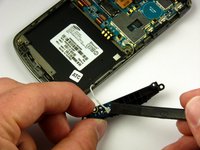
      • Remove the two silver 4.30 mm screws on either side of the antenna using a Phillip's #00 Screwdriver.

      crwdns2952109:0crwdne2952109:0

      crwdns2917038:0crwdne2917038:0

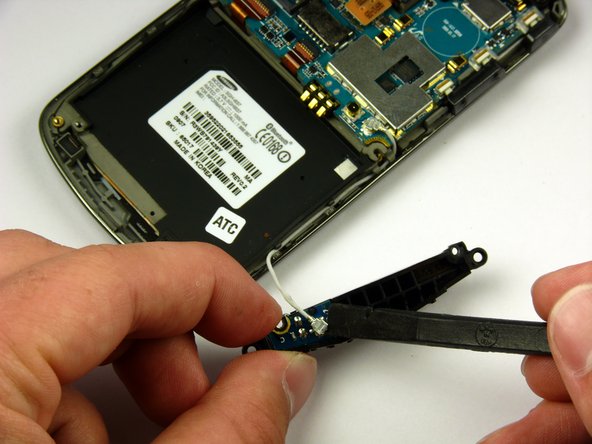
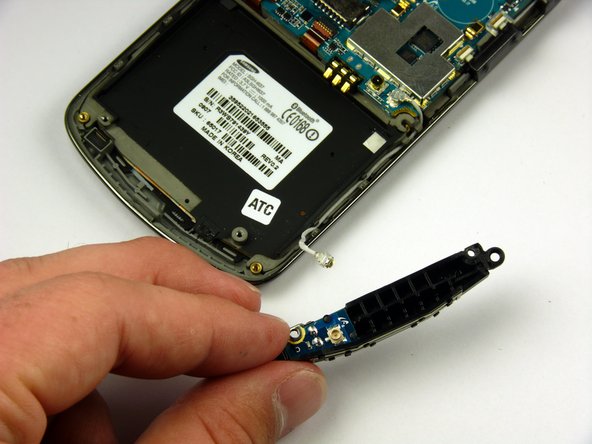
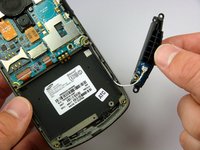
    2. Samsung Jack Keyboard Replacement: crwdns2935265:07crwdnd2935265:01crwdnd2935265:03crwdne2935265:0 Samsung Jack Keyboard Replacement: crwdns2935265:07crwdnd2935265:02crwdnd2935265:03crwdne2935265:0 Samsung Jack Keyboard Replacement: crwdns2935265:07crwdnd2935265:03crwdnd2935265:03crwdne2935265:0
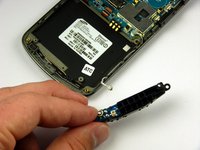
      • There is a wire under the antenna connecting it to the Motherboard. Do not pull off the antenna just yet.

      • Use a spudger to remove the wire connector under the antenna.

      crwdns2952109:0crwdne2952109:0

      crwdns2917038:0crwdne2917038:0

    1. Samsung Jack Keyboard Replacement, Speaker: crwdns2935265:08crwdnd2935265:01crwdnd2935265:01crwdne2935265:0
      • Remove the two black 7.30 mm screws on the top right and left corners of the Motherboard using a Phillips #00 Screwdriver.

      • Remove the silver 4.50 mm screw located below the speaker using a Phillips #00 Screwdriver.

      crwdns2952109:0crwdne2952109:0

      crwdns2917038:0crwdne2917038:0

    2. Samsung Jack Keyboard Replacement: crwdns2935265:09crwdnd2935265:01crwdnd2935265:02crwdne2935265:0 Samsung Jack Keyboard Replacement: crwdns2935265:09crwdnd2935265:02crwdnd2935265:02crwdne2935265:0
      • Use the spudger to detach the speaker ribbon cable.

      crwdns2952109:0crwdne2952109:0

      crwdns2917038:0crwdne2917038:0

    3. Samsung Jack Keyboard Replacement: crwdns2935265:010crwdnd2935265:01crwdnd2935265:01crwdne2935265:0
      • Lift the speaker out of its compartment.

      crwdns2952109:0crwdne2952109:0

      crwdns2917038:0crwdne2917038:0

    1. Samsung Jack Keyboard Replacement, Motherboard: crwdns2935265:011crwdnd2935265:01crwdnd2935265:01crwdne2935265:0
      • Remove the power and volume buttons on the right side of the Motherboard.

      crwdns2952109:0crwdne2952109:0

      crwdns2917038:0crwdne2917038:0

    2. Samsung Jack Keyboard Replacement: crwdns2935265:012crwdnd2935265:01crwdnd2935265:02crwdne2935265:0 Samsung Jack Keyboard Replacement: crwdns2935265:012crwdnd2935265:02crwdnd2935265:02crwdne2935265:0
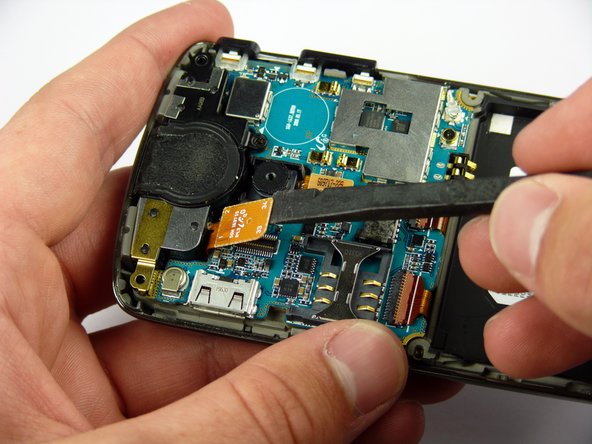
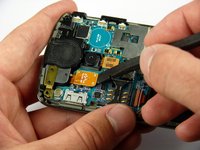
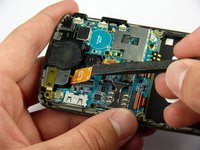
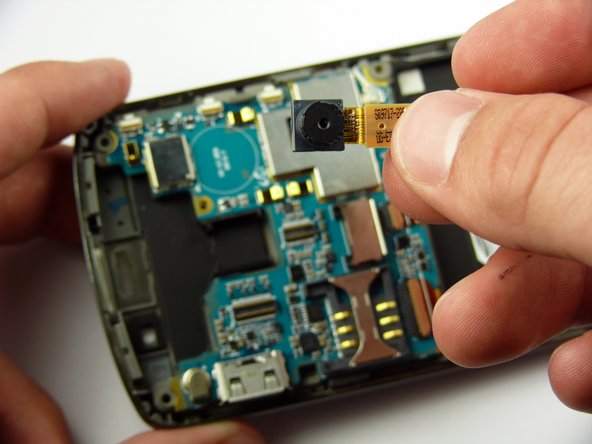
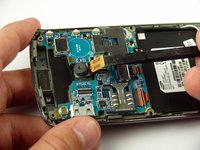
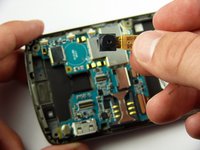
      • Use a spudger to detach the camera ribbon cable.

      • Lift the camera off of the Motherboard.

      crwdns2952109:0crwdne2952109:0

      crwdns2917038:0crwdne2917038:0

    3. Samsung Jack Keyboard Replacement: crwdns2935265:013crwdnd2935265:01crwdnd2935265:02crwdne2935265:0 Samsung Jack Keyboard Replacement: crwdns2935265:013crwdnd2935265:02crwdnd2935265:02crwdne2935265:0
      • Use a spudger to disconnect the white antenna wire on the bottom right corner of the Motherboard.

      crwdns2952109:0crwdne2952109:0

      crwdns2917038:0crwdne2917038:0

    4. Samsung Jack Keyboard Replacement: crwdns2935265:014crwdnd2935265:01crwdnd2935265:03crwdne2935265:0 Samsung Jack Keyboard Replacement: crwdns2935265:014crwdnd2935265:02crwdnd2935265:03crwdne2935265:0 Samsung Jack Keyboard Replacement: crwdns2935265:014crwdnd2935265:03crwdnd2935265:03crwdne2935265:0
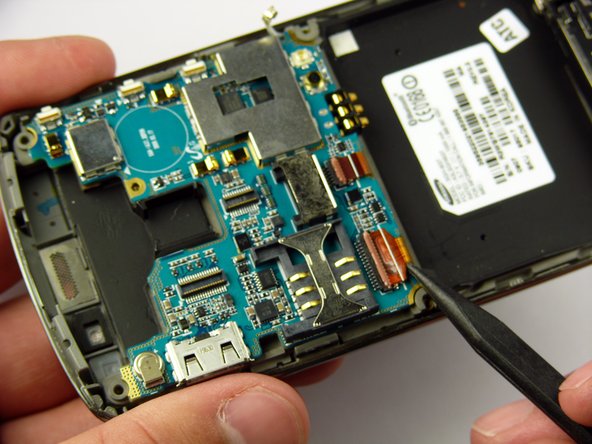
      • Use a Plastic Opening Tool to lift the flaps of the ZIF connectors to release the ribbon cables near the bottom of the Motherboard.

      • Use a spudger to carefully pull the ribbon cables away from the ZIF connectors.

      crwdns2952109:0crwdne2952109:0

      crwdns2917038:0crwdne2917038:0

    5. Samsung Jack Keyboard Replacement: crwdns2935265:015crwdnd2935265:01crwdnd2935265:02crwdne2935265:0 Samsung Jack Keyboard Replacement: crwdns2935265:015crwdnd2935265:02crwdnd2935265:02crwdne2935265:0
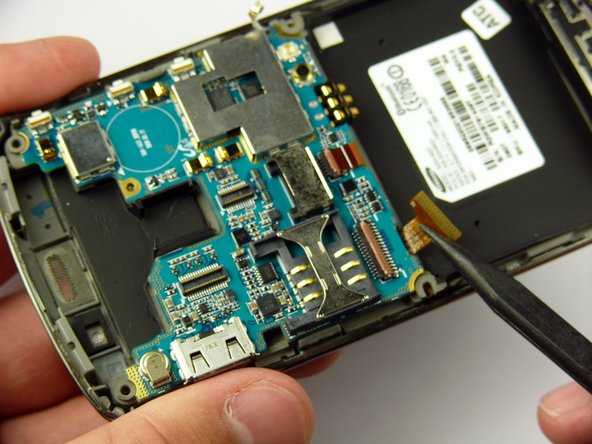
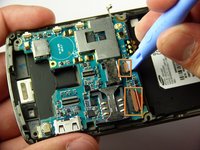
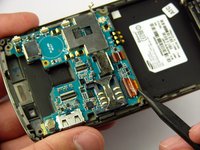
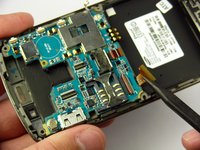
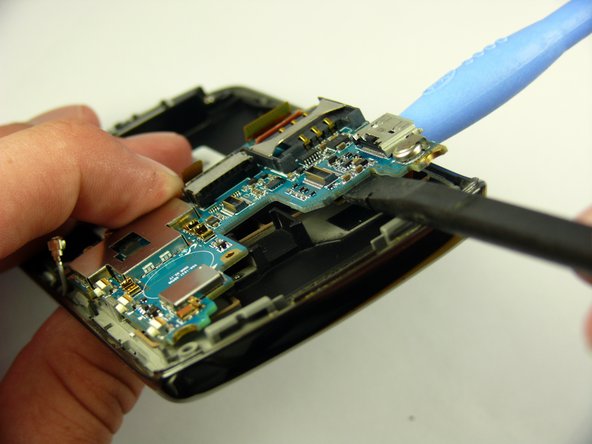
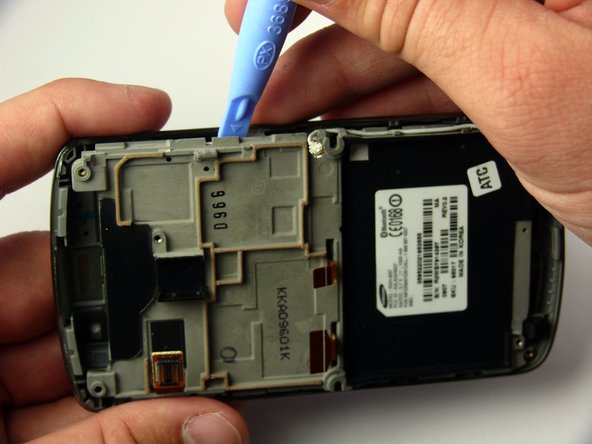
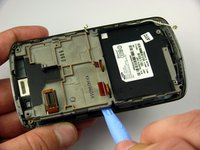
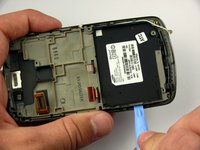
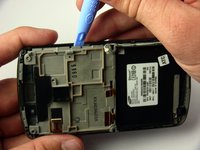
      • There is a ribbon cable under the Motherboard connecting it to the LCD. Do not pull off the Motherboard just yet.

      • Insert the Plastic Opening Tool under the upper left corner of the Motherboard to help reveal the ribbon cable.

      • Use a spudger to disconnect the Motherboard ribbon cable.

      crwdns2952109:0crwdne2952109:0

      crwdns2917038:0crwdne2917038:0

    6. Samsung Jack Keyboard Replacement: crwdns2935265:016crwdnd2935265:01crwdnd2935265:01crwdne2935265:0
      • Lift the Motherboard off of the phone.

      crwdns2952109:0crwdne2952109:0

      crwdns2917038:0crwdne2917038:0

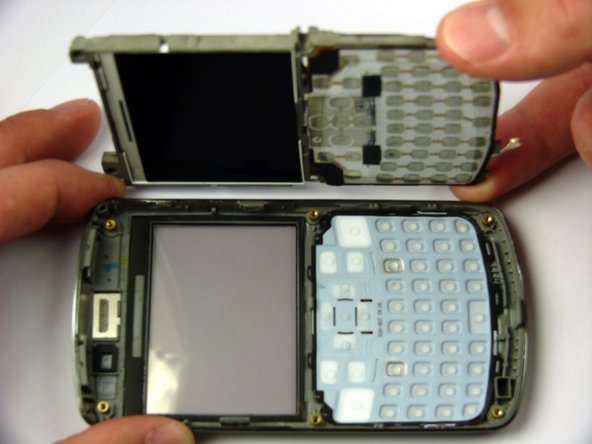
    1. Samsung Jack Keyboard Replacement, Keyboard: crwdns2935265:017crwdnd2935265:01crwdnd2935265:03crwdne2935265:0 Samsung Jack Keyboard Replacement, Keyboard: crwdns2935265:017crwdnd2935265:02crwdnd2935265:03crwdne2935265:0 Samsung Jack Keyboard Replacement, Keyboard: crwdns2935265:017crwdnd2935265:03crwdnd2935265:03crwdne2935265:0
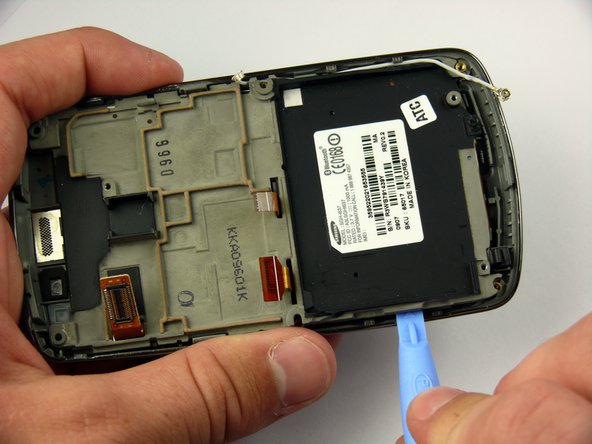
      • The LCD frame is firmly attached to the phone with clips. Do not be afraid to use a little extra force.

      • Insert the Plastic Opening Tool between the LCD frame and the front case of the phone.

      • Slide the Plastic Opening Tool around the LCD frame to detach all of the clips.

      crwdns2952109:0crwdne2952109:0

      crwdns2917038:0crwdne2917038:0

    2. Samsung Jack Keyboard Replacement: crwdns2935265:018crwdnd2935265:01crwdnd2935265:02crwdne2935265:0 Samsung Jack Keyboard Replacement: crwdns2935265:018crwdnd2935265:02crwdnd2935265:02crwdne2935265:0
      • Lift up the LCD frame.

      crwdns2952109:0crwdne2952109:0

      crwdns2917038:0crwdne2917038:0

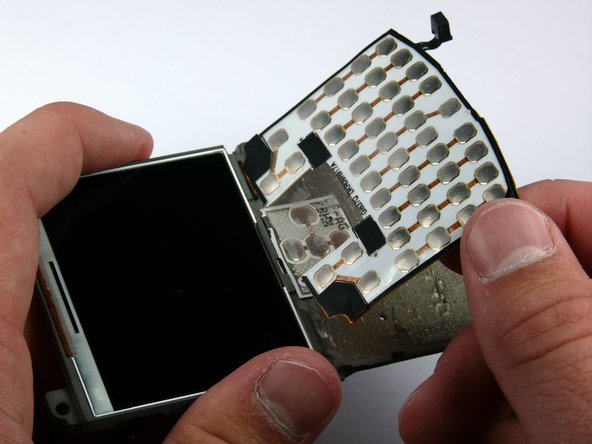
    3. Samsung Jack Keyboard Replacement: crwdns2935265:019crwdnd2935265:01crwdnd2935265:03crwdne2935265:0 Samsung Jack Keyboard Replacement: crwdns2935265:019crwdnd2935265:02crwdnd2935265:03crwdne2935265:0 Samsung Jack Keyboard Replacement: crwdns2935265:019crwdnd2935265:03crwdnd2935265:03crwdne2935265:0
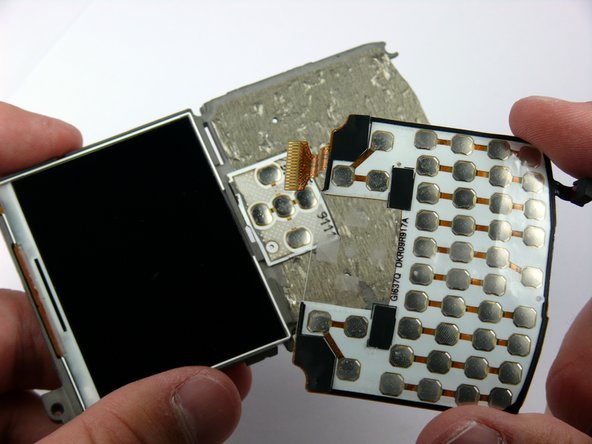
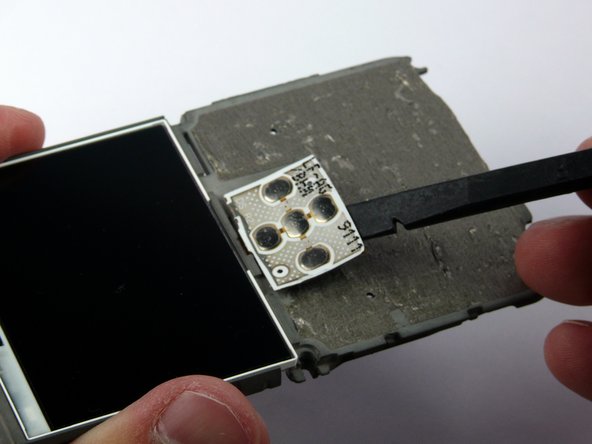
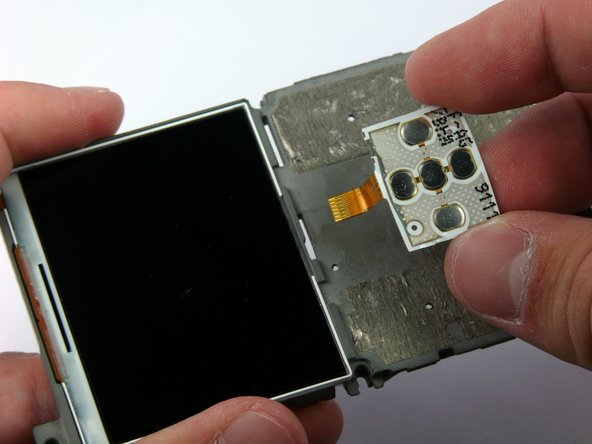
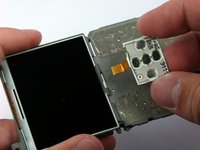
      • The keyboard ribbon cable passes through the LCD frame. Be careful not to rip the ribbon cable when removing the keyboard.

      • The keyboard and directional keys are glued separately to the LCD frame.

      • Insert the spudger between the keyboard and the frame.

      • Peel the keyboard off by sliding the spudger back and forth across the LCD frame.

      crwdns2952109:0crwdne2952109:0

      crwdns2917038:0crwdne2917038:0

    4. Samsung Jack Keyboard Replacement: crwdns2935265:020crwdnd2935265:01crwdnd2935265:03crwdne2935265:0 Samsung Jack Keyboard Replacement: crwdns2935265:020crwdnd2935265:02crwdnd2935265:03crwdne2935265:0 Samsung Jack Keyboard Replacement: crwdns2935265:020crwdnd2935265:03crwdnd2935265:03crwdne2935265:0
      • Insert the spudger between the directional keys and the frame.

      • Peel the directional keys off by sliding the spudger back and forth across the LCD frame.

      crwdns2952109:0crwdne2952109:0

      crwdns2917038:0crwdne2917038:0

crwdns2915888:0crwdne2915888:0

To reassemble your device, follow these instructions in reverse order.

crwdns2935221:0crwdne2935221:0

crwdns2935227:0crwdne2935227:0

Jaime Serrano

crwdns2935283:004/11/11crwdne2935283:0

59 crwdns2915208:0crwdne2915208:0

crwdns2935297:02crwdne2935297:0

crwdns2935287:0crwdne2935287:0

Cal Poly, Team 24-57, Amido Spring 2011 crwdns2935289:0Cal Poly, Team 24-57, Amido Spring 2011crwdne2935289:0

CPSU-AMIDO-S11S24G57

crwdns2931471:04crwdne2931471:0

crwdns2935297:084crwdne2935297:0

crwdns2947412:00crwdne2947412:0

crwdns2917038:0crwdne2917038:0

crwdns2936625:0crwdne2936625:0:

crwdns2936751:024crwdne2936751:0 1

crwdns2936753:07crwdne2936753:0 2

crwdns2936753:030crwdne2936753:0 19

crwdns2942667:0crwdne2942667:0 2,422